Updated
Create my website takes four short steps: choose your properties, complete their details if needed, name your site and accept the terms. Nowistay then writes the whole website on its own and shows you a private preview, free and kept for 30 days. Nothing is published and nothing is charged until you decide.
Before you start, check that your properties are ready: Get your properties ready for your website explains each check.
The steps are Properties, Property details (only when something is missing), Your website and Terms. Back takes you to the previous step without losing what you entered.
Tick the properties to show on the website, up to 25. Each one shows Ready or what is missing, with a Fix button. Properties already on another website are greyed out. Then click Continue.
This step only appears when a property you ticked misses its bedrooms, beds, bathrooms or photos. Nowistay imports what it can from the Airbnb listing and you complete the rest, including at least 5 photos: see the Property details step.
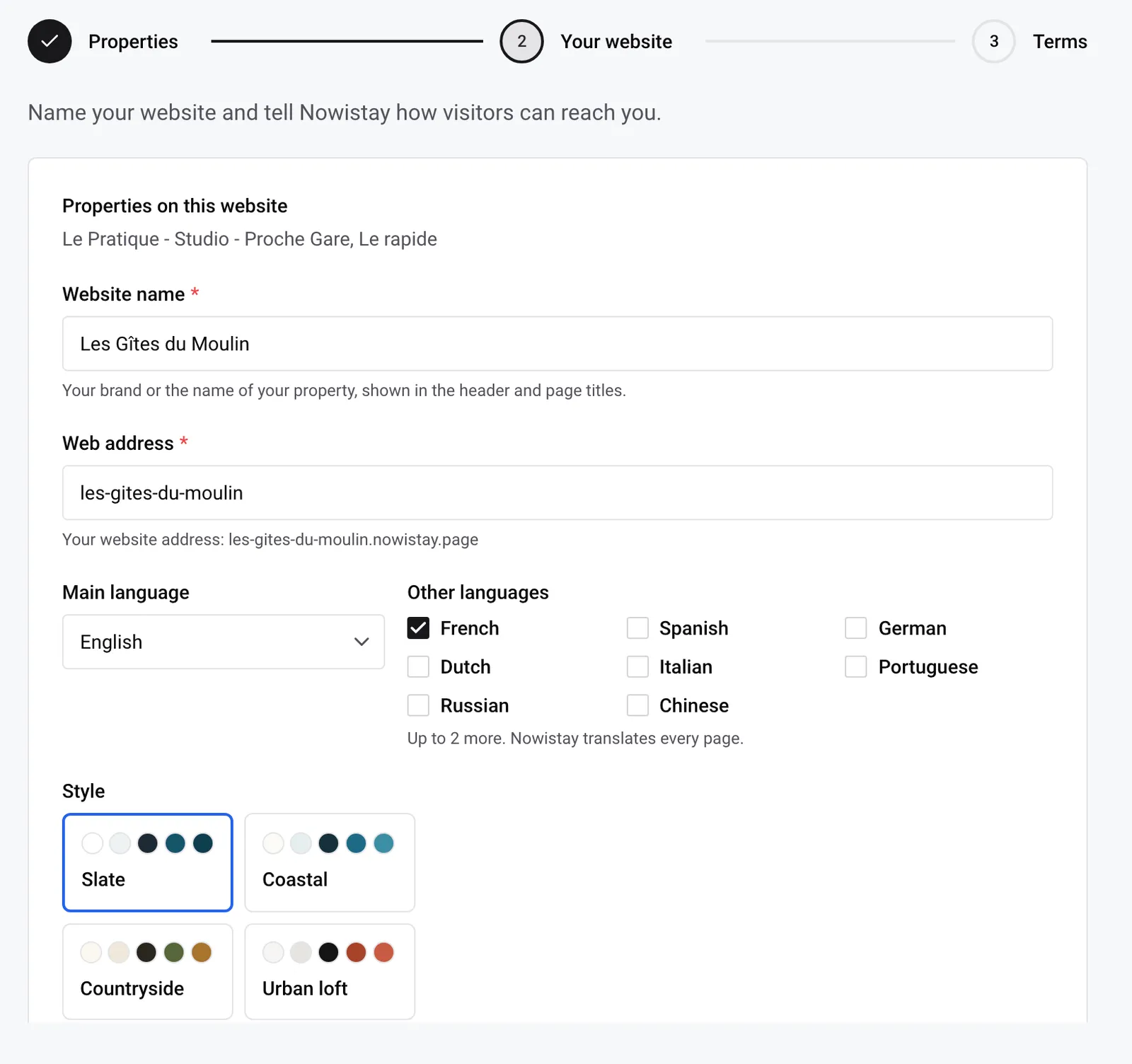
Your brand or the name of your property, shown at the top of every page and in the page titles (up to 120 characters). Nowistay suggests one: the property’s name if you chose one property, your business name if you chose several. You can change it later in the editor’s Site settings.
You choose the part before .nowistay.page. Nowistay suggests an address from the website name (accents removed, spaces turned into hyphens), shows the full address under Web address and checks it as you type. The rules:
| Address you type | Result |
|---|---|
gites-du-moulin | Accepted |
villa-azur-2 | Accepted |
gîtes du moulin | Refused: accent and spaces. “Use only lowercase letters, numbers and hyphens.” |
villa--azur | Refused: two hyphens in a row (same message) |
blog | Refused: “This address is reserved. Choose another one.” |
villa-booking | Refused: contains “booking”. “This address contains a brand you can’t use. Choose another one.” |
pagoda-house | Refused: contains “agoda” (same message) |
b00king-nice | Refused: read as “booking” (same message) |
| an address another site uses | Refused: “This address is already taken. Choose another one.” |
When the address is reserved or taken, Nowistay offers a free one next to Available:, which you can click to use.
You can change it later, and connect your own domain name once the site is published: see Your website address and your own domain name.
You can add or remove a language later from the editor (a site has 3 languages at most): see Website languages and translations.
Four starting styles, each with its colours and fonts: Slate (chosen by default), Coastal, Countryside and Urban loft. You can change the style, fonts and colours at any time in the editor: see Change the look of your website.
Required. Shown in the footer, on each property page and in the legal notice, so visitors can write to you. Nowistay fills in your login e-mail: replace it with a business address if you prefer. You can change it later in Site settings, under Public contact.
Both are optional (Upload, Replace, Remove), and can be added later in Site settings, under Site identity.
Optional, up to 2,000 characters: what to highlight, the tone you want, what to avoid. Nowistay reads it when it writes your website. Three examples that work well:
We are a family business: write in a warm, simple tone and say “we”. Put the heated pool and the big garden first, most of our guests come with children. Avoid words like “luxury” or “paradise”.
Most guests are business travellers on short stays. Highlight the self check-in, the desk in each apartment and the five-minute walk to the train station. Keep sentences short.
Calm, elegant tone. Say that the house is a restored 18th-century farmhouse, rented as a whole and never by the room. Never promise a sea view: only the upstairs bedroom has one.
Never write door codes, Wi-Fi passwords or guests’ names here. Facts about one property belong in its What makes the place special notes.
Then click Continue.
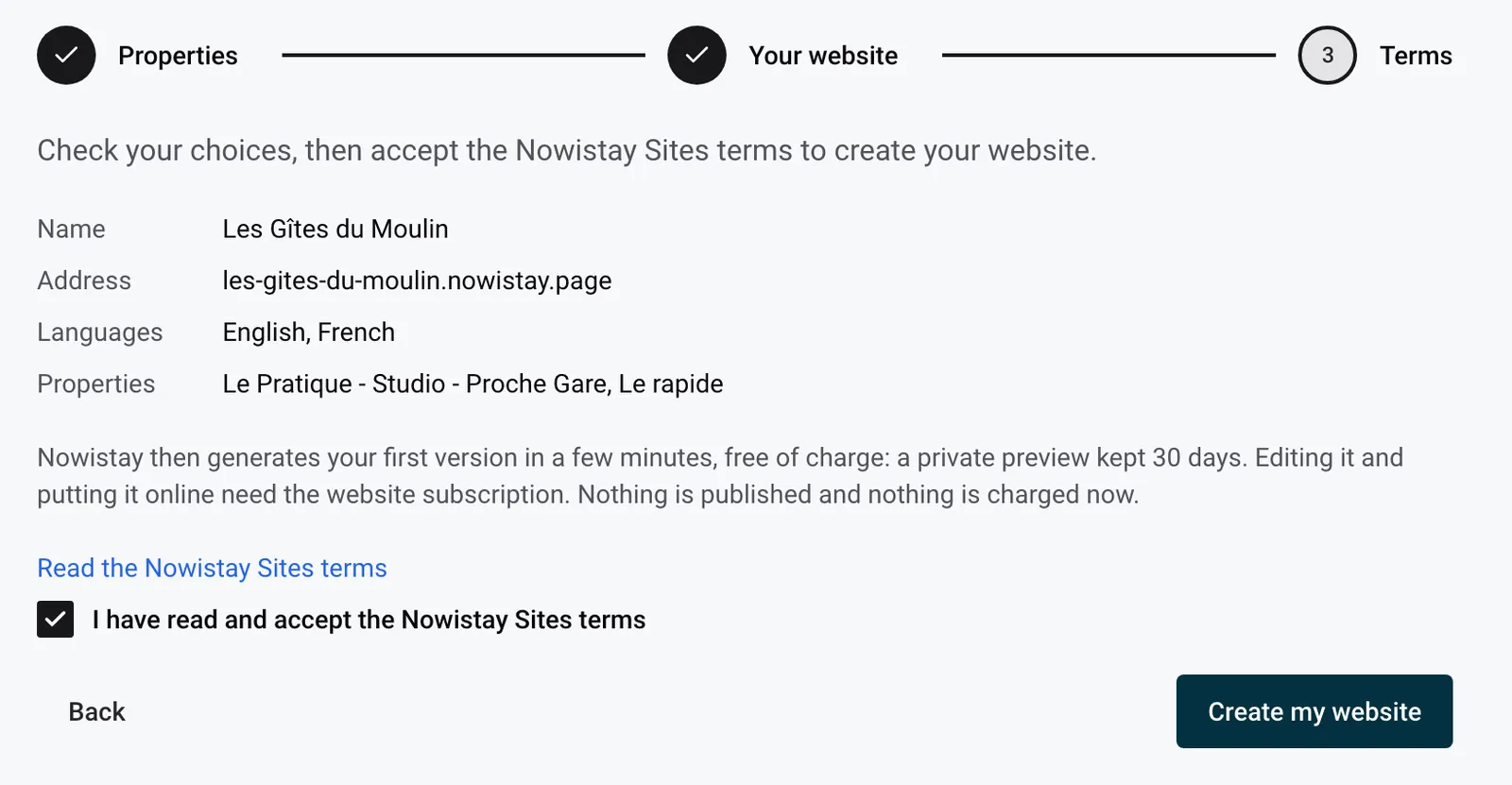
You can create up to 3 websites in 24 hours.
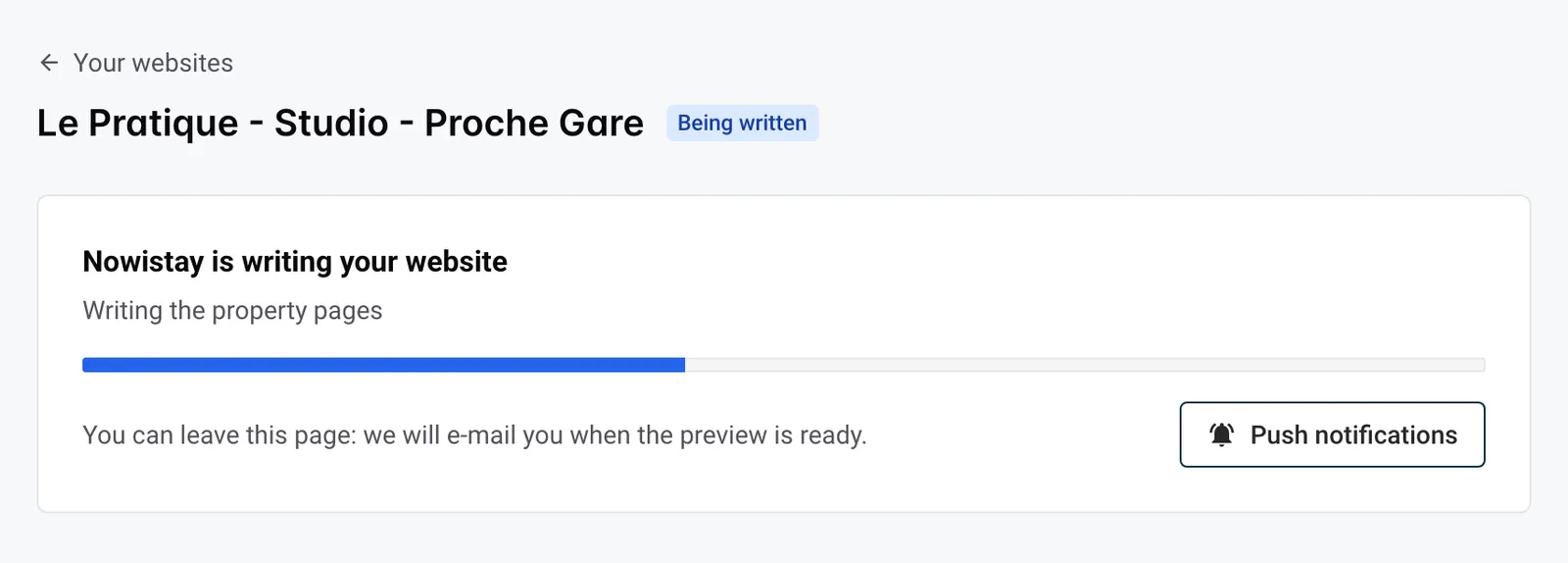
The page shows Nowistay is writing your website with its progress: Planning the pages, Writing the property pages, then Translating if you chose other languages. It takes a few minutes, a little longer when the site has many properties.
You can close the page: Nowistay e-mails you when the preview is ready. These e-mails follow your notification settings for Website (e-mail is on by default).
When the badge shows Preview ready, open the website:
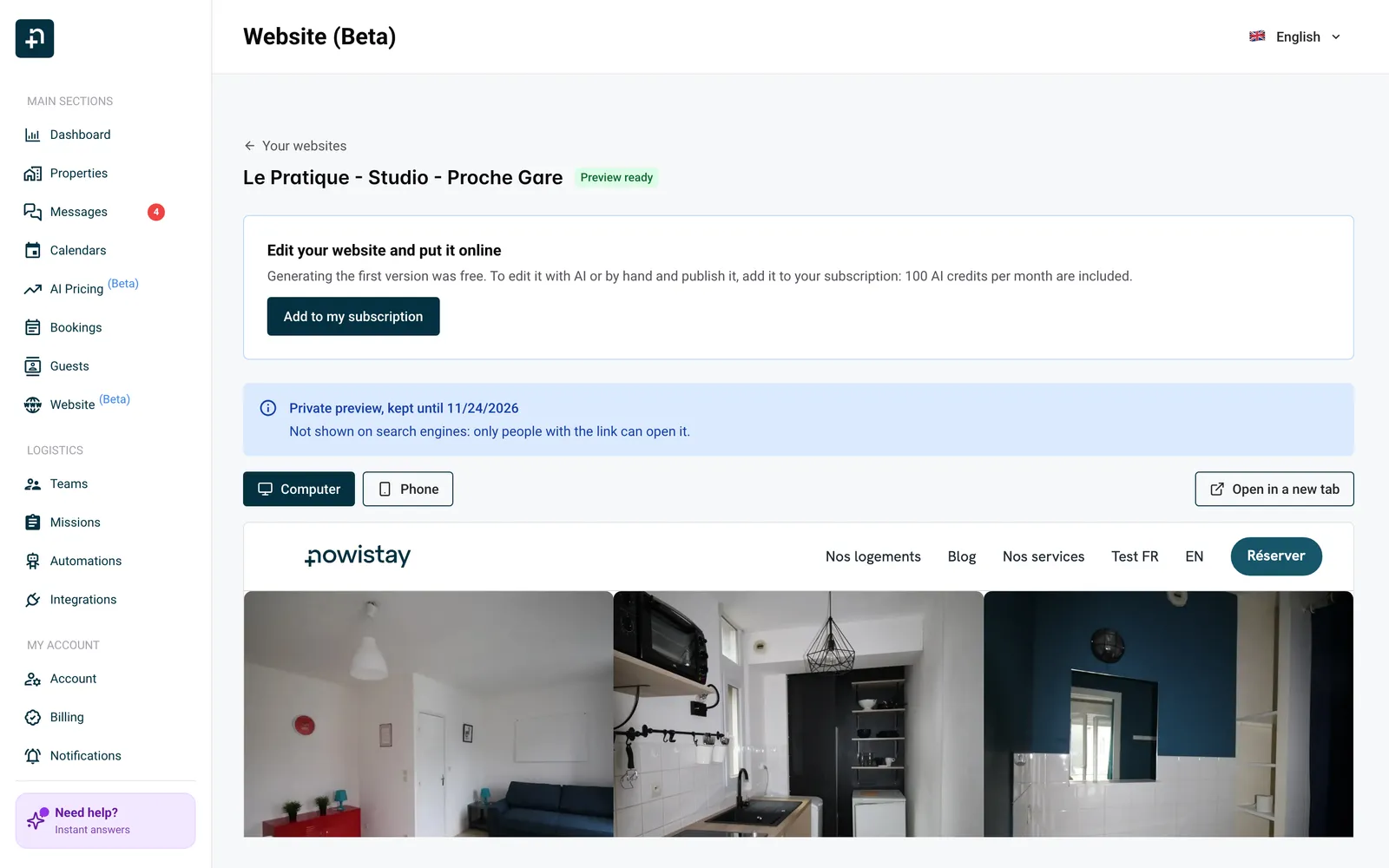
Without the subscription you can look at the preview but not change it. Nowistay reminds you about a week before the 30 days end, and again the day before. After that the badge shows Preview expired: contact us if you want the preview back.
The editor opens: start with The website editor: the basics.
Other cases are covered in the website FAQ and troubleshooting.
Example: you rent three cottages in the Dordogne under the name Les Gîtes du Moulin. You tick the three cottages, keep the suggested name and address les-gites-du-moulin, choose French with English and Dutch for your many Dutch guests, pick Countryside and upload your logo. When the e-mail arrives, you check the preview on your phone with your partner, then add the website to your subscription to start editing.
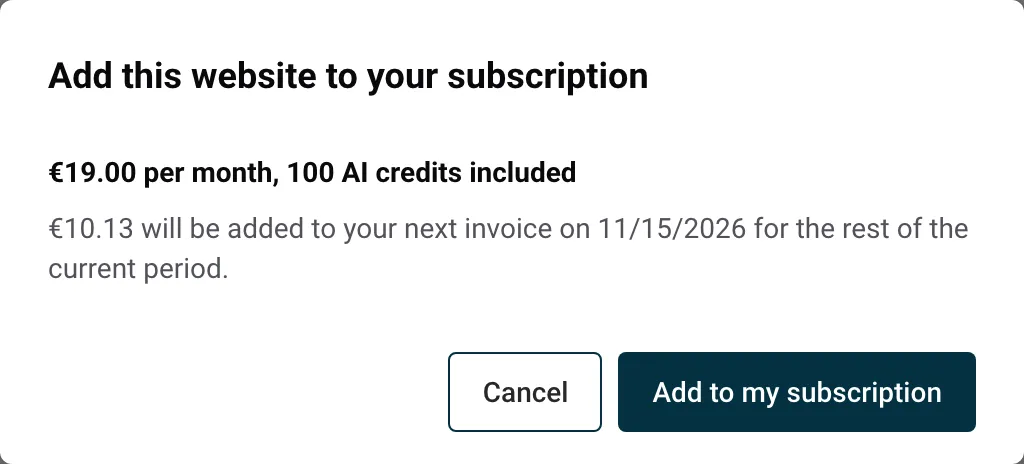
Generating a free first version is once per account. For your next website:
If you close that window without confirming, the website is kept but not written. Open it from Your websites, click Generate my website, then Add to my subscription, and click Generate my website again.
Properties already on your first website are greyed out: a property can only be on one website. To move one, remove it from the first website in the editor and publish: it can then join the new one.
Guides for hosts: read the blog.
Ready to Put Your Rental on Autopilot?
