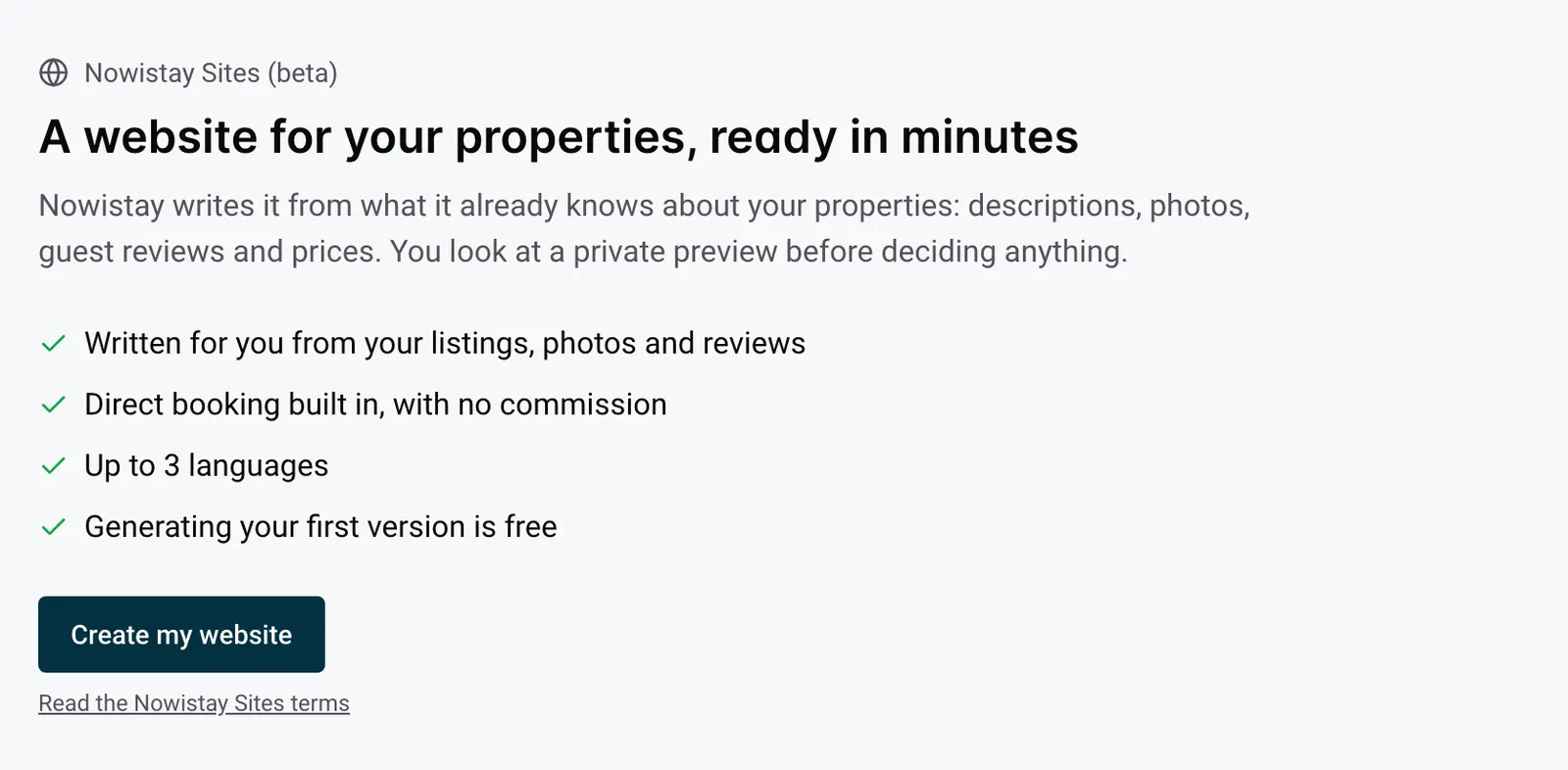
Nowistay Sites gives your properties their own website, where guests book and pay you directly, with no commission. Nowistay writes the whole site for you from what it already knows about your properties (descriptions, photos, guest reviews and prices), and you look at a free private preview before deciding anything.
This article explains what you get, what Nowistay does for you, what stays your job, what it costs and how you go from creation to a site online. The other articles of this section walk you through each step.
What you get
Each website has:
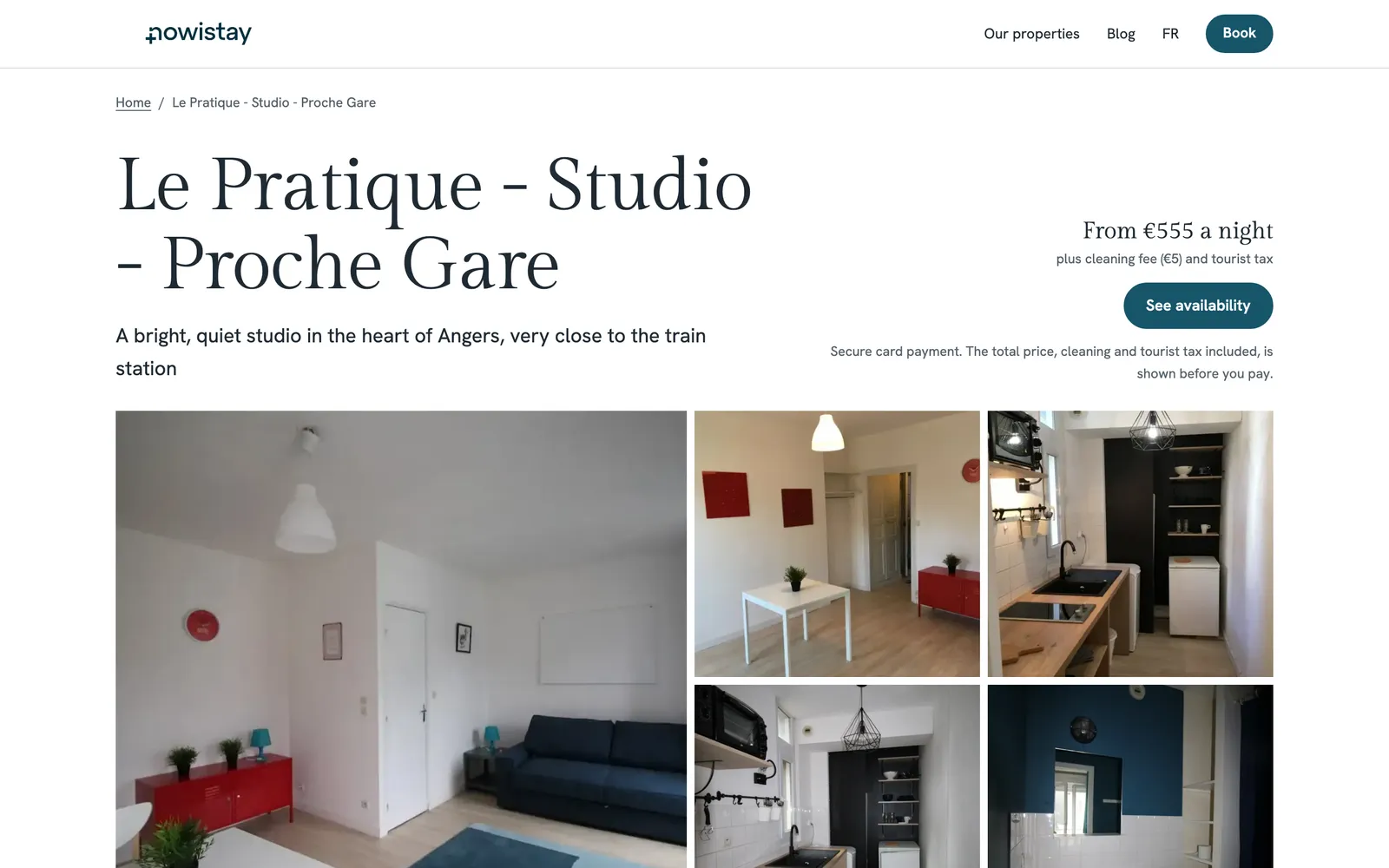
- A home page that presents your properties with large photos, a few guest reviews and a booking button.
- A page for each property: photo gallery, number of guests, bedrooms, beds and bathrooms, the rooms and their beds, amenities, check-in and check-out times, guest reviews, a FAQ and the booking calendar.
- A booking page where guests search their dates across all the properties of the site.
- An About page with a contact form. Messages reach you by e-mail and are listed in the editor under Enquiries.
- A blog if you want one: the AI suggests article ideas and writes drafts that you approve.
- Legal pages (legal notice, privacy policy, booking terms) linked at the bottom of every page.
- Up to 3 languages: a main language and up to 2 others, among English, French, Spanish, German, Dutch, Italian, Portuguese, Russian and Chinese. Nowistay translates every page.
- An address like
yourname.nowistay.page, or your own domain name such as www.yourname.com once the site is published.
Every page adapts to phones. Guests book with the Nowistay booking calendar: they choose their dates, see live availability and the total price (cleaning fee and tourist tax included) before paying, and pay by card. The money goes to your own Stripe account and Nowistay takes no commission. The booking then appears in Nowistay like any direct booking: in its details, Booked on shows Your website.
Each website also has its Statistics: visits, where visitors come from, and the bookings and contact requests the site brought you. Visits are measured without cookies.
Made to be found on Google, and fast on every phone
A direct booking site only works if guests find it and stay on it. Every Nowistay website is built for that from the start, with nothing to install or set up:
- Fast pages. Each page is prepared in advance and kept light. Photos are resized for each screen and the first photo loads first, the others as the guest scrolls. The booking calendar loads when the guest gets near it.
- Ready for Google. Each page has its own title and description for search results, written for you and editable. Google gets the list of all your pages, the language versions of each page are linked, and your properties are described in a way Google understands (capacity, bedrooms, beds, amenities, town).
- Ready for AI assistants. ChatGPT, Perplexity and other assistants may read your site, with a short summary of your properties made for them.
- Ready to share. Shared in WhatsApp or on a social network, a page shows its title, description and photo.
See Get your website found on Google and AI assistants for what Nowistay does and what you can do to rank better.
What Nowistay writes for you
When you create the website, Nowistay writes a complete first version on its own, in a few minutes:
- the home page, the booking page, the About page and the texts Google shows for each page;
- for each property, a tagline, a summary, a description, highlights and, when your listing mentions them, nearby places, house rules and answers to the questions guests often ask;
- all of it in each language of the site.
To write this first version, Nowistay uses your Airbnb listing’s text, the details and photos of each property, your guest reviews and the notes you give it when you create the site. It doesn’t pass on your street address, door codes, Wi-Fi details or phone number.
Some things are never written by the AI, so they can’t be invented:
- The facts of each property (guests, bedrooms, beds, bathrooms, rooms, amenities, check-in and check-out times, registration number) come from the property’s details in Nowistay.
- Prices: the “from” price and the cleaning fee come from your Nowistay rates, and the booking calendar always shows live prices and availability.
- Guest reviews are quoted word for word, with the guest’s first name and the month. No star ratings are shown.
What stays your job
- Read your site before publishing. The AI writes from your data, but it can make mistakes. Nothing goes online until you click Publish, and you can change any text by hand or by asking the AI.
- The legal pages. You are the publisher of your website. Nowistay fills in the facts at the top of each legal page (who publishes the site, the hosting provider, who sells each stay and how payment works). You write the rest, starting from an example text if you like. See Legal pages of your website.
- Your photos. Only use photos you took or have the right to use. Photos imported from Airbnb and photos placed by the AI must be approved by you before you publish. Each time you publish, you confirm that your legal pages fit your country’s law and that you may use the photos.
- Prices, availability and payment terms stay where they are in Nowistay: your calendar and your direct booking settings (full or split payment).
Price
- Generating the first version is free, once per account. You get a private preview, kept for 30 days, that only people with the link can open.
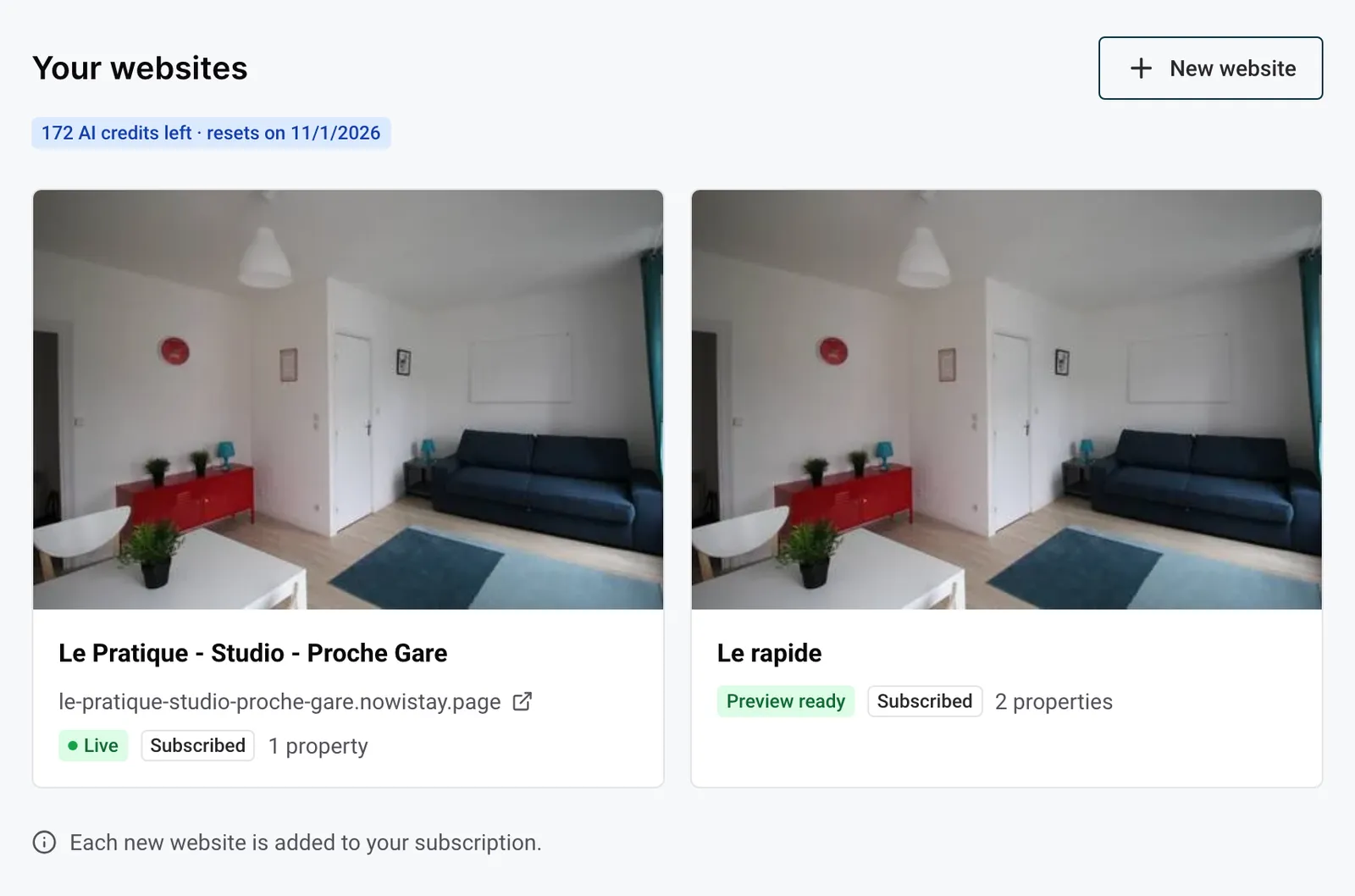
- To edit and publish the website, you add it to your Nowistay subscription: €19 per month per website. Each website comes with 100 AI credits per month. The credits of all your websites are shared and reset on the 1st of each month. Editing by hand never uses credits.
- Each new website after the first is added to your subscription when you create it, since the free first version is already used.
- You can remove a website from your subscription at any time: it stays online and editable until the end of the current billing period, then ends. Nothing is refunded.
All the details are in Website subscription, AI credits and limits.
What you need before you start
- One subscription for your whole account. If your account is still billed property by property, Nowistay shows a message with a Contact us button: we switch it for you.
- For each property you want on the site:
- the AI Channel Manager plan;
- a connection through Nowistay PMS;
- a Stripe account linked to it, to take payments;
- its details filled in (bedrooms, beds and bathrooms);
- at least 5 photos.
- A website holds 1 to 25 properties, and a property can be on only one website.
Get your properties ready for your website explains each check and how to fix it.
From creation to online in 5 steps
- Get your properties ready. Nowistay shows what is missing for each property and takes you to the right place to fix it.
- Create the website. Open Website in the left menu and click Create my website. Four short steps: your properties, their details, the name and address of the site, the terms. See Create your first website, step by step.
- Look at the preview. Nowistay writes the site in a few minutes and e-mails you when the preview is ready. Look at it on a computer and on a phone, and share the link with a partner if you like.
- Subscribe and edit. Click Add to my subscription to open the editor. Change texts and photos by hand, or ask the AI. See The website editor: the basics and Edit your website with AI.
- Publish. Fill in the legal pages, approve the photos, then click Publish: your site is online a few minutes later. See Publish your website. You can then connect your own domain name.
Two examples
One studio near the station
Example: you rent one studio, Le Petit Quai, a five-minute walk from the train station in Nantes. It is on Airbnb, connected to Nowistay PMS, and Stripe is already set up for direct bookings.
In Create my website, you tick the studio and Nowistay imports its photos, amenities and reviews from the Airbnb listing. You name the site Le Petit Quai, keep the suggested address le-petit-quai.nowistay.page, choose French as main language and add English. A few minutes later, the preview shows a home page, the studio’s page with its gallery, beds and guest reviews, and a booking calendar.
You subscribe, rewrite two sentences, write your legal pages from the French example and publish. You then add the address to your Instagram profile and your e-mail signature, so people looking for the studio find it.
Twelve apartments in Lisbon
Example: you manage 12 apartments in Lisbon under the name Lumen Lisbon Stays. You put all 12 on one website, which can hold up to 25.
In the first step, two apartments show Stripe not linked: you click Fix, link them to your Stripe account, then click Check again. You choose Portuguese as main language, with English and French, and the address lumen-lisbon.nowistay.page. The home page presents all your apartments, the booking page lets guests search their dates across the 12, and each apartment has its own page in three languages.
When you sign a 13th apartment, you add it to the website from the editor: Nowistay writes its page in every language of the site. Later, you connect your own domain name, and the nowistay.page address leads to it.
