Updated
Each website costs €19 per month and is added to your Nowistay subscription, with 100 AI credits per month included. Generating the first version of your first website is free, once per account: you look at a private preview before paying anything. This article explains what the subscription covers, how AI credits work, how to stop or delete a website, and lists every limit in one table.
Free, without the website subscription:
With the website subscription (€19 per month per website):
The free first version is given once per account. Once it is used, every new website is added to your subscription when you create it: on the last step of Create my website, the button becomes Create and subscribe. Deleting a website doesn’t give the free first version back.
After your free first version, the website page shows a card Edit your website and put it online.
The message Website added to your subscription appears and the editor opens.
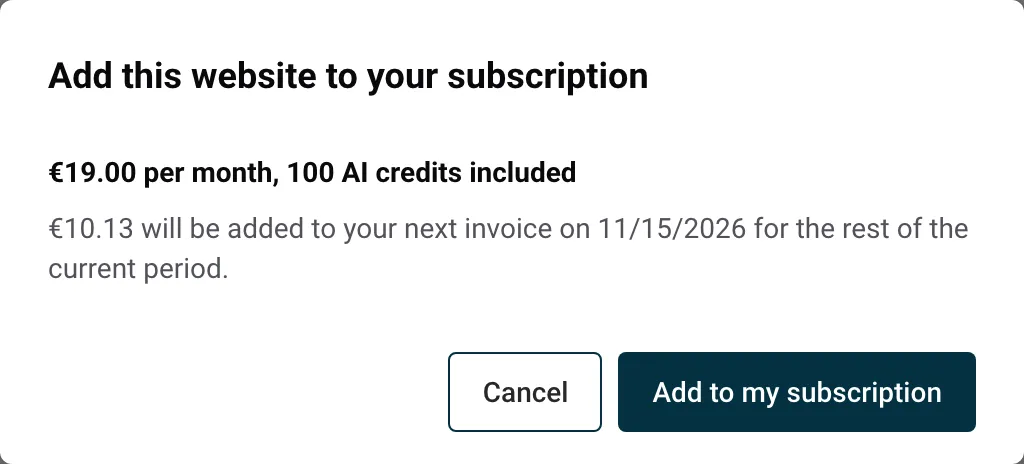
For a second website, the dialog opens as soon as you click Create and subscribe. Confirm it and Nowistay starts writing the website. If you close the dialog instead, the website is kept without a subscription: open it, click Generate my website, then Add to my subscription on the card that appears, and click Generate my website again.
There is a single Nowistay subscription and a single invoice. Your websites are one more line on it.
To download your invoices, see How to download invoices and manage your subscriptions.
If the dialog says Your account first needs to move to the account subscription. Contact us and we’ll switch it for you., your account is not on the account subscription yet: contact us and we switch it for you. You also can’t add a website while an invoice is unpaid or while your subscription is set to end.
Your Nowistay subscription renews on the same day every month. When you add a website in the middle of that period, you only pay for the days left until the renewal. That amount is added to your next invoice. After that, you pay €19 per month like the rest of your subscription.
Example: your subscription renews on the 1st of each month and you add your website on the 16th. About half the month is left, so roughly half of €19 is added to your invoice of the 1st. From then on, the website costs €19 a month. The dialog shows the exact amount and date before you confirm, for example “€9.50 will be added to your next invoice on 1 December for the rest of the current period.”
If your account is still in its free trial, the dialog says Free until your trial ends on followed by the date, then billed with your subscription.
AI credits pay for the requests you make to the AI in the editor.
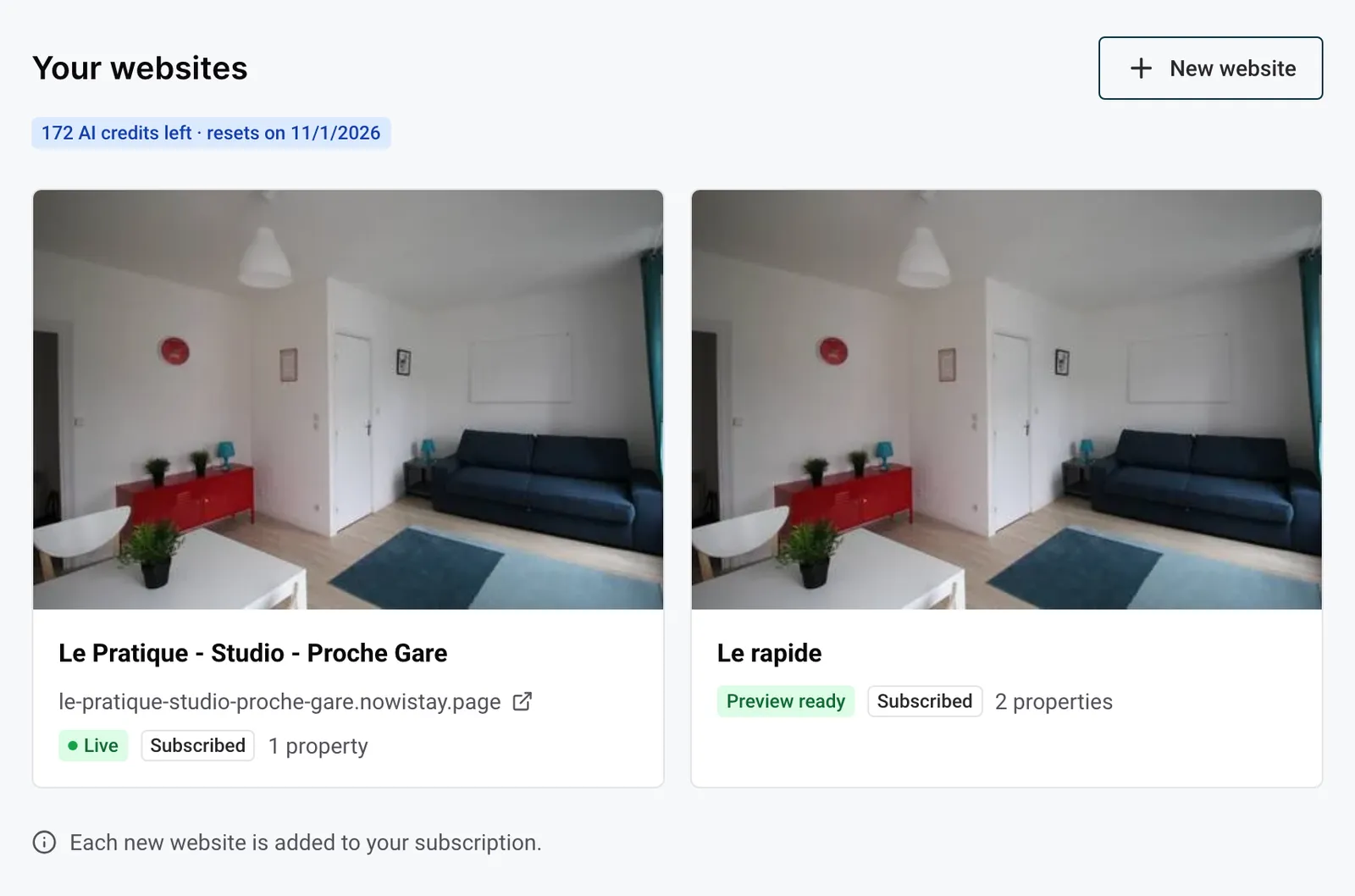
You see what is left in two places: in the editor, at the top of the … menu, and on the Your websites page. Both read for example “64 AI credits left · resets on 1 December”. The badge on Your websites turns orange when nothing is left.
Every request to the AI in the editor uses credits:
A request uses more or fewer credits depending on the work it asks for: changing one title costs less than writing a long article or reworking several pages.
The AI chat box is turned off and shows AI credits used up until followed by the date of the 1st. Everything else keeps working: you can still edit texts, photos and blocks by hand, and publish. A request that was already running when you reached zero finishes, so the balance can go a little over. Your credits come back on the 1st of the next month.
To learn how to write good requests, see Edit your website with AI.
The website stays online and editable until the end of the current billing period, then it ends. Nothing is refunded for the days left.
Until that date, a notice This website ends on followed by the date shows under the editor bar. Changed your mind? Click Keep my website before that date and nothing changes.
Once the date has passed:
If you end your whole Nowistay subscription, your websites end on the same date as your subscription.
A website must be offline and out of your subscription before you can delete it. For a website that is online and in your subscription:
For a website that was never added to your subscription (a private preview, for example), open it from Website: the Delete the website button is on its page.
What happens:
.nowistay.page address stays reserved for 12 months: nobody else can take it.If the payment of your Nowistay subscription fails, you have 8 days to settle it. During those 8 days, your website stays online and editable, but you can’t add a new website.
If the payment is still not settled after 8 days, your subscription services are suspended:
To settle it, click Billing in the left menu, then Resolve payment. Once the payment goes through, your website comes back online by itself, within about an hour.
If you don’t add a website to your subscription, its private preview is kept 30 days from the day it was first ready.
Add the website to your subscription before the date and the preview is kept: the 30-day limit only applies to websites that were never subscribed.
| What | Limit |
|---|---|
| Price | €19 per month per website, 100 AI credits included |
| Free first version | Once per account |
| Private preview without subscription | Kept 30 days |
| New websites | 3 per 24 hours |
| Properties per website | 1 to 25 |
| Same property on two websites | Not possible: one website per property |
| Property ready for a website | AI plan, Nowistay PMS, Stripe linked, bedrooms, beds and bathrooms filled in, at least 5 photos |
| Properties added after creation | 20 per website per 24 hours |
| Languages | A main language and up to 2 others, among 9 |
| Adding a language | 3 times per website per month (attempts that fail count) |
| Main language | Can’t be changed once the website is written |
| Your own pages | Up to 10, of which 3 in the menu |
| Page name | 60 characters |
| Page address | 40 characters |
| Blocks per page | Up to 20, with one main banner or introduction per page |
| Main banner photos | 1 to 3 |
| Highlights block | 1 to 6 items |
| Areas block | 1 to 4 areas |
| Reviews block | Up to 6 reviews |
| Property cards block | All your properties, or 1 to 12 |
| Articles block | 1 to 6 articles |
| Photos per property page | 1 to 40 |
| Photo files | JPEG, PNG or WebP, at least 800 px on the long side, up to 10 MB |
| Photo uploads | 60 per hour per account |
| Logo | PNG, JPEG or WebP, up to 2 MB, at least 200 px |
| Icon | Square, at least 512 × 512 px, up to 2 MB |
| Website name | 120 characters |
| Footer tagline | 200 characters |
| “Anything special?” when creating | 2,000 characters |
| “What makes the place special” per property | 4,000 characters |
| Web address (yourname.nowistay.page) | 3 to 40 characters: lowercase letters, digits and hyphens |
| Former address after a change | Leads to the new one for 12 months |
| Own domain | 1 per website, a www address only |
| Versions kept | The 30 most recent |
| AI credits | 100 per website per month, shared between your websites, renewed on the 1st |
| AI requests | One at a time, up to 20 per website every 10 minutes, 4,000 characters per message |
| Articles written by the AI | 8 new articles per website per month (no limit for articles you write yourself) |
| Article | Title 100 characters, summary 300, text 20,000; search title 70, search description 160; address 60 |
| Preview updates | 150 per 24 hours with the subscription, 10 without, for all your websites together |
| Contact form | 5 messages per visitor per hour, 100 per website per day |
| Messages in Enquiries | The newest 100 |
For the conditions a property must meet, see Get your properties ready for your website. For the address rules, see Your website address and your own domain name.
Guides for hosts: read the blog.
Ready to Put Your Rental on Autopilot?
