Updated
Statistics shows how your published website is doing over the last 7 or 30 days: how many people visited it, which pages they read, where they came from, and how many bookings and contact requests your site brought you. Visits are counted without cookies, so your website needs no cookie banner for them.
The panel opens on the right and shows the Last 30 days. It works the same way on a phone: the … menu sits in the top bar of the editor.
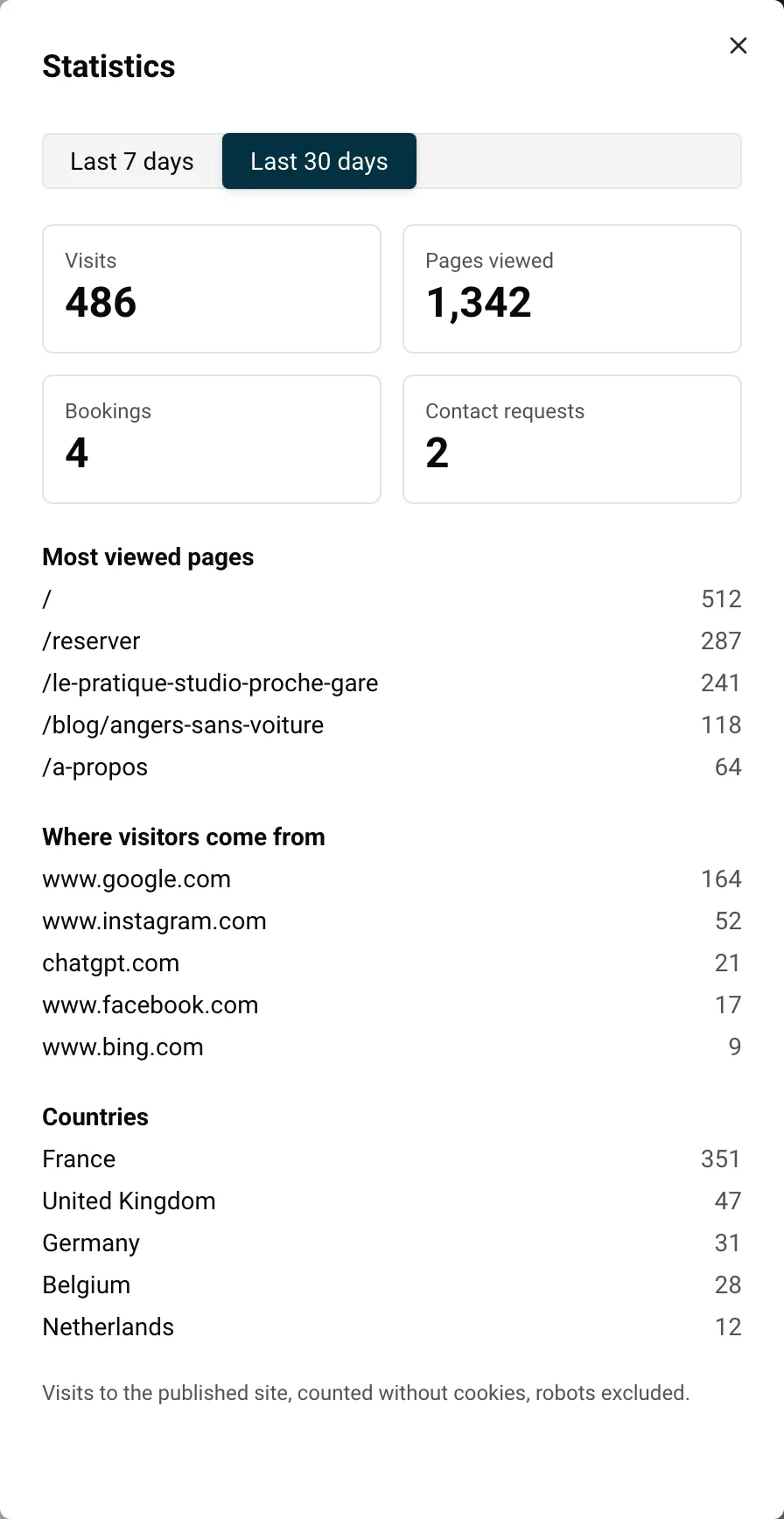
The four boxes at the top give the totals for the period you chose.
| Figure | What it counts |
|---|---|
| Visits | How many times someone came to your website. A visit starts when a person arrives from another site (Google, a social network, a blog) or types your address. The pages they open next are part of the same visit. |
| Pages viewed | Every page opened on your website, including several pages in the same visit. |
| Bookings | Bookings paid on your website during the period, counted on the day the guest booked (not on the dates of the stay). |
| Contact requests | Messages sent through the contact form of your website during the period. A test message you send yourself counts too. |
Example: a guest finds your site on Google, lands on your home page, then opens the pages of two of your apartments. That is 1 visit and 3 pages viewed. If the guest then books one of the apartments, Bookings goes up by 1.
Under the totals, three lists show the 5 most frequent answers. A list only appears when it has something to show.
/ is your home page. Pages in your other languages start with their language code, for example /fr/ or /de/.Click Last 7 days or Last 30 days at the top of the panel. Today is included in both.
The figures can be up to 15 minutes behind. If you have just shared your link, wait a little before checking the result.
Nowistay only counts visits on your published website, at its .nowistay.page address or at your own domain name.
www.les-gites-du-moulin.com), its visits are counted from the day it is connected, together with those on your .nowistay.page address. See Your website address and your own domain name.If Visits and Pages viewed show a dash instead of a number, with the message Visits are not available yet: only the bookings and contact requests from the site are shown., visits can’t be read at the moment. Your bookings and contact requests are still shown. Open Statistics again a bit later.
To put your website online, see Publish your website and put changes online.
The statistics are counted without cookies: nothing is stored on your visitors’ phones or computers to measure them, and robots (search engine crawlers, automatic tools) are left out. This is why your Nowistay website shows no cookie banner. The block that Nowistay adds at the top of your privacy policy states that your pages are delivered without advertising cookies or trackers. See Legal pages of your website.
Example: you rent two cottages in the Dordogne under the name Les Gîtes du Moulin. On a Monday, you publish a blog article “Canoeing on the Dordogne with children”. Two weeks later, you open Statistics on Last 7 days:
The article brings new visitors from Google. To turn them into bookings, make sure the article suggests your cottages: in the article, tick them under Properties to suggest under the article. Then write the next article on a similar topic. See Write a blog for your website with AI.
A few more ways to use your figures:
Guides for hosts: read the blog.
Ready to Put Your Rental on Autopilot?
