Each property in Nowistay has a set of settings that define how it operates: its name, address, pricing defaults, check-in and check-out times, and more. You can edit all of these at any time from the Property infos form.
This guide explains every field in the form so you know exactly what each one does.
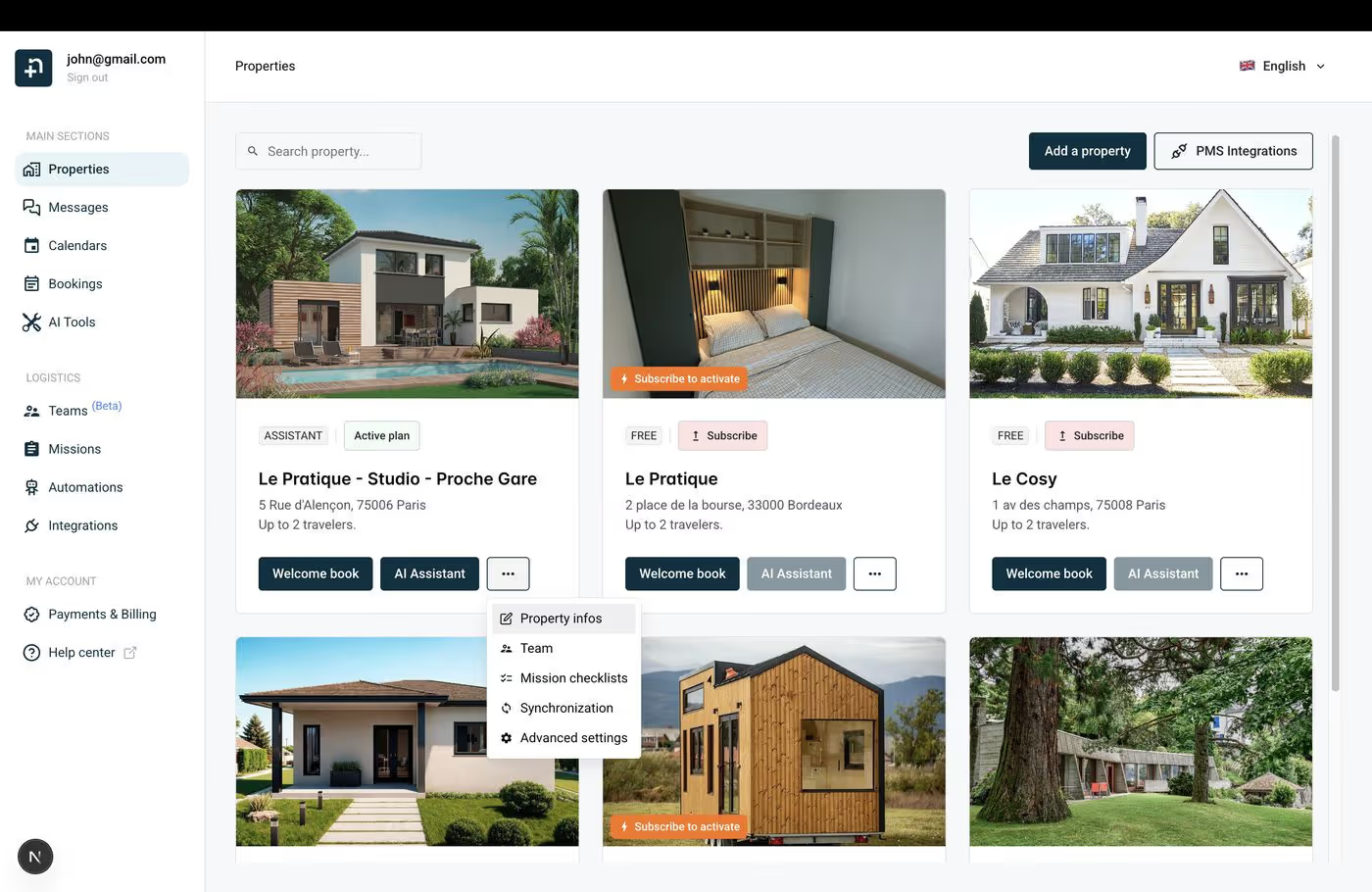
A dialog opens with all the property settings. Let’s go through each field.
This is the display name of your property in Nowistay. It’s used throughout the dashboard to identify this property (on the calendar, bookings, missions, etc.). Choose something clear and recognizable — for example, “Studio Montmartre” or “Villa Cannes - Pool”.
Your name as the host. This is used by the AI co-host when it communicates with guests on your behalf — for example, it may sign messages with your first name to keep the interaction personal and warm.
Your phone number, including the country code. This is used for WhatsApp alerts — if you’ve enabled WhatsApp messaging, notifications will be sent to this number. Make sure the format is correct (e.g., +33 6 12 34 56 78).
The full street address of your property. This is important because it’s used to automatically determine the property’s timezone, and it can be referenced in guest communications (directions, check-in instructions, etc.).
Any extra address information like apartment number, suite, unit, floor, or locality name. This field is optional and helps provide more precise location details.
Complete the full address with the postal code, city name, and country. These fields are required and help locate your property accurately.
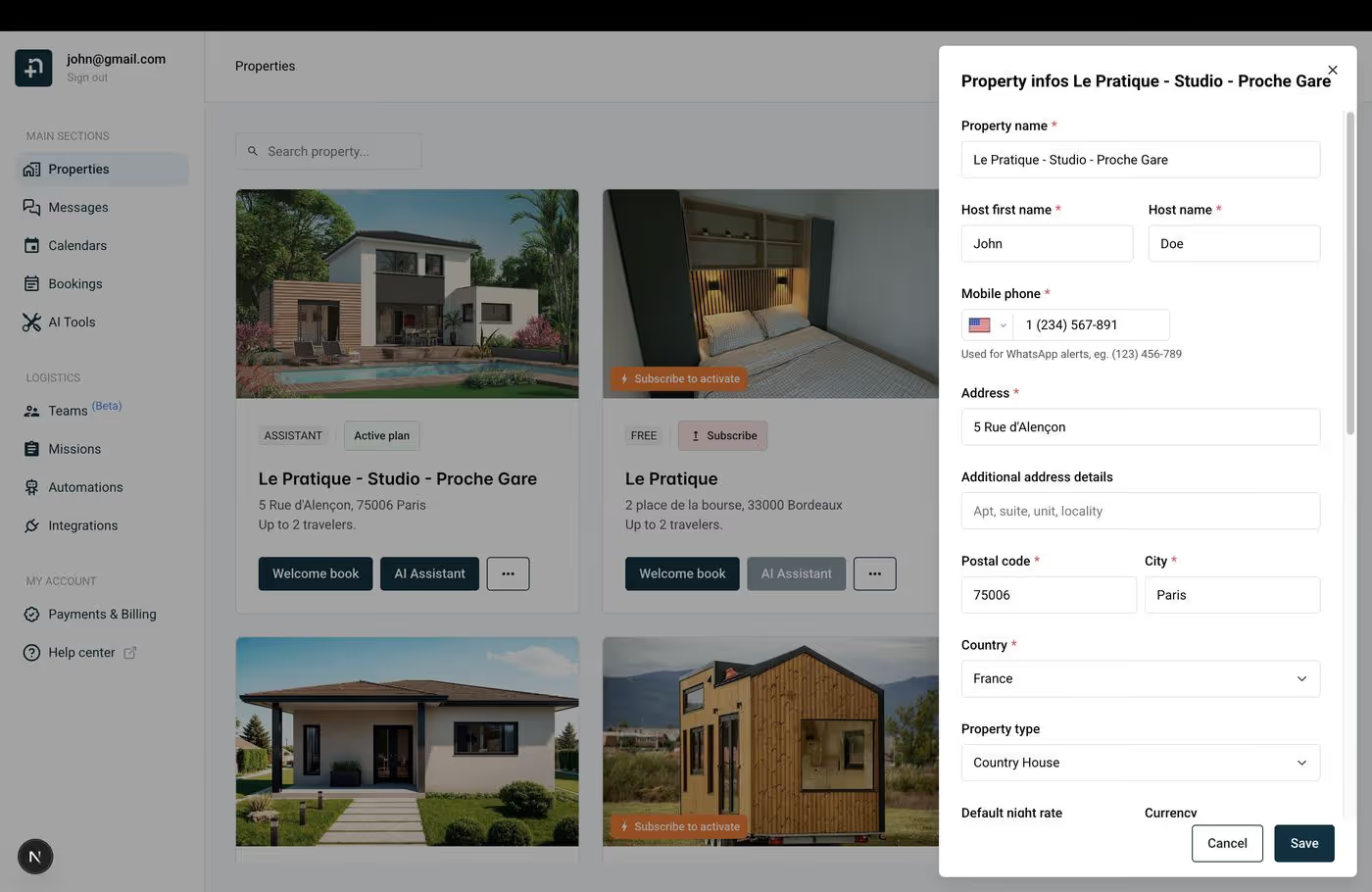
Select the type of property from the dropdown (e.g., Apartment, House, Country House, Villa, Studio, etc.). This helps categorize your property and is used by the AI co-host to better understand and describe your listing to guests.
The default nightly rate is the base price per night for your property. This is the starting rate that will be applied when you first connect your property or when no specific rate is set for a date on the calendar. You also select the currency (EUR, USD, GBP, etc.) that applies to all pricing.
Note: If your property is connected via the Nowistay PMS, you can set per-day rates from the calendar. The default rate here is just the starting point.
The standard cleaning fee charged per stay. This is used as a default reference, though the actual cleaning fee may be managed by the connected booking platform (Airbnb, Booking.com, etc.).
The maximum number of guests your property can accommodate. For example, if your studio has one double bed and one sofa bed, you might set this to 3 or 4 travelers. This information helps the AI co-host answer guest questions about capacity.
The earliest time guests can check in. For example, if you set it to 15:00, guests will be informed that they can arrive from 3 PM onwards. This time is used by the AI co-host when answering check-in questions and in automated messages.
The latest time guests must check out. For example, 10:00 means guests need to leave by 10 AM. Like the check-in time, this is communicated to guests by the AI co-host and used in automated messages.
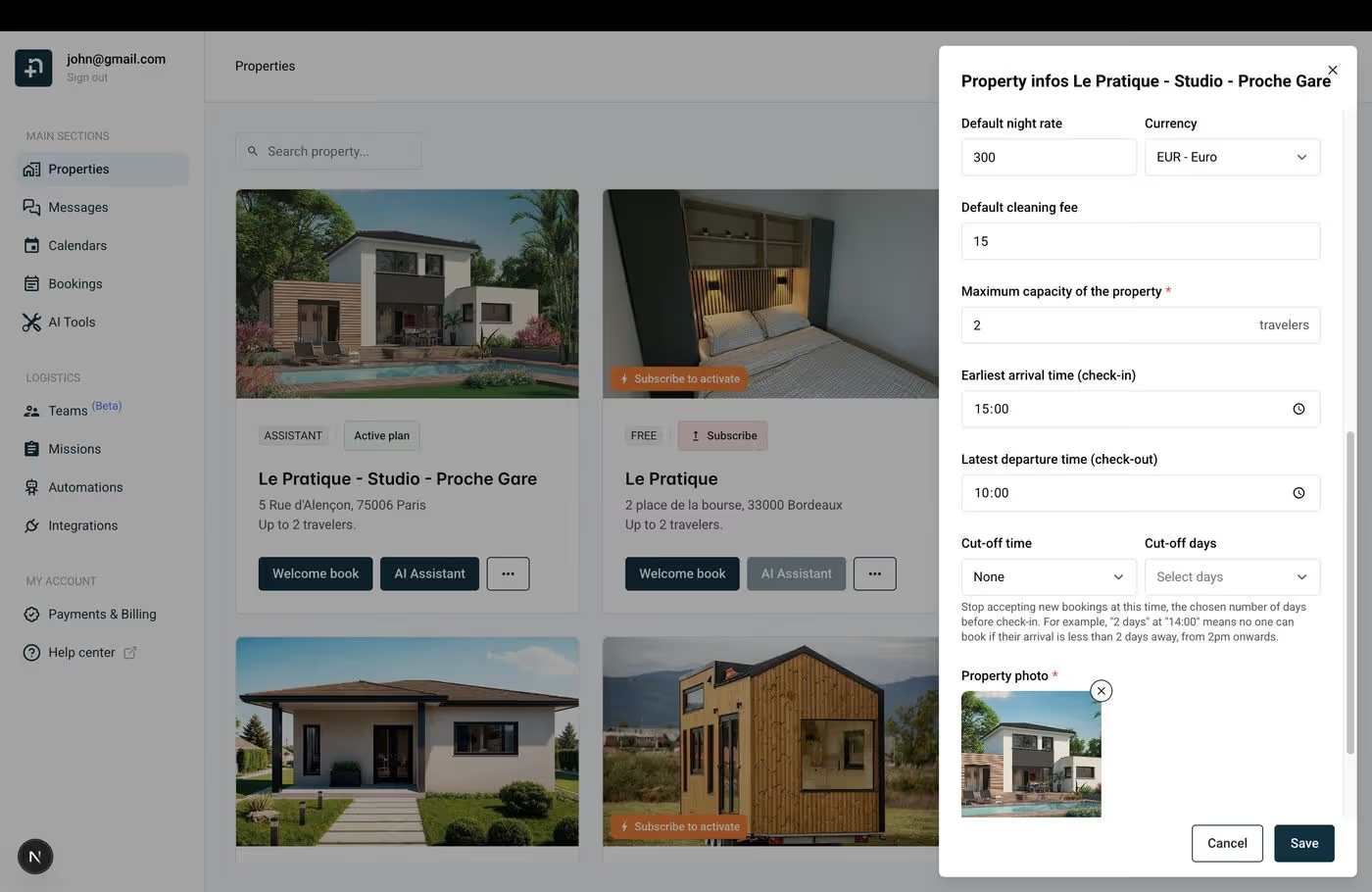
The cut-off settings control when your property stops accepting new bookings before a guest’s arrival date. This is useful if you need time to prepare the property (cleaning, key handoff, etc.).
Example: If you set the cut-off to 2 days at 14:00, no one can book if their arrival is less than 2 days away from 2 PM onwards. So a guest trying to book on Monday afternoon for a Wednesday check-in would be blocked, because there are only 2 days left and it’s past 2 PM.
Set this to None if you want to accept last-minute bookings with no restrictions.
Upload a photo that represents your property. This image is displayed on your property card in the Nowistay dashboard and helps you quickly identify your properties visually.
Once you’ve filled in or updated the fields you need, click Save at the bottom of the dialog. Your changes are applied immediately.
