Sometimes you need to add a booking yourself — whether it's a direct reservation from a guest who contacted you outside of Airbnb or Booking.com, or simply to block specific dates on your calendar. With Nowistay, you can easily create manual bookings that sync across all your connected channels — and even send your guest a secure payment link so they can pay online.
Manual bookings are only available for properties connected with Nowistay PMS. If your property is connected through another channel manager (Beds24, Smoobu, Lodgify) or direct OTA without Nowistay PMS, this feature won't be available.
Not sure if your property uses Nowistay PMS? Check the Properties section and go to the "Synchronization" item of the property menu.
If you want to request payment from your guest when creating a manual booking, you'll also need a Stripe account connected to Nowistay. See the Connect your Stripe account section below for setup instructions.
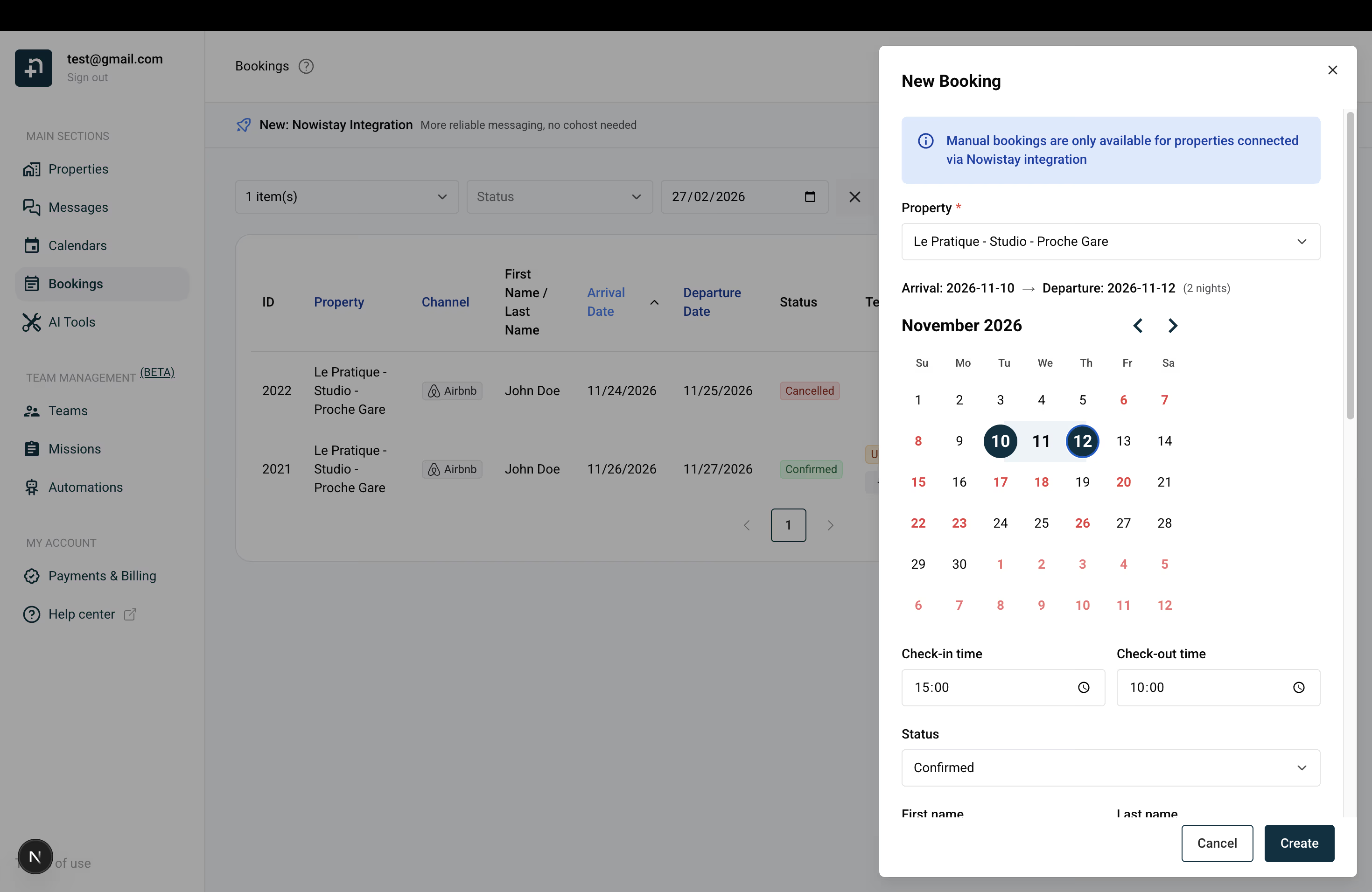
When you create a confirmed manual booking, two important things happen automatically:
If you checked "Request payment from guest", the guest will also receive an email with a secure payment link. The booking is created immediately as confirmed (dates are blocked right away), and the payment status is tracked separately — see below for full details.
When you select dates, Nowistay automatically fetches the nightly rates from your Nowistay PMS configuration and calculates a suggested total. The total is computed as:
Total = (nightly rate x number of nights) + cleaning fee + local taxes
You are free to edit any of these values. If you change the total amount manually, the nightly rate will be recalculated accordingly. If you change the cleaning fee or taxes, the total will update automatically (unless you've already edited it manually).
If rates are not configured in your PMS for the selected dates, you can simply enter the amounts manually.
When a guest contacts you directly — by phone, email, WhatsApp, or social media — and wants to book, you can create the booking yourself and send them a secure payment link so they can pay online. This is perfect for collecting payment on direct reservations without needing a booking widget on your website.
To request payment from guests, you first need to connect your Stripe account to Nowistay. Stripe handles all the payment processing securely — you don't need to handle any card details yourself.
Don't have a Stripe account yet? You can create a free Stripe account in minutes.
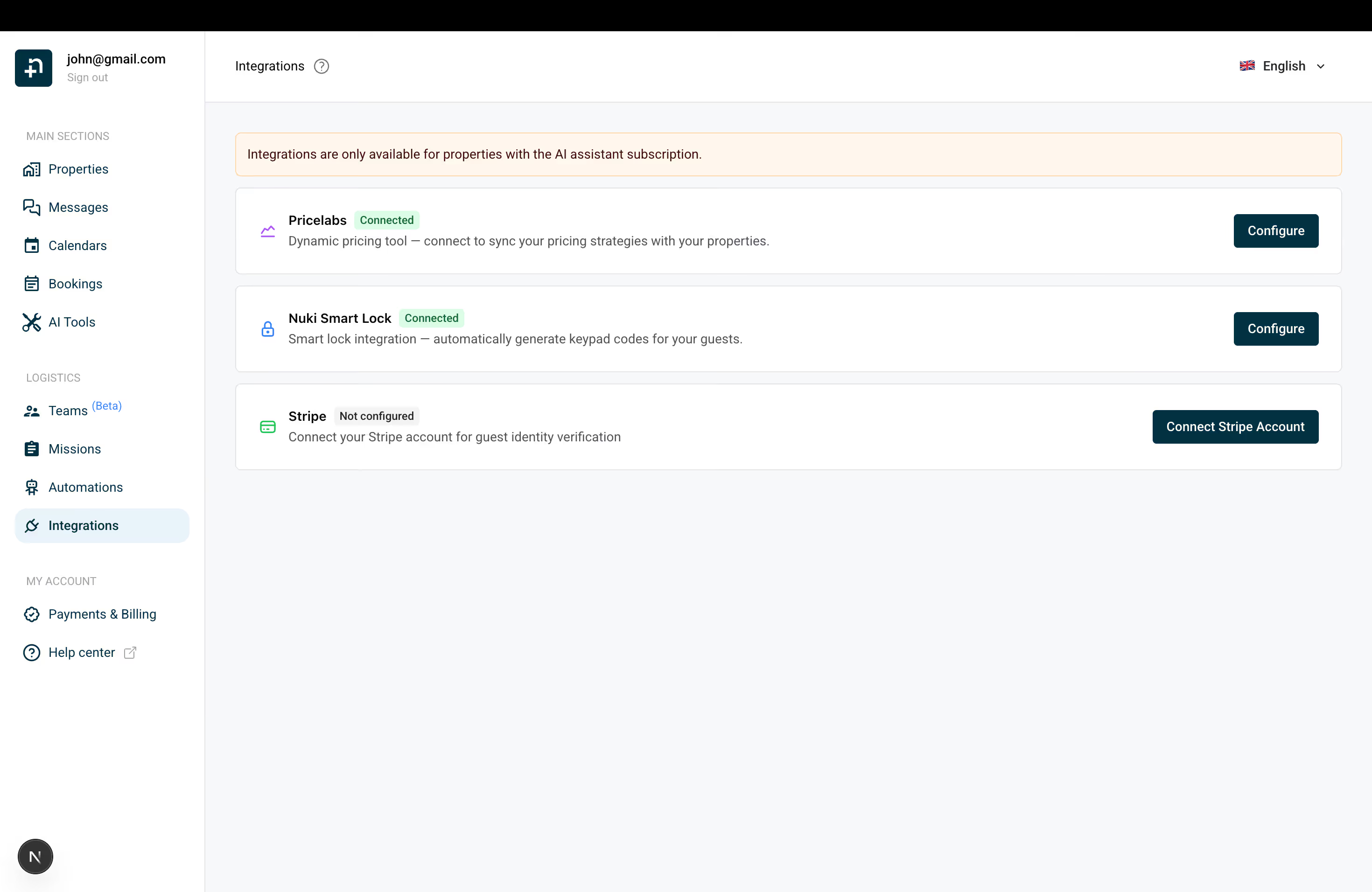
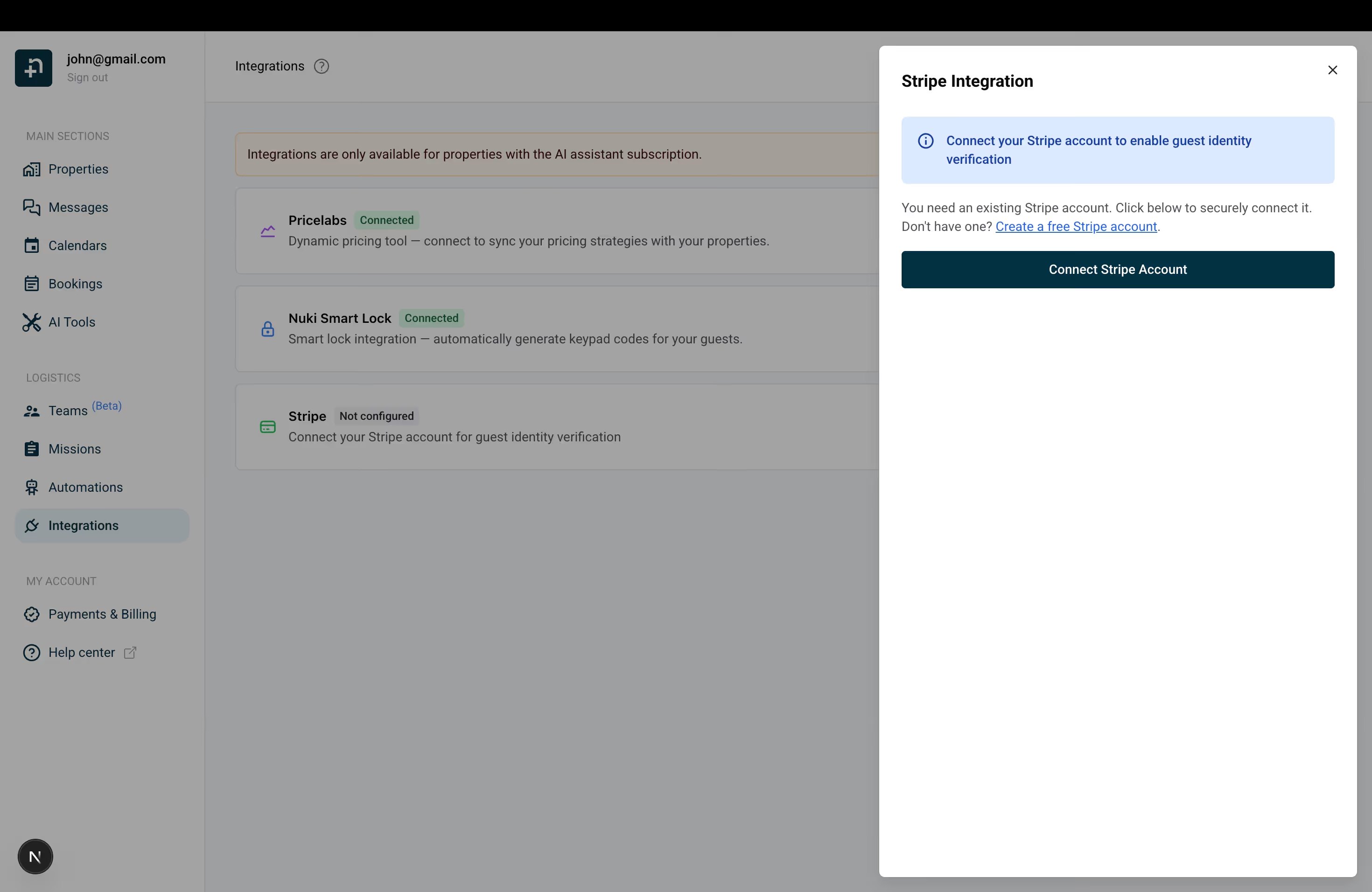
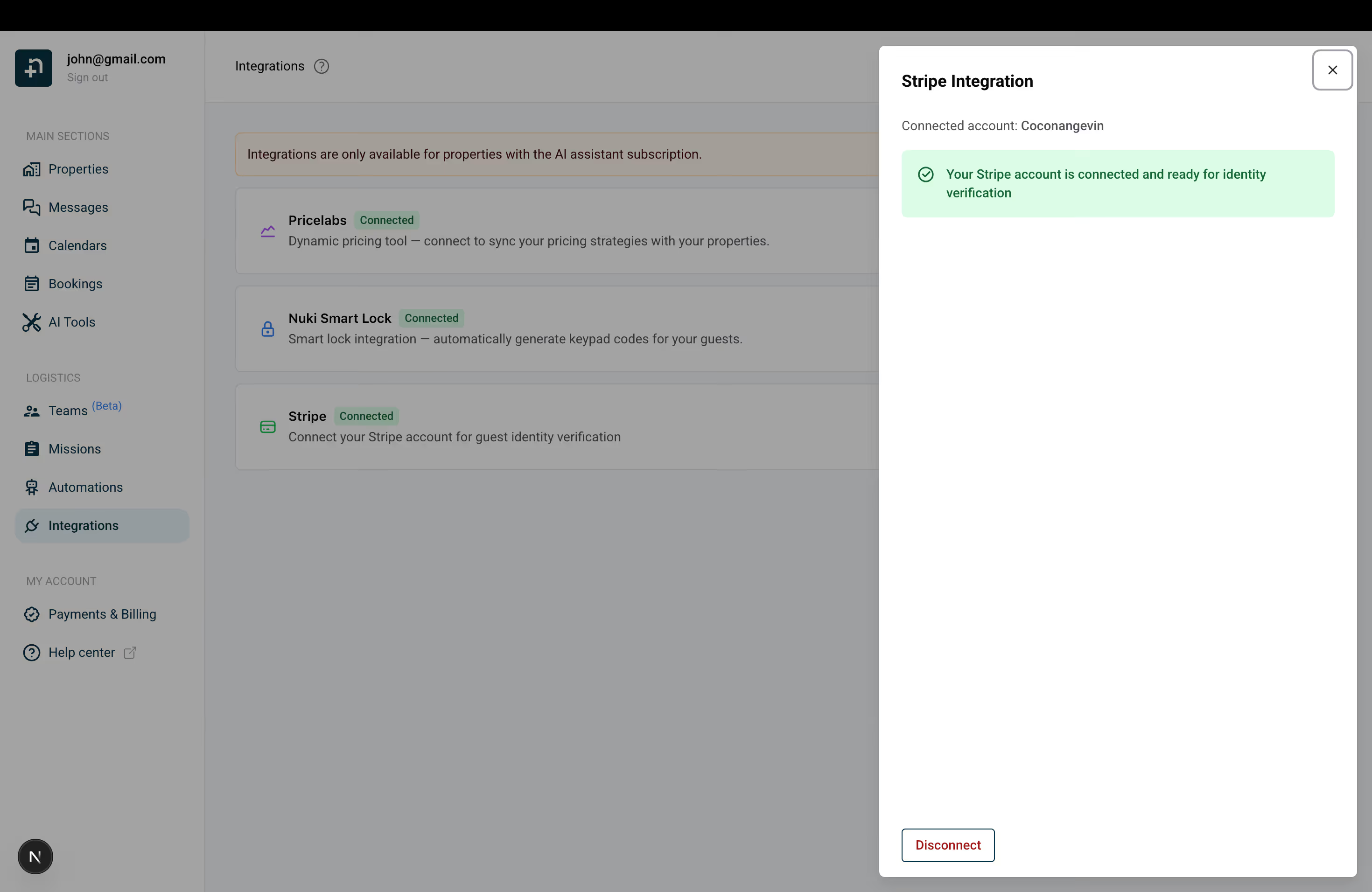
Once Stripe is connected, requesting payment is straightforward:
That's it! The guest will immediately receive an email with a secure Stripe checkout link where they can complete the payment using credit card, debit card, or any other payment method you've enabled on your Stripe account (such as Klarna, Bancontact, iDEAL, etc.).
The payment link sent to your guest is valid for 24 hours. This gives your guest plenty of time to complete the payment at their convenience.
During this time:
Once the guest completes the payment on the Stripe checkout page:
If the guest doesn't complete the payment within 24 hours, the link expires automatically. Don't worry — the booking is not cancelled. The dates remain blocked on your calendar.
You'll receive an email notification letting you know that the payment link has expired. From there, you can:
You can resend payment requests as many times as needed — each time, a new 24-hour link is generated and emailed to the guest.
The payment mode used for payment requests follows the same settings as your Direct Booking widget. You can configure this in the Integrations page under Direct Booking settings:
If you're using split payment and the second charge date has already passed at the time of the payment request, the system will automatically fall back to full payment mode.
You may notice a "Silent" checkbox when creating or editing a booking. Here's what it does:
You can modify a manual booking at any time:
When you update the dates of a confirmed booking, the availability on all connected channels is automatically adjusted: the old dates are released and the new dates are blocked.
If you change the status (for example, from confirmed to cancelled), the blocked dates will be released and become available again on all channels.
Please note that only bookings you created manually on Nowistay can be modified or deleted. Bookings that were pulled from Airbnb, Booking.com, or any other external channel cannot be edited from Nowistay. To modify those bookings, you need to make the changes directly on the original platform (Airbnb, Booking.com, etc.), and the updates will sync back to Nowistay automatically.
If you have any questions about manual bookings or payment requests, feel free to contact us. We're happy to help!
