Nowistay now lets you communicate with your guests via WhatsApp — directly from the same app you already use to manage your properties. You can send automated messages, start conversations, and let your AI co-host respond to guests automatically on WhatsApp, just like it does on Airbnb or Booking.com.
The best part? You don't need to use the WhatsApp app on your phone. Everything happens inside Nowistay, in a unified message thread that brings together OTA messages (Airbnb, Booking.com) and WhatsApp messages in one place.
When WhatsApp is active, your guests can receive messages from you on WhatsApp in addition to (or instead of) the usual OTA or email messages. Here's what you can do:
When you open a guest conversation in the Messages section, you see a single thread that combines all communication channels. Each message shows a small icon indicating where it came from — a green WhatsApp icon or an Airbnb/Booking.com logo.
At the bottom of the thread, you can choose which channel to use when sending a message. Click the channel selector to switch between Airbnb (or the relevant OTA) and WhatsApp. This way, you can reply to a guest on whichever channel makes sense at that moment.

You'll notice that:
Important: you don't see WhatsApp conversations on your phone's WhatsApp app. All messages are managed through Nowistay — your phone stays clean and you keep full visibility from the dashboard. However the guest sees the messages on his WhatsApp app and can respond from there.
Your existing Guest Messages templates can be configured to send via WhatsApp. When editing a template, you'll find a "Send via" dropdown with two options:

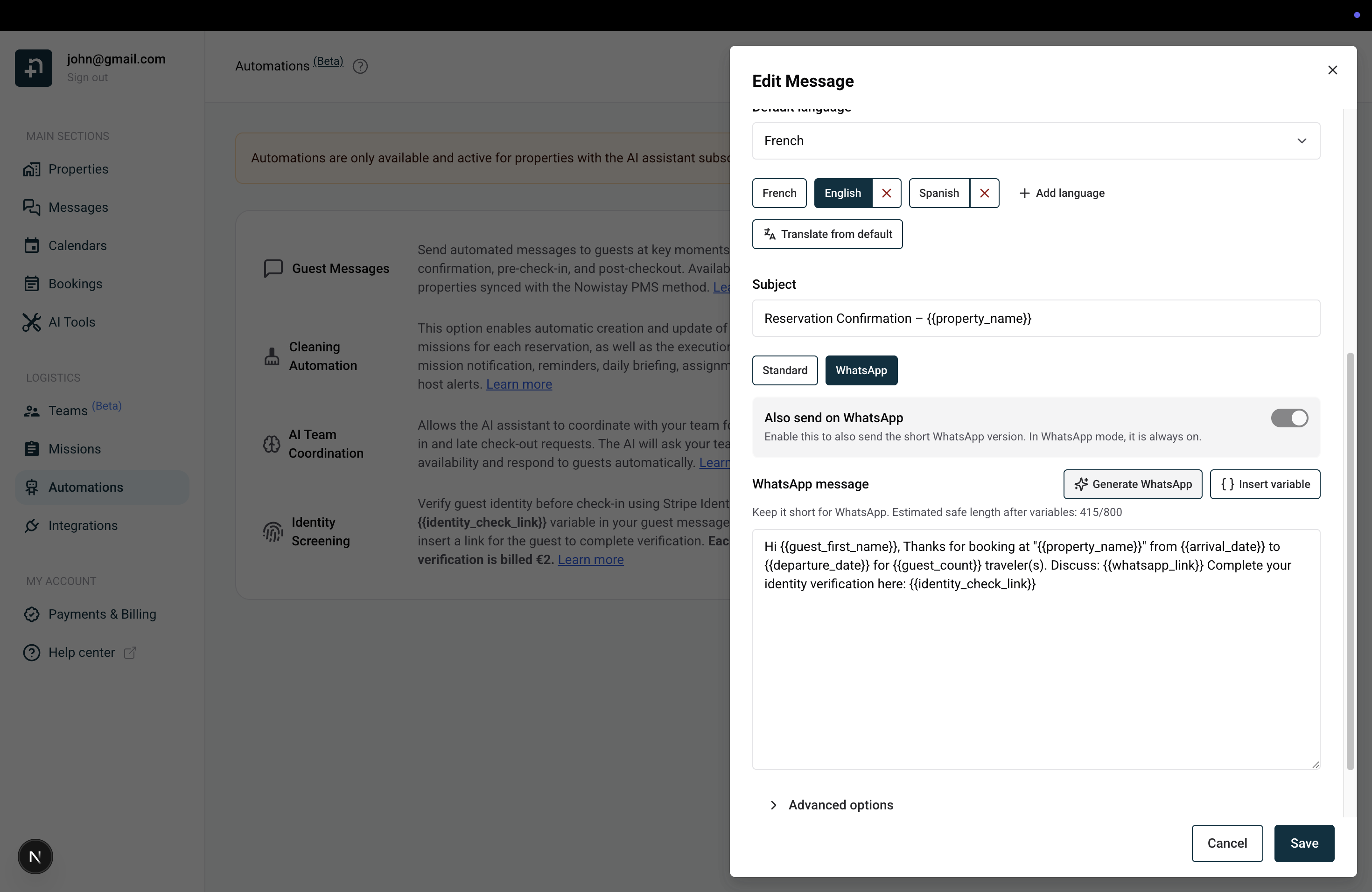
Switch to the "WhatsApp" tab in the template editor to write the WhatsApp-specific text. This version is separate from the standard (email/OTA) version and should be shorter — around 800 characters after variable substitution.
Don't want to write it yourself? Click the "Generate WhatsApp" button, and the AI will automatically create a concise WhatsApp version based on your standard message content. It works in all your configured languages — if your template has French, English, and Spanish versions, the AI generates the WhatsApp text for each one.
You can use the same template variables as in your standard messages — {{guest_first_name}}, {{arrival_date}}, {{property_name}}, {{whatsapp_link}}, and more. They are automatically replaced with the actual guest and booking information when the message is sent.
Before an automated message goes out, you can preview exactly what the guest will receive. Open the Guest Messages section and click on a template to open the preview panel. It shows:
From this preview, you can also send the message manually by clicking the "Send now" button. This is useful when you want to trigger a specific message at a specific moment, outside of the automated schedule.

The AI co-host works exactly the same way on WhatsApp as it does on Airbnb or Booking.com. When a guest sends a message on WhatsApp:
You can pause the AI at any time from the thread view if you prefer to take over the conversation manually. And if you respond yourself, the AI steps back and lets you handle it.
WhatsApp messaging is active by default for all properties with the AI co-host enabled. If you want to disable it:
You can reconnect it at any time from the same page.
WhatsApp messaging is billed based on usage:
There are no hidden fees or minimums. You only pay for the messages that are actually sent.
If you have any questions about WhatsApp messaging, feel free to contact us. We're happy to help!
