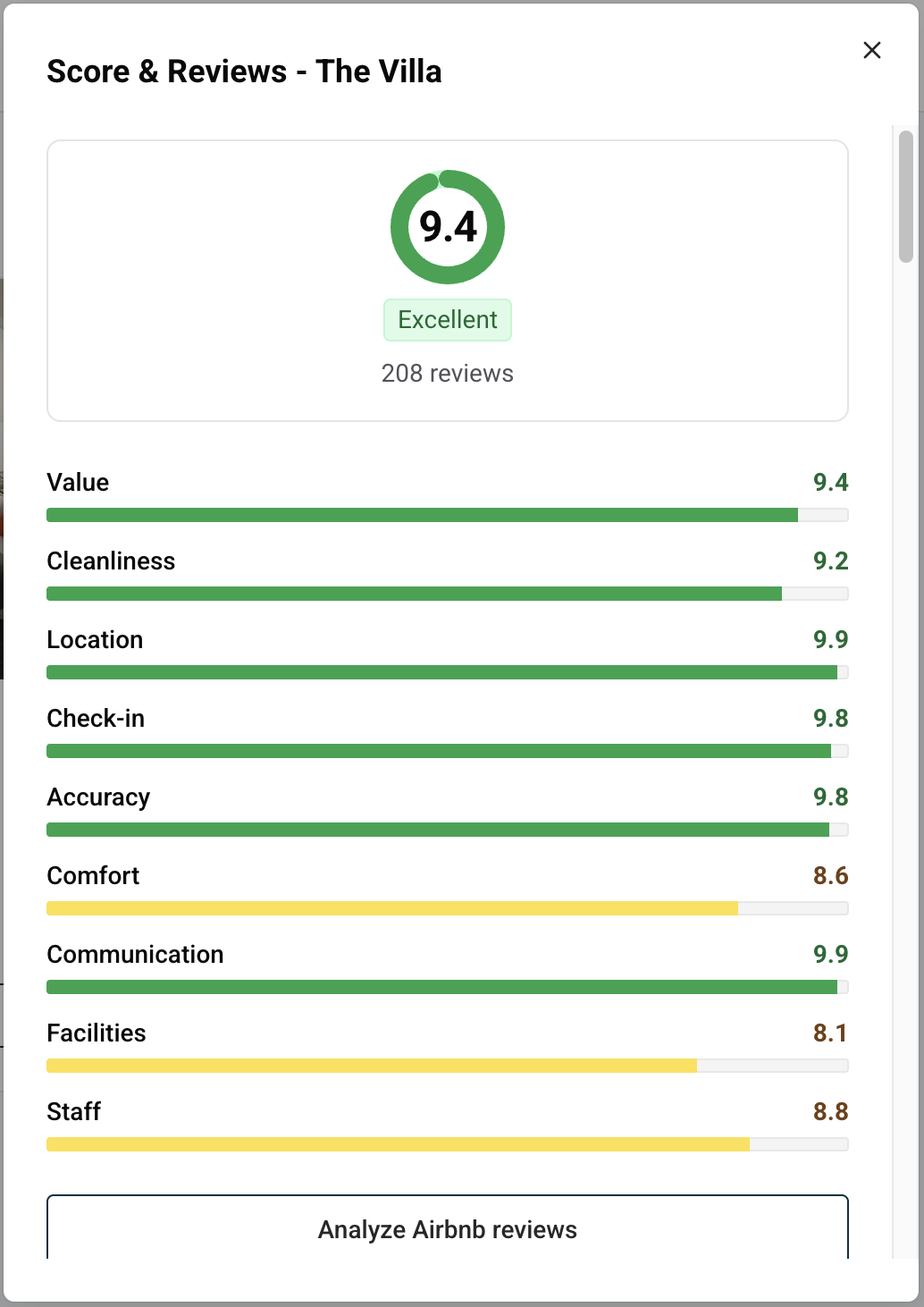
Score & Reviews: track your guest reviews and reply to them
Score & Reviews brings the reviews of a property together in one panel: its overall score, the score per category, every recent guest review from your connected booking channels, and a Reply button to answer guests publicly without leaving Nowistay.
Who can use it
The property must be connected to Nowistay PMS, the Nowistay channel manager (see how to connect your booking channels). Reviews come from the channels connected through it, such as Airbnb and Booking.com.
The property needs the AI Channel Manager subscription.
If one of these is missing, Score & Reviews is greyed out in the menu.
Click the … menu on the property card (or at the end of the property row in list view) and select Score & Reviews.
Read your score
Overall score: your average out of 10, with the number of reviews it is based on. All channels are shown on the same 10-point scale.
Label: Excellent from 9, Good from 7.5 to below 9, Needs attention below 7.5. The same colors are used for each category.
Category scores: for example Cleanliness, Communication, Check-in, Accuracy, Location and Value, depending on what each channel rates. The lowest category is usually the best place to start improving.
Browse recent reviews
Under Recent reviews, reviews are listed newest first; scroll down to load older ones. Each review shows the guest's name, the channel, the score, the date and the text. For Airbnb, the private feedback a guest left only for you appears below the public review.
If the property has not received any review yet, the panel shows No reviews yet.
Reply to a review
Click Reply under the review.
Write your answer.
Click Send, then confirm in the Post this reply? window.
Your reply is public on the booking channel and cannot be changed afterwards, so read it twice before confirming. Once it is posted, the review shows Replied with your text.
If the channel refuses the reply, a message explains why: the review may already have a reply, the channel may not allow replies, or the time allowed to reply may be over.
A good reply thanks the guest, answers the point raised calmly and factually, and mentions what you have improved if needed. Future guests read your replies as much as the reviews.
Go further with AI
Analyze Airbnb reviews, just below the category scores, finds recurring strengths and problems across up to 200 Airbnb reviews. See how to analyze your Airbnb reviews.
Dispute an Airbnb review, under each Airbnb review, checks whether a bad review breaks Airbnb's rules and prepares a removal request. See how to dispute an Airbnb review.
Good to know
New reviews and score changes can take a few hours to appear in the panel.
Scores and reviews are shown property by property: open the panel from each property you want to follow.
Ready to Put Your Rental on Autopilot?
Join 300+ property managers who save hours every week with AI-powered guest communication.