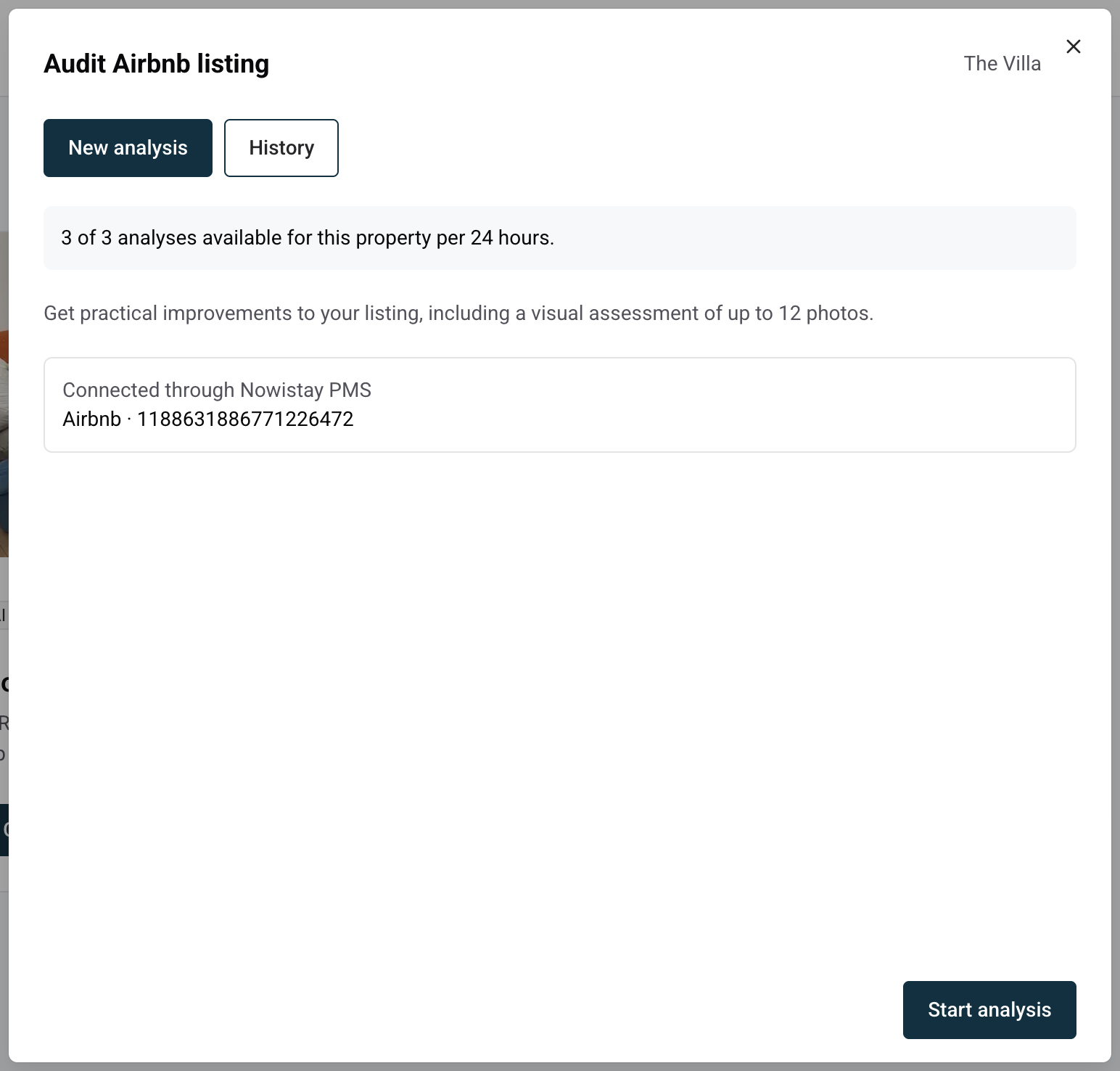
The Audit Airbnb listing tool reviews your Airbnb listing the way a demanding guest would, then gives you a practical report: what already works, what to fix first, three alternative titles, a rewritten description and a visual check of up to 12 photos. You stay in control: nothing changes on Airbnb until you paste the suggestions yourself.
What the audit looks at
Your listing text: title, description, the space, the neighbourhood, highlights and amenities.
Your listing facts: property type, capacity, sleeping arrangements and ratings.
Up to 12 photos: the cover photo first, then one photo per room or caption, then the others in listing order.
Your Nowistay property details, used as a cross-check: if the listing and Nowistay disagree on an important fact (capacity, beds, an amenity), the report points it out.
Only the town and country of the property are used, never your contact details or street address. Private arrival information such as access codes or the Wi-Fi password is never placed in the suggested text.
Before you start
The tool works with Airbnb listings.
The property needs the AI Channel Manager subscription. Without it, the AI tools are greyed out in the menu.
Nowistay needs to know the property's Airbnb listing. If the property is connected to Airbnb through Nowistay PMS, or if its Airbnb link was already saved, the listing is found automatically. Otherwise, the tool asks for it the first time (see step 3 below).
Click the … menu on the property card (or at the end of the property row in list view) and select Audit Airbnb listing.
Check the listing shown at the top of the panel, marked Connected through Nowistay PMS or Saved Airbnb listing. If no listing is saved yet, paste the listing link (it contains /rooms/) or its number in Airbnb listing URL or ID, then click Save listing. You only do this once per property.
Click Start analysis.
The audit runs in the background and takes a few minutes. You can close the panel and come back later: the report is waiting in the History tab.
What you get in the report
The report opens with a short summary, followed by:
Strengths: what your listing already does well and should keep.
Prioritized improvements: up to eight concrete actions, each with the expected benefit and the effort involved, affordable ones first.
Description improvements: what is missing, unclear or buried in your text.
Photo assessment: cover choice, framing, lighting, repeated shots, photo order and rooms with no photo. Photos are referred to by number (Photo 1, Photo 2 and so on), and the report shows how many photos were inspected.
Facts to clarify: differences between your listing and your Nowistay property details, or information a guest would look for and not find.
Ready-to-use text blocks follow, each with a Copy button:
Three alternative titles, each under 50 characters and without emojis, built on the real distinguishing features of your property.
A rewritten description that only uses facts already present in your listing. Improvements you have not made yet (a new amenity, for example) stay in the recommendations and are never written into the description.
The report ends with Coverage and limitations, which tells you what could not be checked, for example a photo that could not be loaded. There is no overall grade: the goal is a short list of actions, not a score.
Apply the changes on Airbnb
The audit never modifies your listing. Pick the suggestions you agree with, click Copy, and paste them into your listing on Airbnb. Photo changes (new cover, new order, missing rooms) are also done on Airbnb.
Usage limits and history
You can run 3 audits per property every 24 hours. The counter at the top of the panel shows how many are left and, once you reach the limit, when the next one becomes available. An analysis that fails does not count.
Only one audit runs at a time for a property. While it runs, the button shows Analysis in progress.
Every report is kept in History. Open one to read it again, click Run a new analysis to start over, or Delete report to remove it. Deleting a report does not give the analysis back.
The report is written in the language you use Nowistay in.
Tips
Run a new audit after updating your listing to check the new version.