You already have a welcome guide as a PDF (or a Word or PowerPoint file) and you don’t want to retype it. There are two ways to bring it into Nowistay:
- The guide creation wizard reads your file and writes a new guide in Nowistay’s sections: your host, access, arrival and departure, WiFi, rules, and so on. Use it when you’re happy for your content to be reorganized.
- ChatGPT or Claude, connected to Nowistay, copies your guide as it is: each page of your PDF becomes a page of your Nowistay guide, with your titles and your text. Use it when you have polished your guide and want to keep it that way.
| Guide creation wizard | ChatGPT or Claude |
|---|
| Structure | Nowistay’s sections | Yours, page by page |
| Text | Rewritten from your file | Kept as you wrote it |
| Photos | Imported from your file | Added when the assistant can access the photo, otherwise by you in a few clicks |
| Plan | Any: creating a guide is free | AI Channel Manager, property connected to Nowistay PMS |
Option 1: the guide creation wizard
- On the Properties page, click Guidebook on the property card.
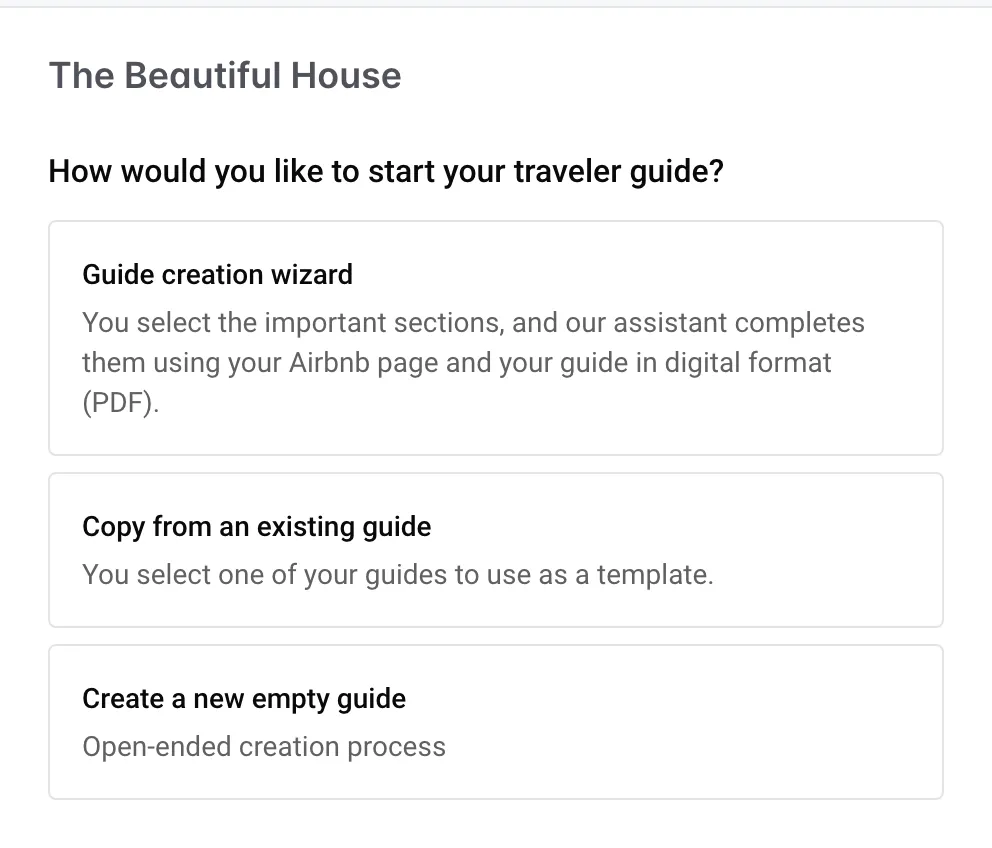
- Choose Guide creation wizard and pick the Primary working language.
- Add your file under Guides in digital format (optional): .pdf, .docx, .pptx, .txt, .md or .html, up to 5 files of 20 MB each.
- Keep the Sections you want, then click Create.
The wizard also uses your Airbnb listing and your Property infos. Everything about it is in How to create the welcome guide with AI.
Option 2: ChatGPT or Claude, page by page
Before you start
- Connect Nowistay to ChatGPT or Claude by following How to connect ChatGPT, Claude, or Gemini to Nowistay. The assistant works on the properties that have the AI Channel Manager plan and are connected through Nowistay PMS.
- Create the guide in Nowistay first. The assistant adds pages to an existing guide but can’t create the guide itself. On the Properties page, click Guidebook on the property card, choose Create a new empty guide, set the Primary working language to the language of your PDF, then click Create.
Import your guide
- Open a new chat in ChatGPT or Claude and check that Nowistay is on (in ChatGPT, select Nowistay in the prompt bar).
- Attach your PDF to the message.
- Write your request, adapted to your guide. For example:
Here is the welcome guide of my property “Seaside Studio”. Copy it into the Nowistay welcome guide of this property: each page of the PDF becomes one page of the guide, in the same order, with its title and a matching icon. Keep my text word for word, with its headings, lists and links. Put the welcome sentence on the Home page (150 characters maximum). Add the photos of the PDF to the matching pages if you can; otherwise, list at the end which photo goes on which page. Don’t change anything else in the guide.
- The assistant prepares each page and shows it to you before creating it. Check it and approve it.
- Open the guide in Nowistay (Guidebook button) and read every page, especially times, codes and phone numbers.
For a long guide, ask the assistant to work in batches, for example “pages 1 to 5”, then “pages 6 to 10”. It keeps more of your text word for word, and you check as you go.
The photos
The assistant can add a photo to your guide when it has the image itself: an image file, or a public web link to the photo (for example on your website). A photo that only exists inside the PDF can’t always be passed on. In that case the assistant tells you which photo goes where, and you add it yourself:
- In the guide editor, open the page and click + on the line where the photo goes.
- Choose Image, then Add an image in the Images library that opens.
Details in How to create the welcome guide with AI.
Good to know
- The assistant never deletes a page. If the guide already had pages, the new ones come after them: delete those you don’t need from the ”…” menu of the page.
- The pages are written in the guide’s main language. Once they are in, translate the whole guide in one go: How to translate the welcome book.
- Your PDF links to videos? Add them as YouTube blocks: How to add a video to the welcome guide.
- Anyone with the link can read the guide. Keep codes and other private details out of it: see Keep private information out of the guide.
- Your AI co-host uses the new pages about an hour after your last change.
