Sometimes it's very useful and convenient to convey your explanations to the guest using Videos. This allows to really show your property and all of the details that are sometime hard to explain using text.
You can do that very simply. Here are the steps :
You can also click the "+" button in the welcome guide page editor and paste your link in the displayed field.
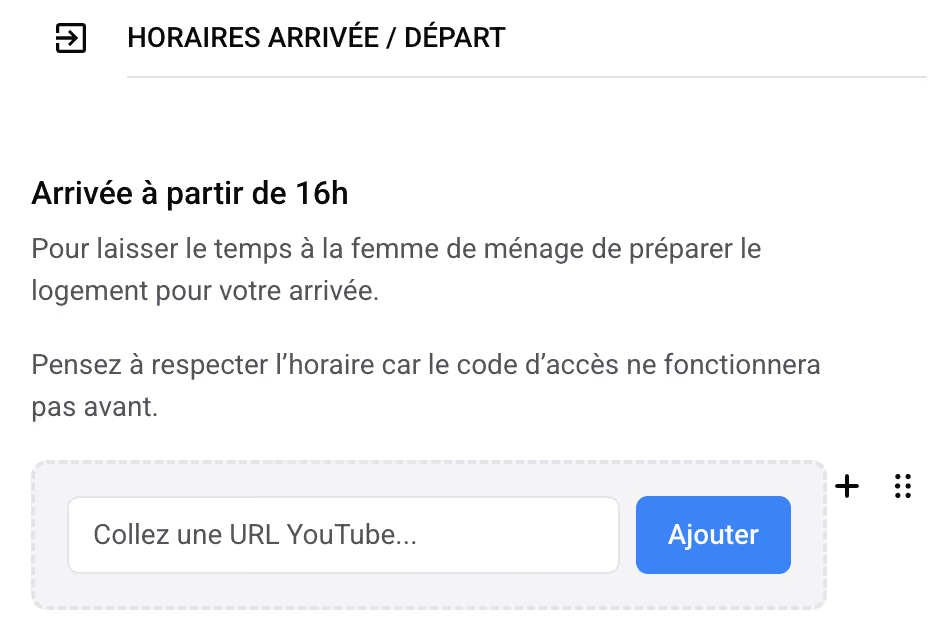
Done ! You're video is now loaded with the player and available for your guests to see when browsing the welcome guide.
As you might know, the AI co-host uses the welcome guide as a source of knowledge when responding to guest messages.
But it cannot (for the moment) extract the data contained in the video audio or images.
To make sure the content of the video is also known by the AI co-host, you need to add explicit text below the video. We know this can be time consuming. But don't worry, there is a very simple way to get that quickly :
