Updated
The private knowledge base allows you to provide your AI Assistant with information and instructions that you don’t want to share with all guests, but that are useful for allowing it to respond correctly on your behalf. It doesn’t replace the welcome guide. There’s no need to repeat information already in the guide. It’s only for confidential, sensitive, exceptional, or contextual content.
The welcome guide should contain everything every guest needs to know about the property: rules, equipment operation, practical information, points of interest, etc.
The private knowledge base, on the other hand, is for everything the guest doesn’t need to know systematically, or only in certain situations. It can also be used to give internal instructions to the AI Assistant.
This guide explains what this private knowledge base (or FAQ) is for, and how to configure it.
Some data should not appear in the welcome guide you share with your guests:
This information may be necessary for the AI to assist you, but should not be visible to all guests. The private knowledge base is designed for this.
A guest doesn’t need to know:
In these situations, the private knowledge base allows the AI Assistant to have the right answer when needed, without public exposure.
You can also indicate:
This information shouldn’t be in the welcome guide because it doesn’t concern the guest.
Each question/answer can be updated at any time.
Is an answer no longer relevant? Two clicks on the trash icon are enough to remove it.
Everything each guest should be able to consult must remain in the welcome guide.
The private knowledge base isn’t meant to repeat this information. It only supplements what should remain confidential or conditional.
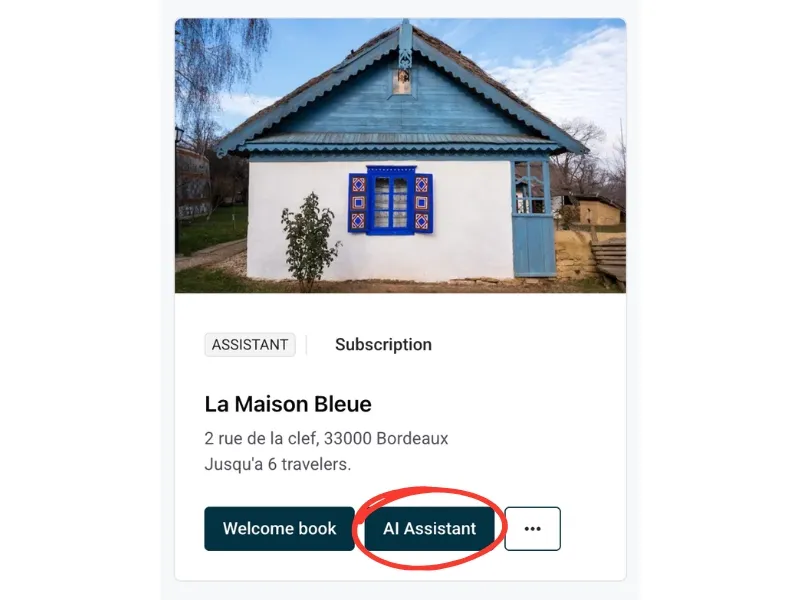
On the Properties page, click the AI button on the property card.
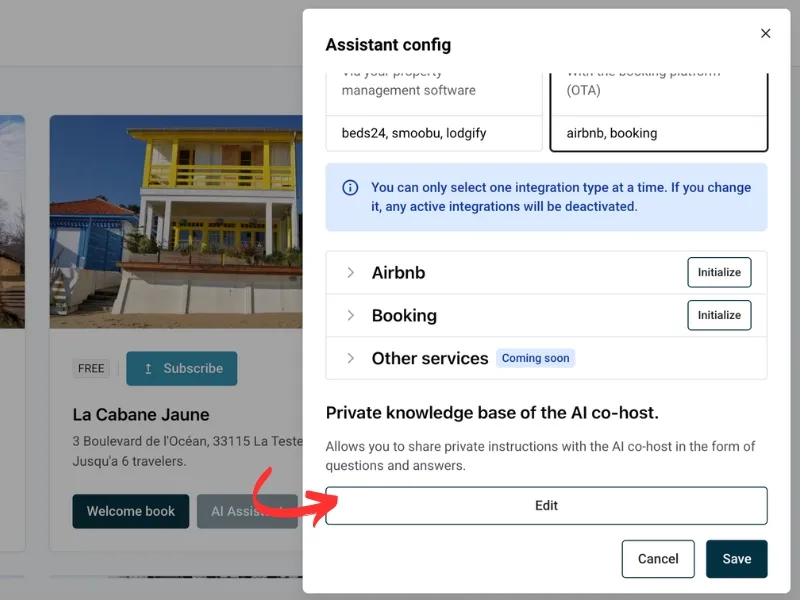
In the Assistant config drawer, scroll down to the Private knowledge base of the AI co-host. section, just above Voice assistant.
Click on “Edit”.
Write a question formulated as a guest might ask it, or a situation where the AI Assistant needs to receive an instruction.
Examples:
Provide the answer you would give personally or the internal instruction intended for your AI Assistant. The AI will prioritize your information.
Here is our tip: Be clear, specific, and concise.
Example:
Click on “Add the question”.
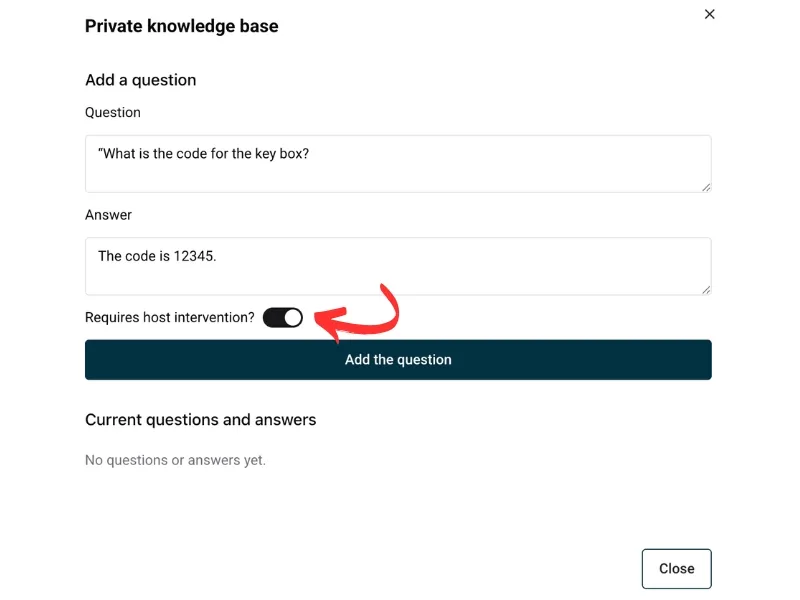
Some situations require your intervention (technical problem, incident). For each question, you decide whether:
Click on the “Save“ button.
The question is immediately integrated into the private knowledge base.
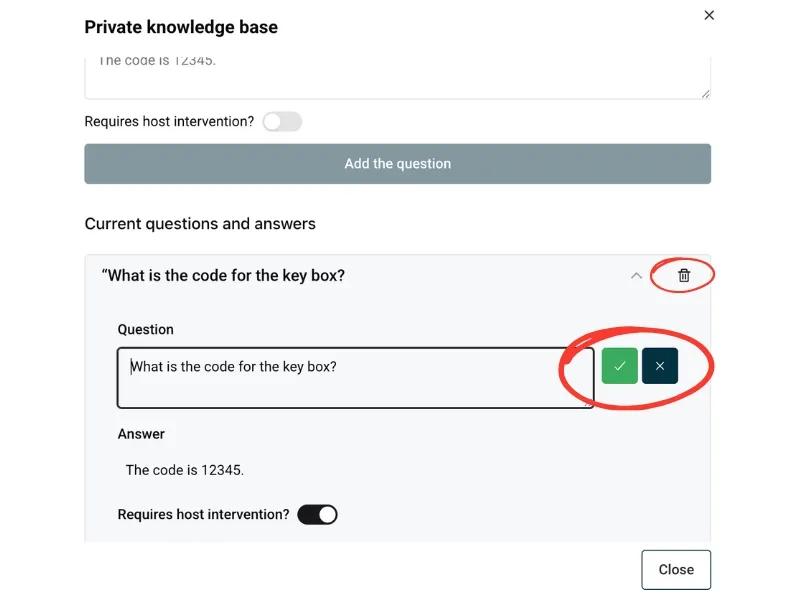
Once configured, the AI:
The private knowledge base is a strategic tool: it allows your AI Assistant to respond with precision and consistency without disclosing sensitive, conditional, or confidential information. It becomes a true internal instructions space, distinct from the welcome guide, and gives you total control over what the AI knows and what it can say.
You no longer have to write every question and answer yourself. When you reply to a guest personally (for example after the AI Assistant asked for your help), Nowistay analyzes the conversation and prepares ready-made question and answer suggestions based on what you wrote.
You will find them at the top of the private knowledge base, in the “Learned from your conversations” section. A banner also appears in your Messages inbox when new suggestions are waiting for review.
To get started faster, click “Analyze my past conversations” in the same section: Nowistay reviews the property’s conversation history once and suggests everything useful it finds. After that, new conversations are analyzed automatically every day.
Guides for hosts: read the blog.
Ready to Put Your Rental on Autopilot?
