Updated
When your Airbnb listing is connected through the Nowistay PMS integration, you can manage the discounts Airbnb applies to that listing without leaving Nowistay. The Airbnb discounts section in the channel settings covers the three discount types Airbnb offers: long stay, last minute and early booking.
These discounts are saved on your Airbnb listing itself and apply to Airbnb bookings only. They come on top of your rates and of the rate adjustment you may have set for this channel.
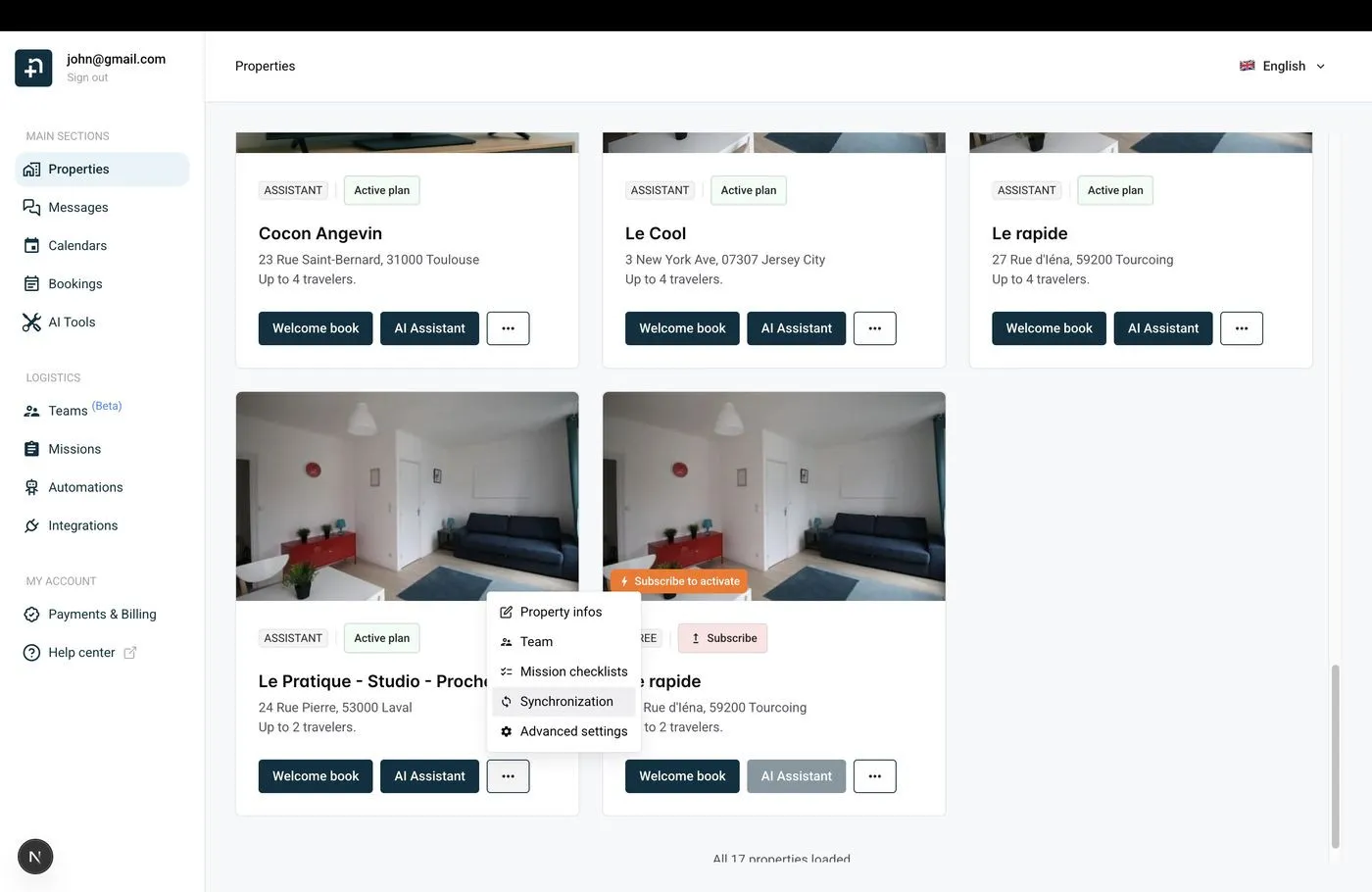
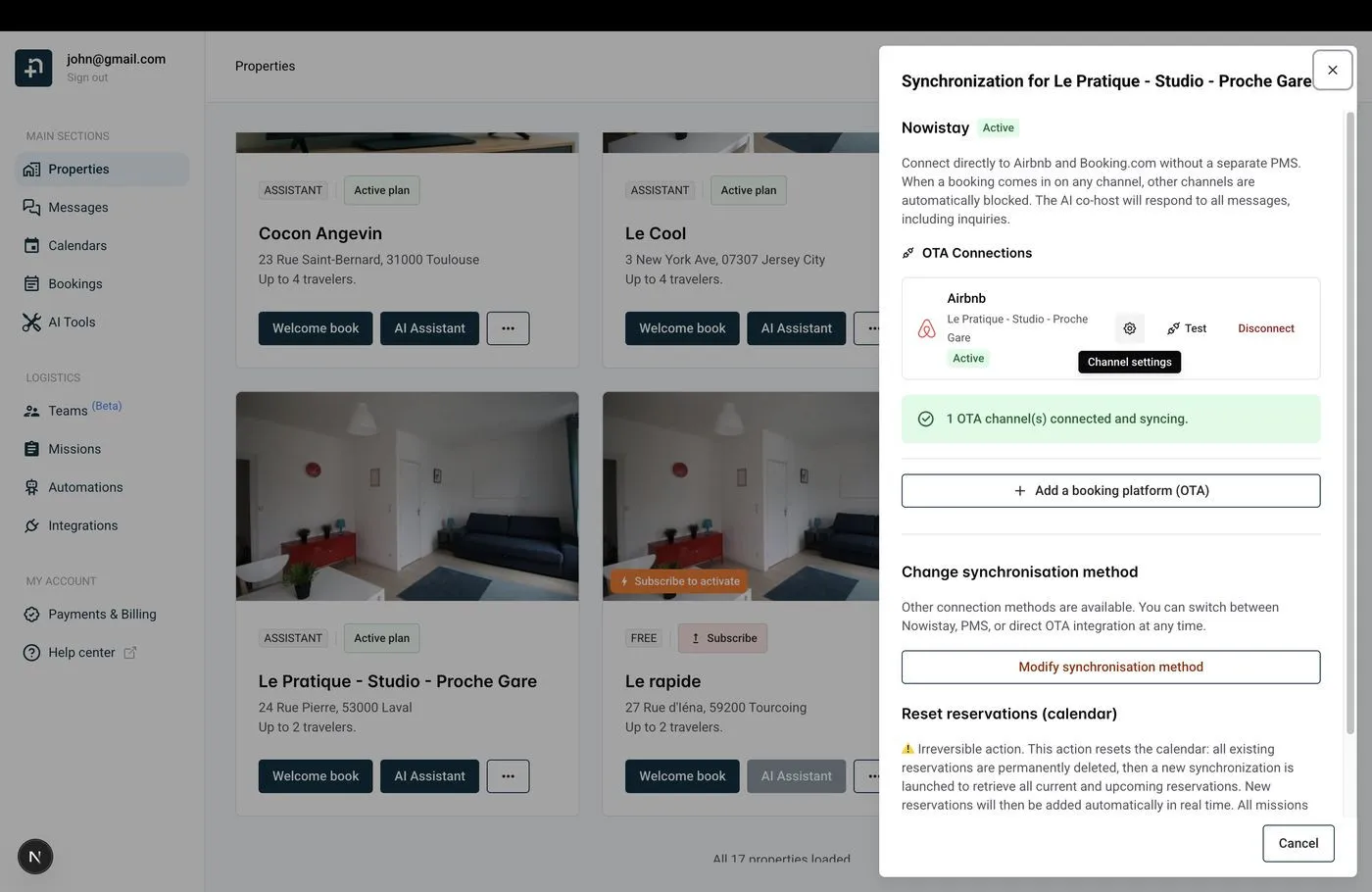
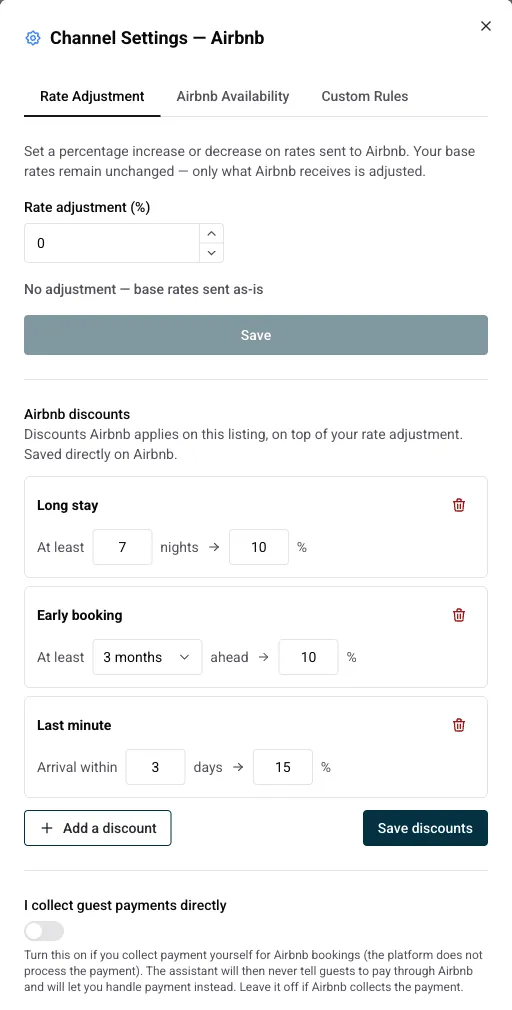
Each discount is a simple rule: a condition on the booking and a percentage taken off the nightly price. Airbnb applies it automatically to every booking that matches.
Reads as At least X nights. Guests who book at least that many nights get the discount. This is how Airbnb’s weekly and monthly discounts work: 7 nights for a weekly discount, 28 nights for a monthly one, but you can pick any length from 2 to 365 nights.
You can stack several long stay rules with different thresholds, for example 10% from 7 nights and 20% from 28 nights. Airbnb applies the rule that matches the length of the stay.
Reads as Arrival within X days. When a guest books a stay that starts within that many days, the discount applies. The threshold goes from 1 to 28 days. Handy to fill gaps in your calendar at the last moment without editing prices by hand.
Reads as At least N months ahead. Guests who book that far in advance get the discount. Pick from 1 to 12 months; Airbnb counts 30 days per month. Useful to secure high season bookings early.
To change an existing discount, edit its values in place and save again. To delete one, click the trash icon on its card, then save. Nothing changes on Airbnb until you click Save discounts; the button stays greyed out while there is nothing to save.
Discounts you had already set on Airbnb show up here as well, so you can review and adjust them from one place.
Looking for advance notice, preparation time or the booking window instead? Those live in the Airbnb Availability tab of the same dialog.
Guides for hosts: read the blog.
Ready to Put Your Rental on Autopilot?
