Are you using Beds24 to manage your short-term rentals? Great news: you can easily connect Beds24 to Nowistay and benefit from the AI co-host on all your listings, whether on Airbnb, Booking.com, VRBO, or any other platform connected via your PMS. Here’s how to do it, step by step.
Requirements
Before you begin, make sure you have:
An active Beds24 account with your property or properties already configured.
Don’t have a PMS / Channel Manager yet? Want to try Beds24? Use our partner link and get 1 month free: Subscribe to Beds24
Your listings correctly synced with your booking platforms (Airbnb, Booking.com, etc.).
An active “Assistant” subscription on nowistay.
Steps to connect Beds24 to Nowistay
Here’s a video tutorial and the breakdown of each step:
1. Log in to your Beds24 dashboard
Go to beds24.com and log in to your admin account.
2. Generate an invite code
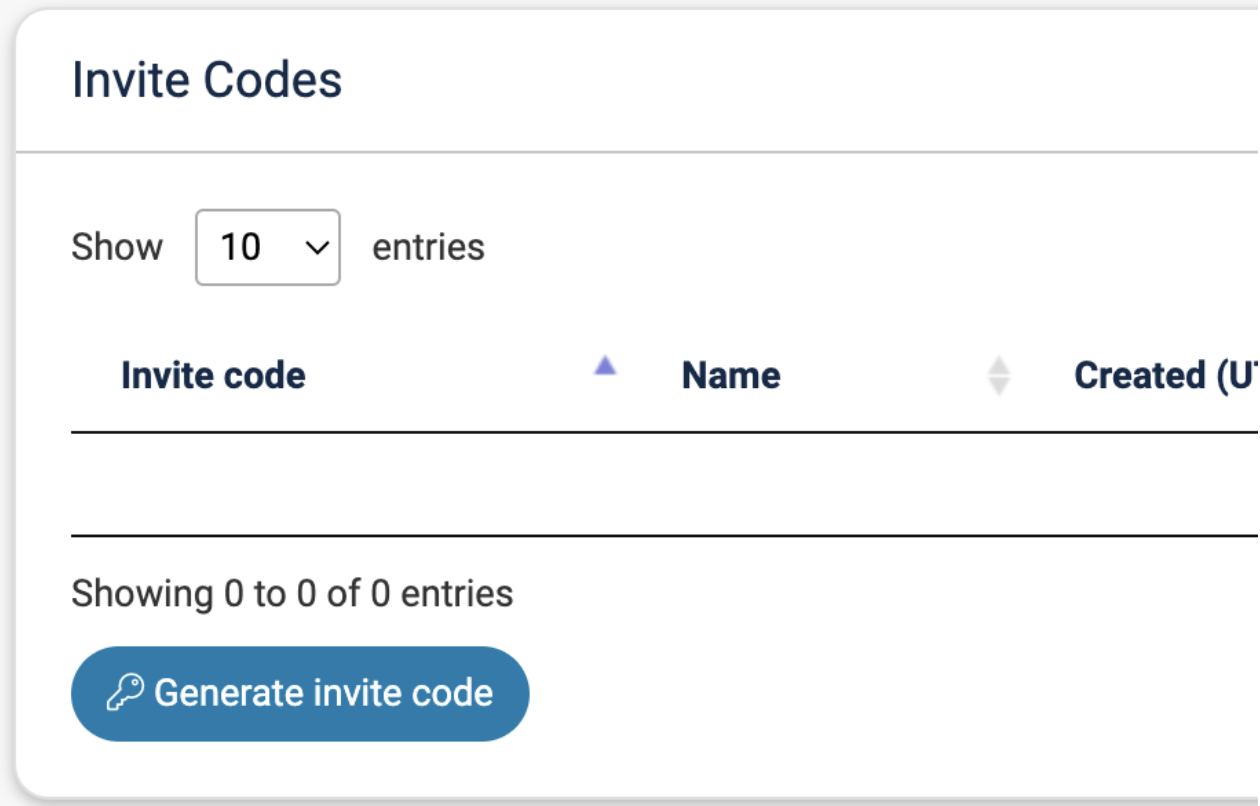
Go to the API section and click on “Generate invite code”.
Grant read and write access to the following sections:
bookings
bookings-personal
properties
channels
Our tip: set the token name to nowistay
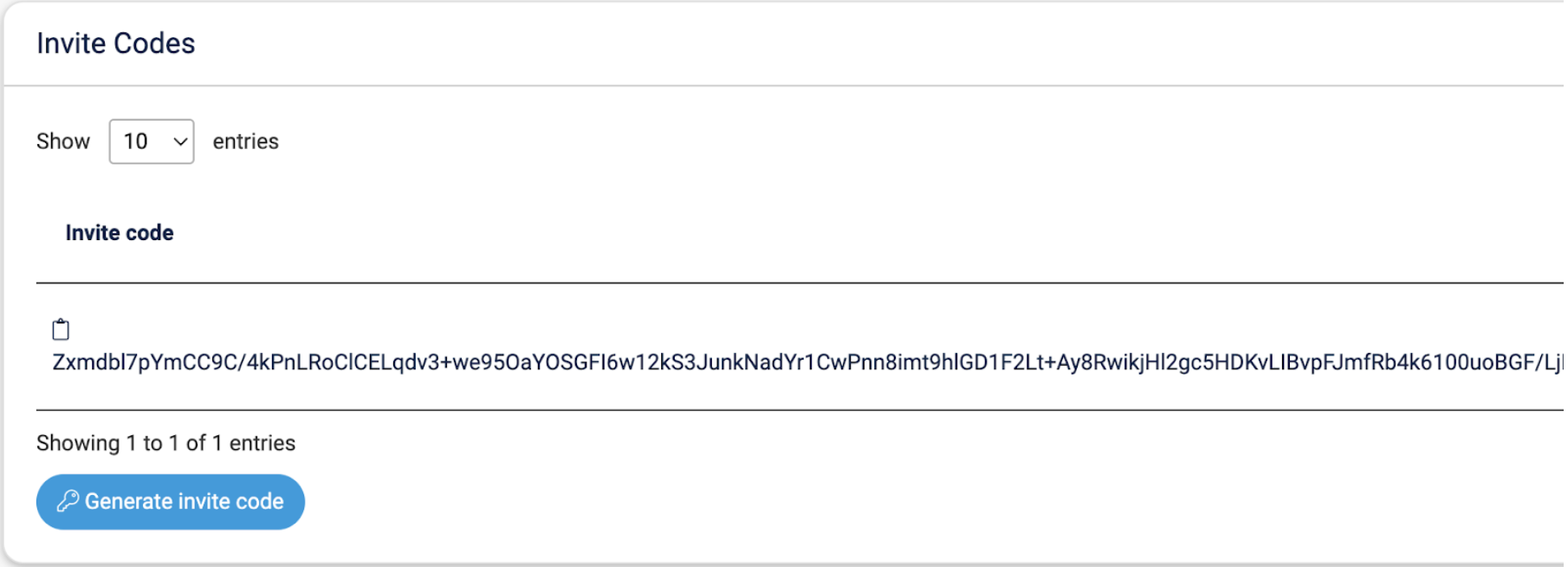
Click “Generate invite code” — the code will appear in the list.
Copy the code by clicking the “copy” icon — you’ll need it in the next step.
3. Connect Beds24 on Nowistay
Once you have your invite code, head to Nowistay. There are two ways to connect Beds24, depending on your situation.
Option A: Adding new properties (recommended)
This is the fastest way to get started. Your properties will be automatically imported from Beds24 with all their details.
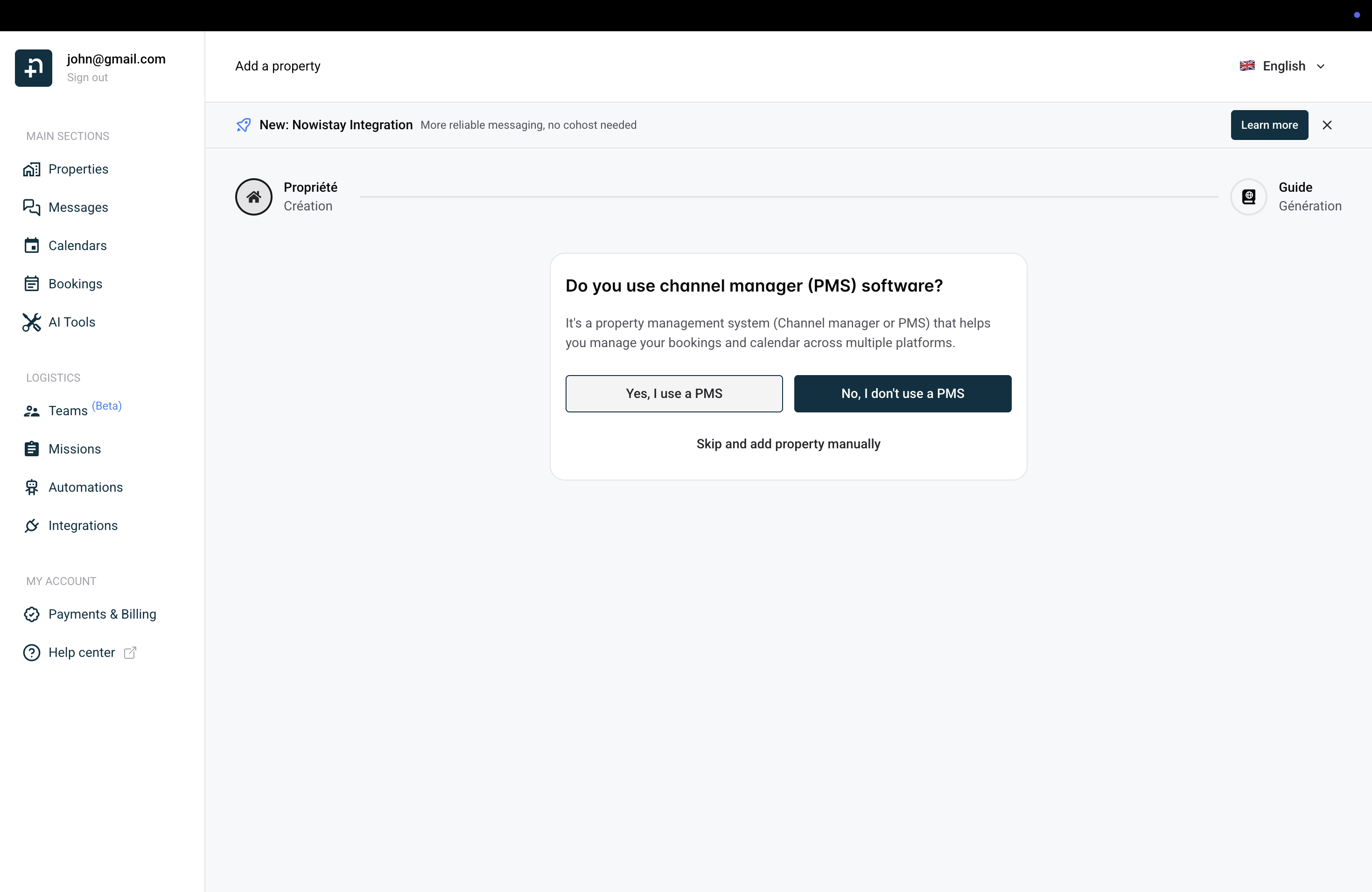
Click “Add a property” from your properties page.
The wizard asks: “Do you use channel manager (PMS) software?” — click “Yes, I use a PMS”.
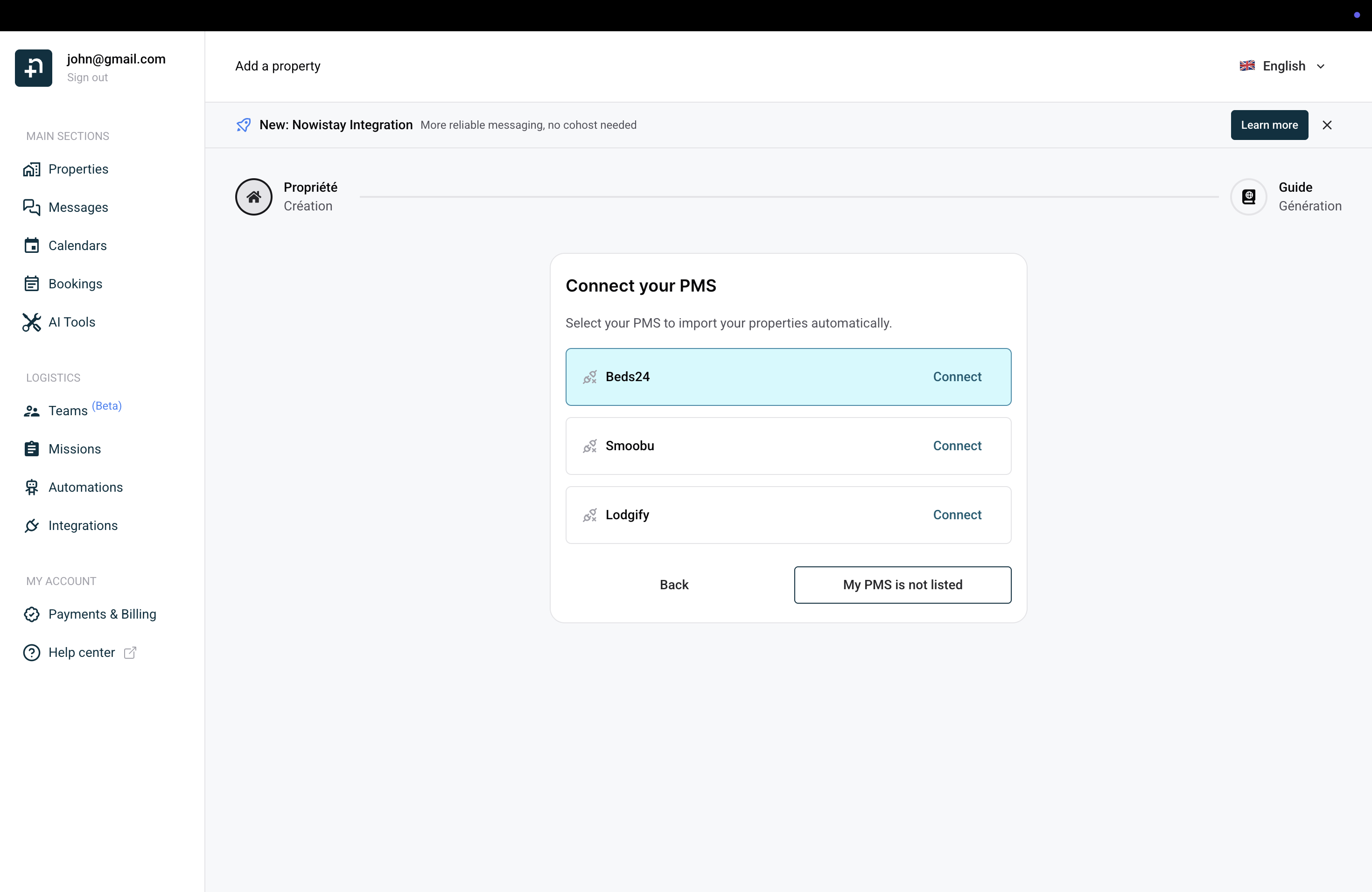
On the “Connect your PMS” screen, click “Connect” next to Beds24.
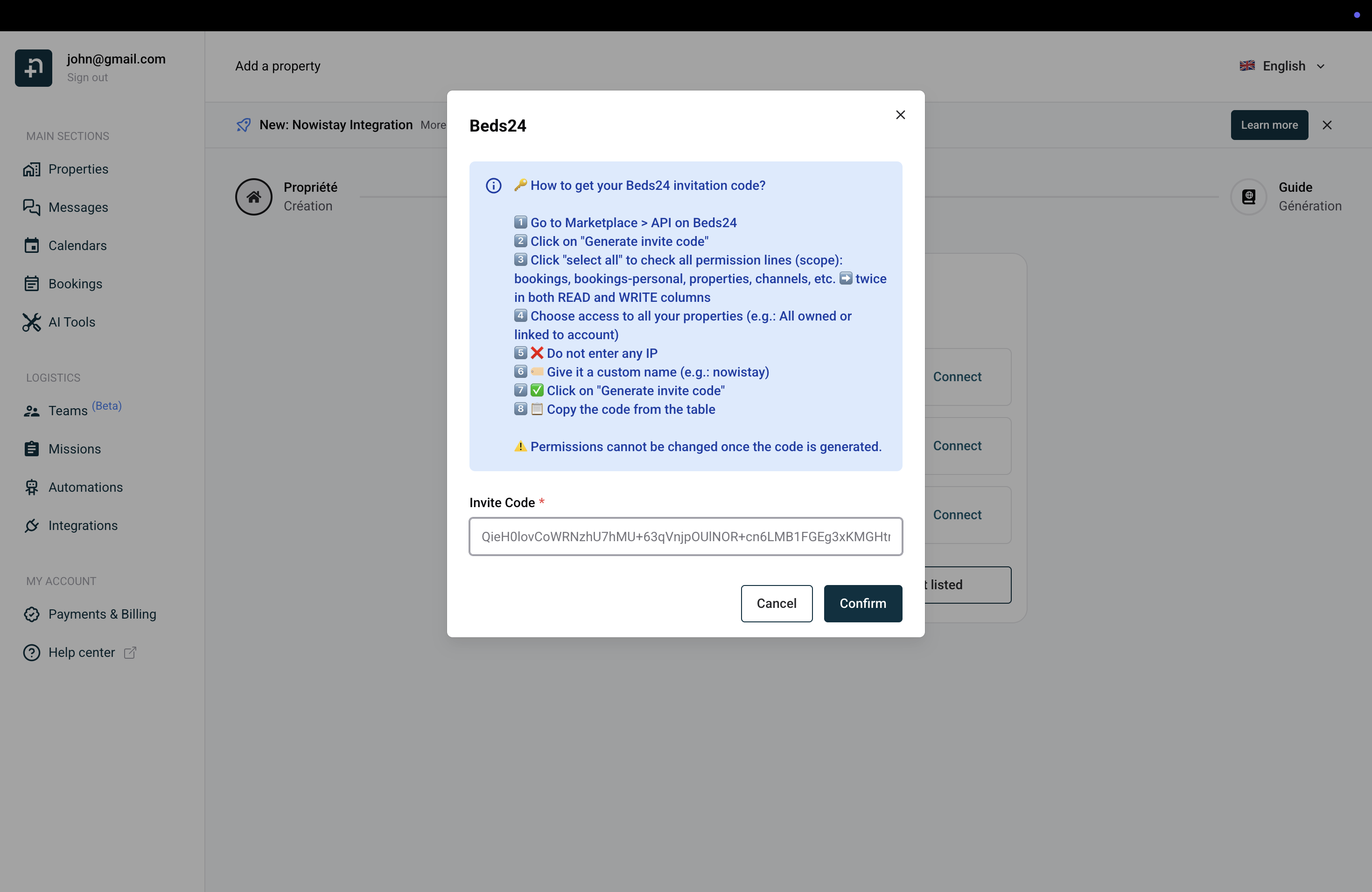
A dialog appears with instructions. Paste your Beds24 invite code into the field and click “Confirm”.
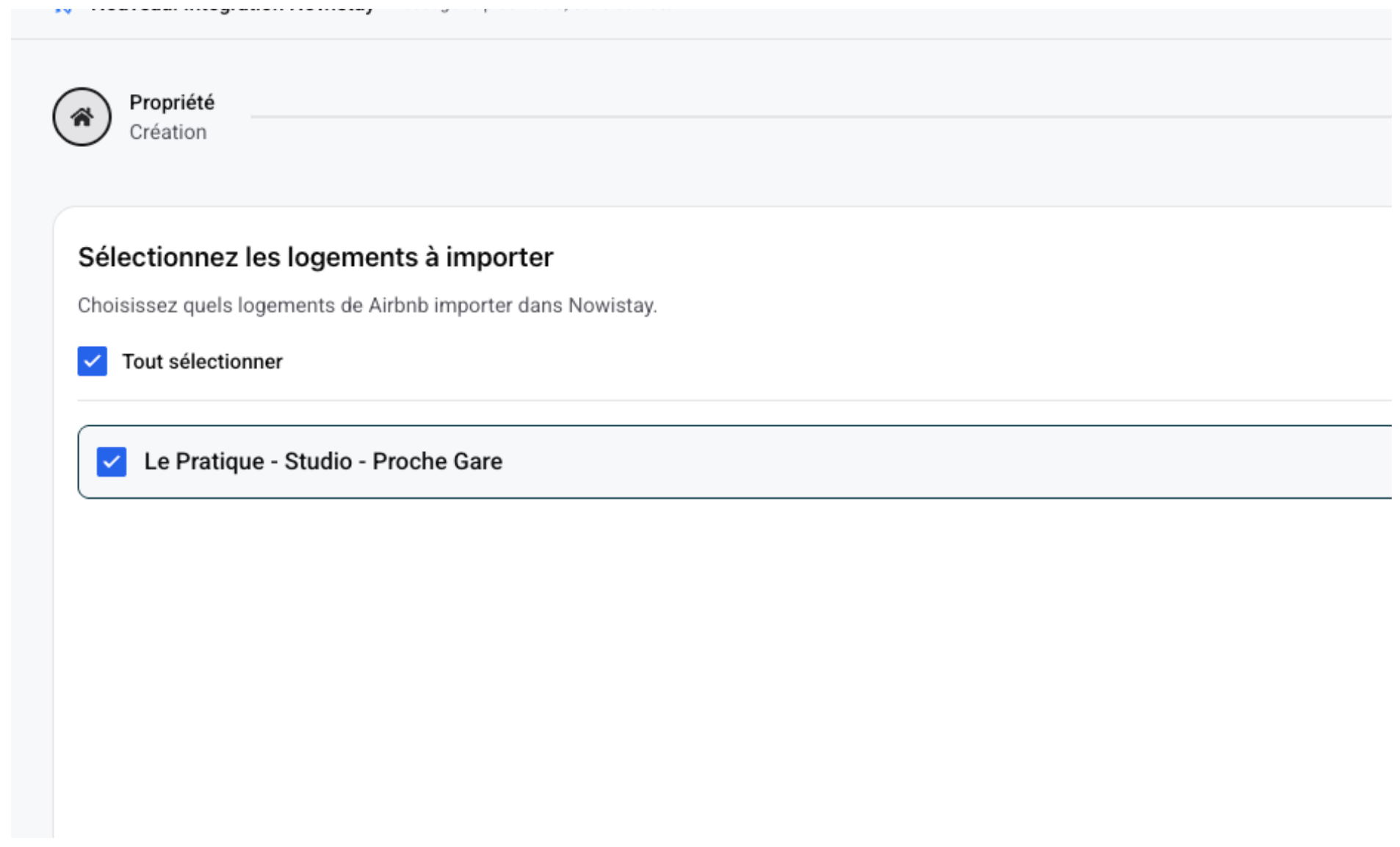
Nowistay detects your Beds24 properties. Select the ones you want to import and click “Import”.
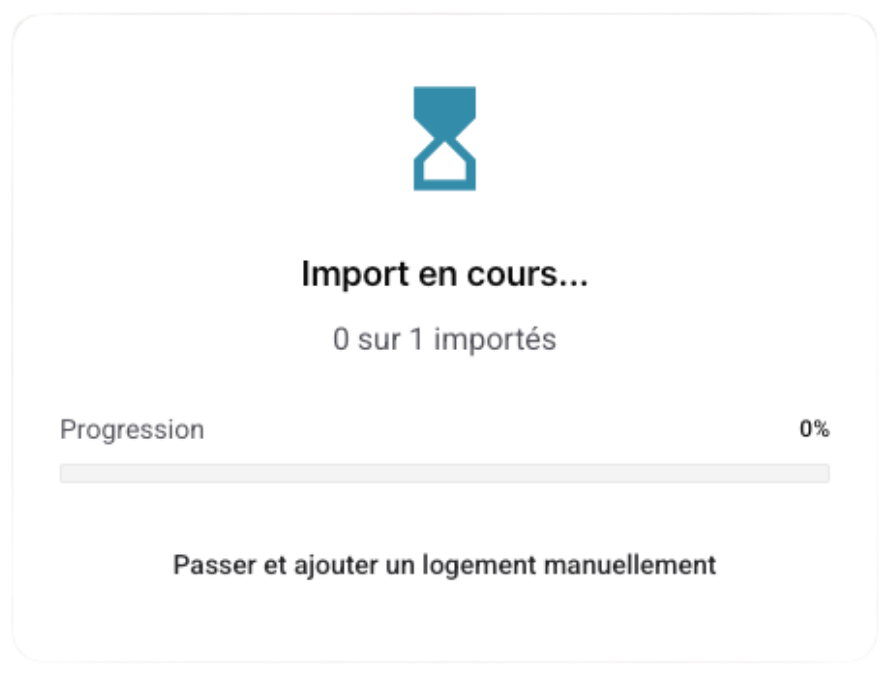
A progress bar shows the import status. Once complete, your properties are ready with all details and synchronization already configured.
Option B: Connecting Beds24 to an existing property
If you already have a property on Nowistay (added manually or imported previously) and want to sync it with Beds24:
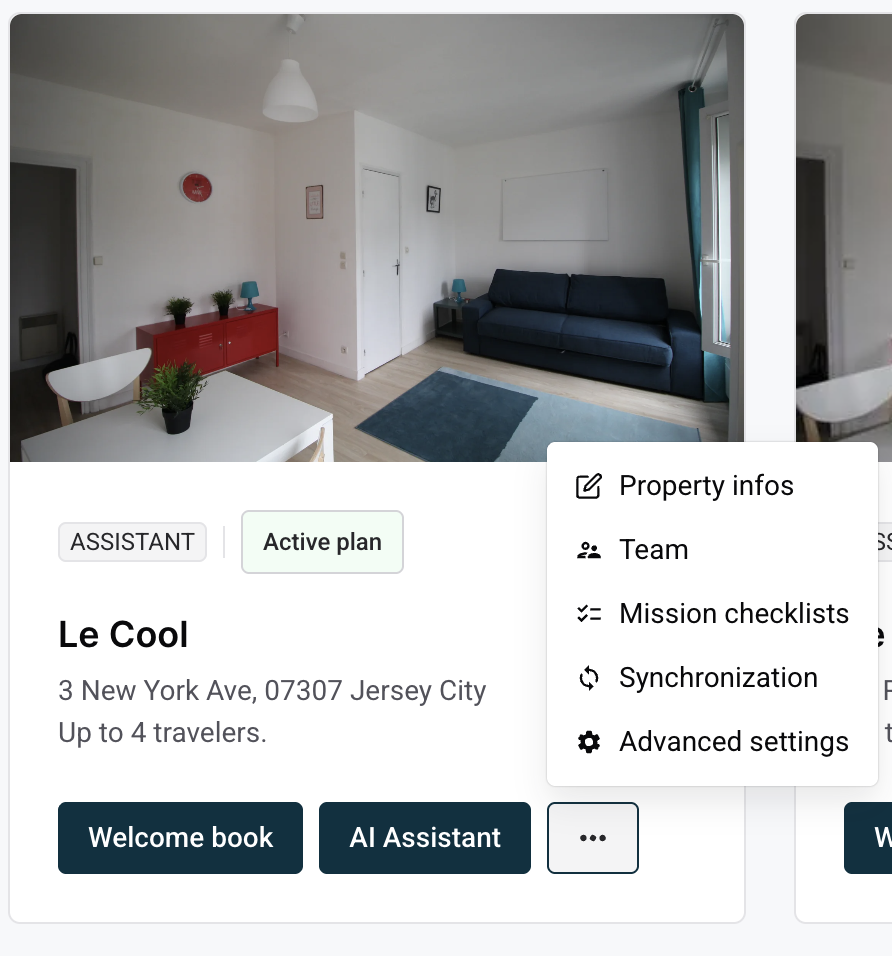
On your properties page, find the property card and click the “...” menu, then select “Synchronization”.
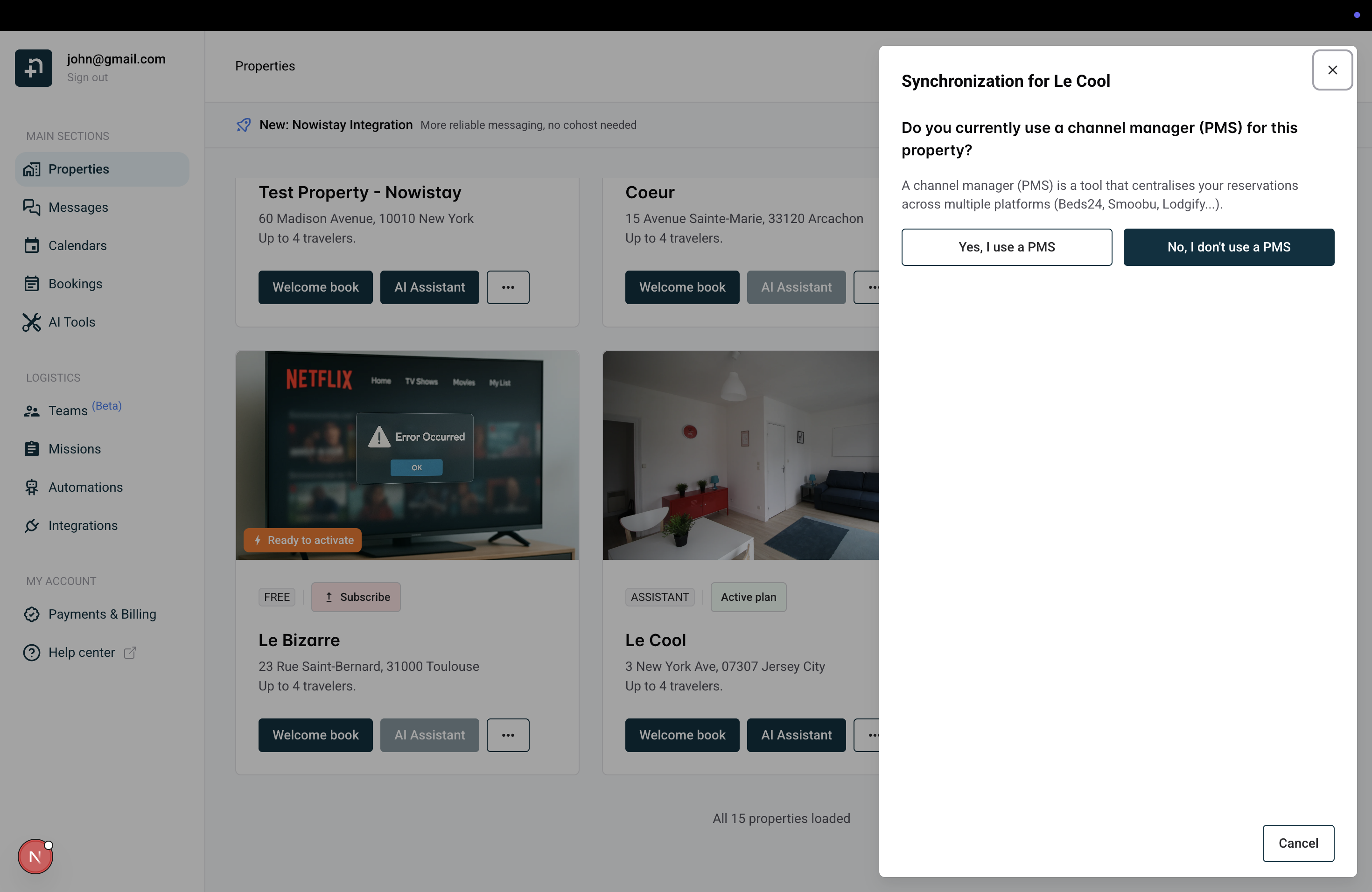
A dialog asks: “Do you currently use a channel manager (PMS) for this property?” — click “Yes, I use a PMS”.
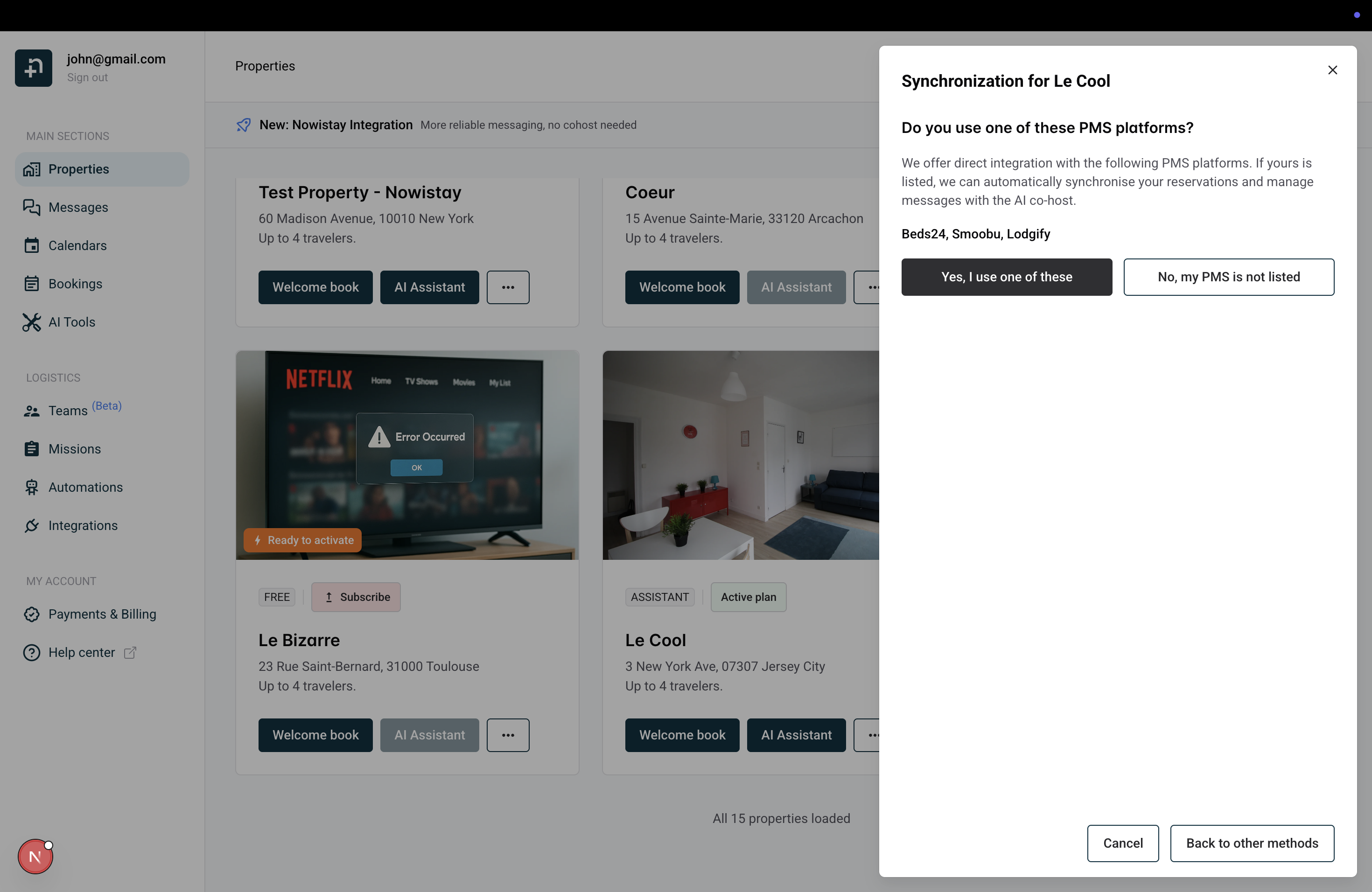
Next, it asks: “Do you use one of these PMS platforms?” — you’ll see Beds24, Smoobu, and Lodgify listed. Click “Yes, I use one of these”.
Select Beds24, paste your invite code, and click “Confirm”. Then link the correct Beds24 property to your Nowistay listing.
4. Enable AI assistant’s responses to booking requests
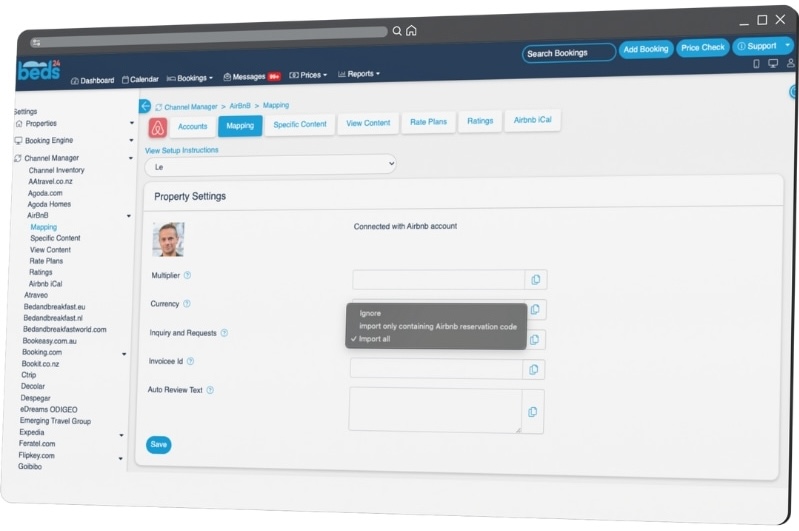
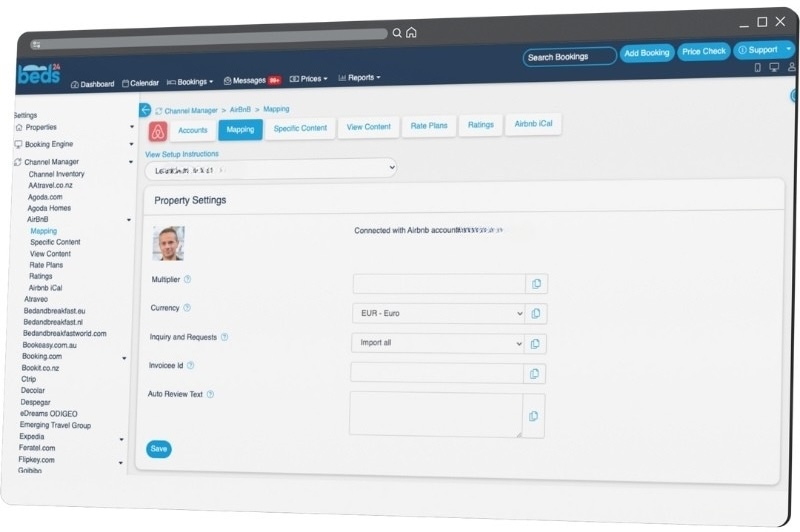
Go to “Channel Manager / Airbnb” > “Mapping” tab.
Then choose “Import all” on the “Inquiry and Requests” line.
Then “Save”
The inquiries (i.e requests) will now appear in Beds24 as bookings in the state “inquiry” and messages can be managed to that guest from nowistay.
Ready to Put Your Rental on Autopilot?
Join 300+ property managers who save hours every week with AI-powered guest communication.