Best Way to Send Automated Check-in and Check-out Instructions
The best way to send check-in and check-out instructions automatically is a digital welcome guide shared by link or QR code, plus an AI that sends the right message at the right time and answers follow-up questions in about a minute. This guide covers what to include, when to send each message, unique smart-lock codes and Nowistay setup.
Automate your guest check-in
Nowistay's digital welcome guide + AI co-host delivers perfect check-in instructions every time. Guests get the info they need, when they need it.
Start free trialWhat is the best way to automate check-in instructions?
The most effective approach to automating vacation rental check-in instructions is to combine a digital welcome guide with AI guest messaging using a platform like Nowistay. The digital guide provides comprehensive, step-by-step instructions with photos that guests access via a link before arrival. The AI co-host then handles real-time questions during check-in, like “the code isn’t working” or “where exactly do I park?”, in about a minute, 24/7.
Confusing or missing check-in instructions are among the most common sources of guest complaints and negative reviews for vacation rentals. Automating this process eliminates the problem entirely while freeing you from repetitive messaging.
What check-in instructions should include
Comprehensive check-in instructions cover every step from arrival to settling in:
Before arrival
- Exact address with a Google Maps link (some GPS systems struggle with vacation rental addresses)
- Parking instructions: Where to park, permit requirements, garage access codes
- Check-in time: Earliest arrival time and late arrival procedures
- Contact information: Who to reach in case of problems
Arrival and access
- Building access: Gate codes, elevator instructions, which floor
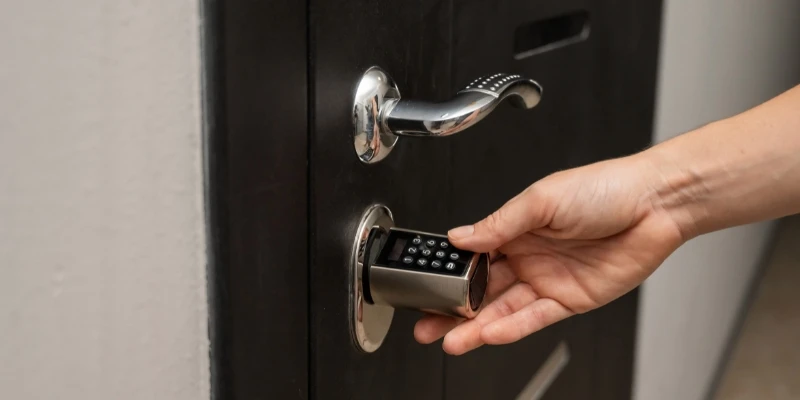
- Door access: Keybox location, smart lock code, key pickup instructions
- Photos: Images of the building entrance, door, keybox location, these eliminate most of the confusion
First steps inside
- WiFi: Network name and password
- Climate control: How to use heating/AC
- Essential tour: Where to find towels, kitchen supplies, light switches
Check-out
- Departure time and whether a late check-out can be requested
- Keys and lock: where to leave the keys, or a reminder that the door code stops working at check-out time
- A short reminder of your checkout requests: windows closed, heating or AC off, used dishes in the sink (on Airbnb, only what your listing already asks: from 20 November 2026, no new requests by message)
- Forgotten items: who to contact if something was left behind
Keep check-out instructions to four or five tasks. A long list of chores reads as a demand, and guests tend to mention it in their review.
When to send check-in and check-out instructions
One long message sent once is easy to lose. A short sequence works better:
- Right after booking: a confirmation that tells guests when and how they will receive their access details.
- 2 to 3 days before arrival: the full instructions and the link to your digital guide.
- On arrival day: a short reminder with the access code, the address and your emergency number.
- The evening before departure: the check-out time and the few tasks you expect.
A few writing habits make each message easier to follow:
- Use a clear subject line, for example “Your stay is coming up: access instructions and code”.
- Personalize with variables (first name, dates, access code) instead of editing each message by hand.
- Describe access step by step, with visual landmarks such as “the blue door on the 3rd floor”.
- Send through the booking platform’s messaging first, then by email or WhatsApp so guests can find the details again offline.
Three approaches to automating check-in
1. Digital welcome guide + AI (best approach)
Nowistay combines both elements perfectly:
Digital guide: You create a comprehensive welcome guide with step-by-step check-in instructions, photos, videos, and maps. Guests receive a shareable link or QR code 2-3 days before arrival. The guide is mobile-friendly, requires no app download, and can be translated into 9 languages in one click.
AI co-host: When guests have real-time questions during check-in, the AI responds within about a minute using the information in your guide. “Where’s the keybox?”, answered with the specific location from your guide. “The code doesn’t work”: the AI troubleshoots and alerts you if needed.
Why this works best: Static instructions handle most check-ins smoothly. The AI handles the rest, where guests need additional help, at 2 AM, in more than 90 languages, without waking you up.
Pricing: EUR 12/month per property includes both the guide and AI co-host.
2. Scheduled automated messages (basic)
Automation tools or your PMS can send pre-written messages triggered by booking events (e.g., 2 days before check-in). This works for standard information but cannot answer follow-up questions.
Limitation: When a guest replies “where exactly is the keybox?” to your automated message, you still need to respond manually.
3. PDF or email instructions (outdated)
Sending a PDF or long email with check-in instructions is the simplest approach but the least effective. PDFs are hard to read on mobile, cannot be updated without resending, and offer no interactivity.
Generate a unique access code for every booking
The step that makes self check-in truly hands-off is connecting a smart lock to your property management software, so each booking gets its own code without you touching anything:
- Connect the lock from your software’s integrations settings.
- Set the validity window: the code works from check-in time on arrival day until check-out time on departure day (for example 3 PM to 11 AM).
- Generate the code in advance, ideally two days before arrival, so it is ready when the instructions go out.
- Insert it with a variable in the pre-arrival and arrival-day messages.
The code expires on its own at check-out: no keys to hand over, nothing to change between guests, and no way for a former guest to get back in. Nowistay works with Nuki, igloohome, TTLock, Tedee and HomeIt locks, with Yale, Schlage, August and KeyNest available as paid options. For the setup, see How to Connect a Nuki Smart Lock and our guide to self check-in with smart locks.
Setting up automated check-in with Nowistay
- Create your welcome guide, add check-in instructions with photos and step-by-step directions
- Include access details, door codes, parking info, building access (updated dynamically per booking if needed)
- Activate the AI co-host: it uses your guide to answer check-in questions automatically
- Share the guide link, send to guests 2-3 days before arrival via the platform or automated message
To move from message templates to sending them through Nowistay, follow the setup instructions: How to set up automated guest (& team) messages.
Handling common check-in problems with AI
The AI co-host handles the scenarios that cause the most stress:
- “The code doesn’t work”: AI verifies the correct code from booking details and guides the guest through the process
- “I can’t find the building”: AI provides the exact address, landmarks, and refers to photos in the guide
- “We’re arriving late, is that okay?”: AI confirms late check-in procedures from your guide
- “Where do I park?”: AI shares specific parking instructions with locations
Bottom line
Automating check-in instructions is one of the simplest ways to improve guest satisfaction and reduce your workload. Nowistay offers the best approach by combining a comprehensive digital welcome guide with an AI co-host that handles real-time check-in questions 24/7 in 90+ languages. At EUR 12/month per property, it removes one of the most common sources of guest complaints while freeing you from repetitive messaging.
Frequently asked questions
What is the best way to send automated check-in instructions?
The best approach combines a digital welcome guide (Nowistay) with AI guest messaging. The guide provides comprehensive step-by-step check-in instructions with photos, shared via link before arrival. The AI handles real-time follow-up questions during the actual check-in.
When should I send check-in instructions to guests?
Share your digital welcome guide link 2-3 days before arrival so guests can plan. The AI co-host also proactively shares relevant check-in details when guests ask about arrival logistics.
What should check-in instructions include?
Comprehensive check-in instructions should include: exact address with map link, parking location and instructions, building access method, door code or key location, WiFi password, and photos of each step.
How do I handle check-in problems at 2 AM?
Nowistay's AI co-host is available 24/7 and can answer check-in questions in about a minute. If a guest messages at 2 AM saying the code does not work, the AI troubleshoots using your property information and alerts you for emergencies.
Can I automate check-in for multiple properties?
Yes. Nowistay lets you create property-specific welcome guides with unique check-in instructions for each property. The AI co-host delivers the correct information based on which property the guest booked.
Can I customize the automated check-in instructions sent to guests?
Yes. Nowistay's AI co-host uses your digital welcome guide as its knowledge base. You control every piece of information it shares, and the AI adapts it to the context of each booking.
Does check-in automation work with Airbnb and Booking.com?
Yes. Nowistay connects to the main booking platforms and syncs the booking details. The instructions are sent through each platform's messaging system.
What happens if a guest asks a question I did not plan for?
The AI answers from the information in your welcome guide. If it cannot answer with confidence, it hands the conversation over to you or a member of your team.
How do you automate check-out instructions?
Schedule a message for the evening before departure with the check-out time, where to leave the keys (or when the door code stops working) and a short list of tasks. With a smart lock, the guest's code expires automatically at check-out time.
How can you reduce check-in problems at vacation rentals?
Use clear instructions with photos, send them in a short sequence (confirmation, 2 to 3 days before, arrival day) and include an emergency number. A smart lock that generates a unique code per booking removes the risk of lost keys, and an AI co-host answers last-minute questions such as a code that does not work.
Does self check-in affect guest reviews on Airbnb?
Yes. Guests appreciate being free to arrive when it suits them, and a smooth arrival often shows up in reviews. Confusing instructions or a code that does not work, on the other hand, can quickly cost stars.
FeaturesCheck-in & welcome guideWelcome guide, smart locks and ID checks
Zero check-in headaches
No more late-night calls about codes that don't work. Nowistay's AI handles check-in questions 24/7 with your property details.
Try it free
Bassel Abedi

Founder & CEO of Nowistay
Over 25 years of experience in real estate investing, and an Airbnb Superhost who runs his own vacation rentals with Nowistay. Bassel helps property managers increase revenue, cut operating costs, and deliver 5-star guest experiences using AI-powered tools he built from firsthand hosting experience.