
Manual mode: heating and cooling reminders around bookings
Updated
Manual mode is for properties whose heating or air conditioning cannot be connected: electric radiators, a heat pump without a smart thermostat, an air conditioner with a remote control, or equipment you simply prefer to adjust yourself. Nowistay follows the booking calendar and sends a reminder, at the right time, to the people who look after the property: what to set, at which temperature, and why.
If your equipment is compatible, the automatic mode does the same thing without anyone having to move. Check the compatible thermostats and air conditioners first: a smart AC controller or a SmartThings hub can make a lot of equipment compatible.
When reminders are sent
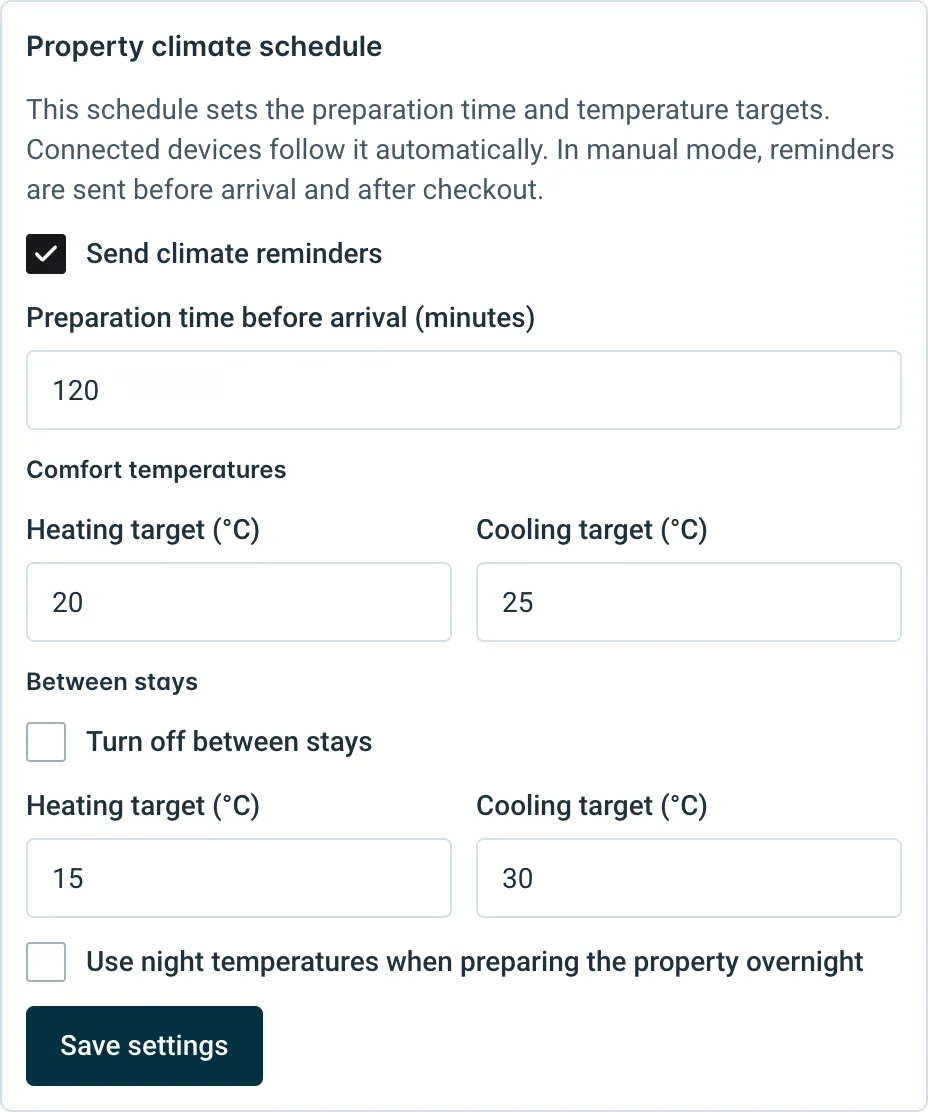
Manual mode uses the same Property climate schedule as the automatic mode, and turns each change into an instruction:
- Before arrival: when the preparation time starts (120 minutes before check-in by default), a reminder asks to set the comfort temperatures, for example “Set heating to 20 °C. To prepare for the arrival of…”.
- After checkout: a reminder asks to set the between-stays temperatures, or to switch the equipment off if you chose Turn off between stays.
- Between two guests on the same day: a single reminder covers the gap between the checkout and the next arrival.
No reminder is sent during a stay: the guest is in the property and adjusts the equipment themselves. Arrival and departure times come from the booking, including an accepted early check-in or late checkout, then from the property’s check-in and check-out times, in the property’s time zone. Only confirmed bookings trigger reminders.
The drawer shows the next one, for example Next reminder to prepare for arrival, Next checkout reminder or Next reminder between guests, with its date and time.
Who receives them
Reminders go to the host and to the managers who have access to this property’s integrations. Guest names appear only for recipients who can see bookings. Each person keeps control of their own reminders in Notifications > My notifications > Heating and cooling instructions. See how to manage your notifications.
Set up manual mode
- Go to Integrations, find the Heating & cooling card and click Manage heating & cooling.
- Click Control manually with reminders, then select the property in the Property field.
- In Manual control, choose the Equipment at this property: Heating and air conditioning, Heating only or Air conditioning only. Reminders only mention the equipment you select.
- Choose Send instructions by: Email, Push notification or Email and push notification. Push notifications reach the phones and computers where Nowistay notifications are enabled.
- In Property climate schedule, set the Preparation time before arrival (minutes), the Comfort temperatures and the Between stays temperatures. Check Turn off between stays if the equipment can be switched off: for a gap between two stays on the same day, the temperatures below it are used until preparation begins.
- If arrivals often happen late in the evening, check Use night temperatures when preparing the property overnight and set Night starts, Night ends and the night targets.
- Click Enable manual control.
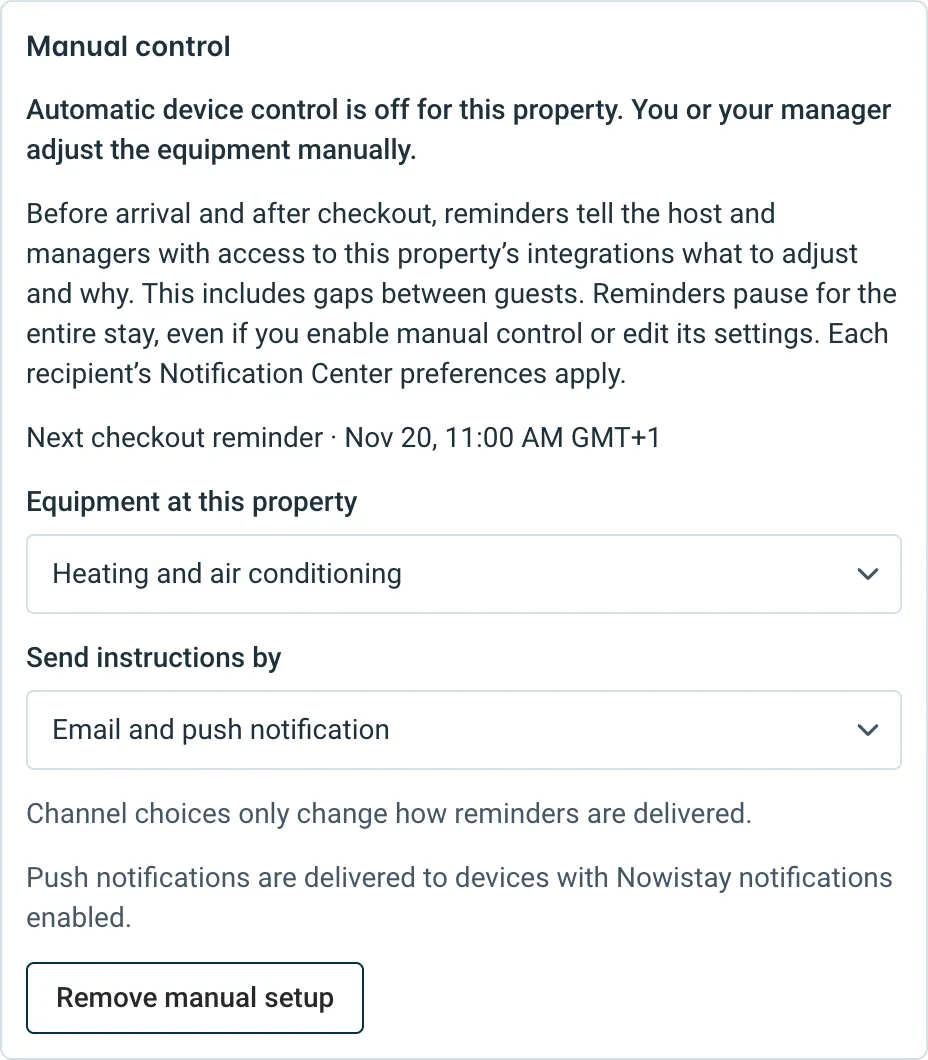
The property now shows Manual control · reminders on. Changes to the equipment or delivery fields are saved straight away; changes to the schedule need Save settings.
Pause, remove or switch to a connected device
- Pause: uncheck Send climate reminders and click Save settings. The badge changes to Manual control · reminders paused and your settings are kept.
- Remove: click Remove manual setup to stop manual mode for the property.
- Switch to automatic: once a compatible device is connected, click Switch to a connected device, choose it and click Assign device. Manual reminders stop and the device follows the same schedule. Device billing applies from then.
Enabling manual mode on a property that has connected devices removes those devices from the property (Nowistay asks you to confirm first). The current month remains payable for them.
Price and requirements
Manual mode has no device charge. Like the automatic mode, it needs a plan that includes the AI assistant and a property connected to Nowistay PMS.
What about guests asking for a different temperature?
The AI co-host cannot read or change the temperature. When a guest asks for it to be warmer or cooler and cannot do it themselves, the AI files a Climate request and alerts you, or the person you chose in the request routing.
Guides for hosts: read the blog.
Ready to Put Your Rental on Autopilot?