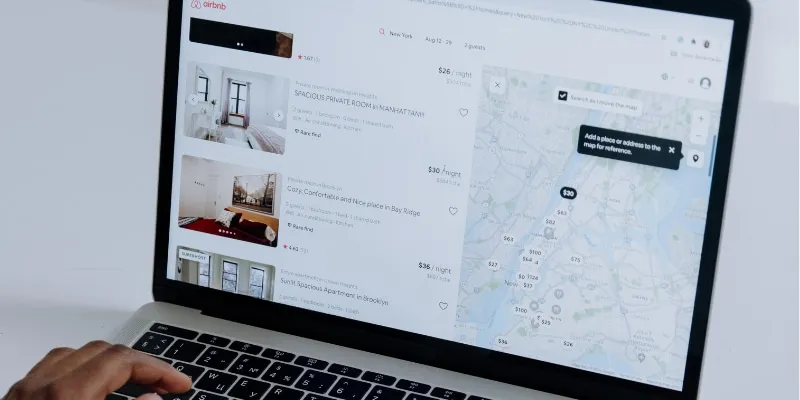
Why Is My Airbnb Not Getting Bookings? 15 Causes and Fixes
When an Airbnb listing stops getting bookings, guests either can't find it or find it and book another home. This guide lists 15 causes in the order to check them, from an unlisted listing and blocked nights to your price after the 15.5% host-only fee, reviews, response rate and seasonality, with what Airbnb's Help Center says about each one.
See why a night can't be booked
Sign up free. Nowistay's calendar shows why a night can't be booked and syncs your availability rules in real time with Airbnb, Booking.com, Vrbo, Expedia and Agoda. From €12 / $15 per property per month, first month free.
Start freeAn Airbnb listing that gets no bookings has one of two problems: guests can’t find it (it is hidden, its dates are blocked or it fails their filters), or they find it and book another home (price, reviews, photos, policies). Start with the ten-minute checks: listing status, blocked nights and availability settings. Then compare the total price guests see with similar listings, especially if you repriced for Airbnb’s 15.5% host-only fee, before looking at reviews, response rate and seasonality.
Here are 15 causes in the order we would check them, with what Airbnb’s Help Center says about each. If Vrbo or Booking.com still books and Airbnb doesn’t, look first at what differs on Airbnb.
First: are guests not seeing it, or not booking it?
On Airbnb, open Today, Menu, Insights, Views (available once you have had a first booking). Fewer views means a visibility problem: start with causes 1 to 5, 9 and 10. Steady views without bookings means a conversion problem: price, reviews and policies come first (causes 6 to 8 and 11 to 13).
Then search for your listing as a guest would, with real dates and a guest count. Results differ for every guest, so add a few filters in a busy area.
Why is my Airbnb listing not showing in search?
1. The listing is unlisted, or too new to appear
Airbnb lets you unlist a listing for set dates (up to 6 months) or indefinitely, what hosts used to call snoozing. Check Listings, then Listing editor, Settings, Listing status. A newly published listing usually appears within 24 hours, and Airbnb says it can take up to 72 hours.
2. Nights are blocked by another calendar, your software or old requests
Airbnb’s article Why your calendar nights may be blocked lists the usual suspects:
- Imported calendars. Nights booked on an imported calendar are blocked on Airbnb, which refreshes it every 3 hours. An old link, or another property’s calendar, closes nights you think are open.
- Connected software. Your channel manager may need a resync, or apply its own availability rules.
- Requests. Pending trip requests block their nights until you answer; expired ones stay blocked until you reopen them by hand.
- Your account. An unverified identity or missing account information can block the whole calendar.
Click a blocked night in your Airbnb calendar to see the reason.

3. Availability settings close the dates guests search
Your calendar also blocks nights to respect your availability window, advance notice, preparation time, minimum and maximum nights and restricted check-in or checkout days. A three-month window hides next summer. A two-day advance notice turns away Friday arrivals booked on Thursday. A five-night minimum in a city of weekend breaks removes you from most searches. Airbnb says the more dates and trip lengths you accept, the more likely your listing shows up.
4. The listing is suspended or the account restricted
A suspended listing doesn’t appear in search and can’t receive new bookings, according to Airbnb’s page on suspended, restricted or removed listings. You find it, with the reason, under Insights, then Listing issues. Airbnb usually warns before acting on repeated or severe breaches of its ground rules, and a restricted account can be barred from publishing new listings.
5. A registration number is missing where one is required
Where a registration scheme exists, the number goes in the listing editor, usually under Settings, then Regulations (steps vary by location). Since the EU short-term rental data regulation took effect on 20 May 2026, Airbnb says its City Portal lets more than 450 European local authorities monitor listings and flag and take down non-compliant ones (Airbnb Newsroom, 4 May 2026). Some cities also forbid short stays, and Airbnb may block your calendar accordingly.
Why do I get views but no bookings? Price comes first
6. Your total price is higher than similar listings
Airbnb’s help article How search results work says the algorithm compares your total price with other listings in the area for the same dates, and that listings priced below comparable ones tend to rank higher. Guests compare totals too: search shows prices including your fees, and the price filter uses the total before taxes. An €80 cleaning fee on an €80 night doubles what a one-night guest pays. Airbnb’s View similar listings (click a nightly price in your calendar) compares nightly prices, not trip totals, so also search as a guest and compare the total for a 2-night and a 7-night stay.
7. You overshot when repricing for the 15.5% host-only fee
Airbnb is moving home hosts to a single service fee: most pay 15.5%, deducted from the payout, and guests no longer pay a separate fee. Raising prices by about 15% keeps your payout and leaves the guest price roughly unchanged; going further puts you above comparable listings. The classic mistake is applying the increase twice, on the base rate and again as an Airbnb markup in a channel manager: 15% on top of 15% lifts your price by about 32%, so guests pay around 15% more than before the change. Our guide to repricing for the host-only fee gives the exact maths.
8. Smart Pricing or the new dynamic pricing works against you
Smart Pricing moves your price within the minimum and maximum you set, so a minimum chosen for high season keeps low-season nights too expensive. Airbnb’s new dynamic pricing, rolling out from October 2026, recommends a range and shows how competitive it is against similar listings. If a channel manager or a pricing tool sends your rates, keep both off: two systems writing the same night produce prices nobody chose. See Airbnb dynamic pricing vs Smart Pricing vs PriceLabs.
Do you match the searches guests actually make?
9. Filters screen you out: Instant Book, amenities, guests, pets
Guests filter by price range, amenities, booking options (Instant Book, self check-in, free cancellation) and accessibility features, and enter a number of guests and pets. Every amenity left unticked is a filter you fail. Airbnb also says instantly bookable listings may rank higher, since no host approval is needed. If you keep requests to book, answer fast: Airbnb then weighs how quickly you respond and how often you decline.
10. Photos, title and description don’t sell, and Airbnb’s AI now reads them
Airbnb ranks on listing quality, starting with photos, videos and a complete description. Since its fall update of 30 September 2026, starting in the US, guests can search in their own words, read AI-written descriptions in results and compare saved homes with AI summaries. That AI only repeats what your listing and reviews say, so a missing amenity or a vague description now costs you twice. See our guide to optimizing your listing for Airbnb’s AI search.
Is your listing trusted enough to rank?
11. Recent reviews and a falling rating
Airbnb says listings with better ratings and reviews tend to rank higher. A run of 4-star reviews after a cleaning problem quietly costs you clicks. Read your last ten reviews as a guest would and fix what comes up twice. For the other ranking levers, see how to rank higher on Airbnb.
12. Slow replies: response rate and response time
Your response rate is the share of new inquiries and booking requests answered within 24 hours over the past 30 days, and Airbnb says it affects your Superhost status and your search placement. An expired request counts as no response; a decline counts as a response. Your response time, the 30-day average shown on your listing, tells guests how long they will wait.
13. A strict cancellation policy, or your own cancellations
Free cancellation is one of the booking options guests can filter on, so a strict policy can drop you from some searches. Airbnb’s algorithm also considers cancellation information, including the number of cancellations by the host, a Superhost criterion. Choose the most flexible policy your occupancy allows, and avoid cancelling confirmed stays.
Is it just timing? New listings and seasons
14. A new listing has no reviews yet
Airbnb says its algorithm is designed to make sure new listings show up well in search. For a new listing, the hurdle is trust rather than visibility. Price slightly below comparable homes for your first stays; Airbnb’s new listing promotion lets you offer 20% off your first 3 bookings. Our cold-start pricing plan explains when to raise prices.
15. It is low season, or your market has slowed down
Look at similar listings first: if the homes around you are empty on the same dates, demand is the issue, not your listing. Airbnb notes that many hosts lower prices or offer discounts in quieter seasons. Shorten the minimum stay, open last-minute nights and add a weekly discount rather than cutting your base price all year.
Bookings on Vrbo but none on Airbnb: what is different?
When one platform books and the other doesn’t, compare both listings for the same dates:
- Final price. The host-only fee changed what guests see on Airbnb, and nowhere else.
- Settings. Each platform has its own minimum stay, advance notice, availability window and cancellation policy.
- Channel rules. A close-out or stop-sell rule, or an Airbnb-only markup in your channel manager, hides or prices out Airbnb alone.
- Account. A suspension, a pending verification or a missing registration number affects Airbnb alone.
How Nowistay keeps your Airbnb listing bookable
Most of these causes are settings scattered across screens and platforms. Nowistay, a PMS and channel manager with an AI co-host built in, brings them together:
- Real-time sync of calendar, rates and bookings with Airbnb, Booking.com, Vrbo, Expedia and Agoda: a booking on one platform closes the night on the others without waiting for an imported calendar to refresh.
- The reason behind each blocked night. In the Calendar, a night that is open but can’t be booked shows green with red diagonal stripes; hover it to read why, such as “Minimum stay: 2 nights”. Click it and the Booking restrictions block shows the source (Calendar rule, Property setting or Listing setting) and a link such as Open Airbnb availability settings.
- Availability rules on every channel. Set Minimum Stay (nights), Maximum Stay (nights), Check-in closed or Check-out closed from the calendar and Nowistay pushes them to all connected platforms. Airbnb’s advance notice, preparation time and availability window sit in the Airbnb Availability tab of the channel settings (how to set them).
- One channel at a time. A Close Out rule in Custom Rules closes a single platform, and Rate Adjustment sets a markup per channel. When Airbnb alone goes quiet, check its Active Rules and markup first.
- Replies in about a minute. The AI co-host answers guests on Airbnb, Booking.com, Expedia, WhatsApp and email in about a minute on average, handles most messages on its own and alerts you when a human is needed, which protects your response rate at night.
- Prices checked against similar homes. AI Pricing, Nowistay’s built-in dynamic pricing included in the AI Channel Manager subscription, suggests a price for every free night with the reason for each change and sends the prices you apply to every channel. Its Similar homes tab shows the median price of available similar homes nearby with your number of bedrooms, cleaning included, next to yours on the same basis: exactly the comparison cause 6 calls for. PriceLabs remains an option from Integrations (separate PriceLabs subscription). Either way, keep Airbnb’s Smart Pricing and dynamic pricing off.
Each setting is explained step by step in how to manage availability and prices from the calendar.
Frequently asked questions
Why is my Airbnb listing not showing up in search?
Check, in this order: the listing status (unlisted for set dates or indefinitely), blocked nights (imported calendars, connected software, pending or expired requests, unverified identity), availability settings (availability window, advance notice, preparation time, minimum nights), a suspension shown under Insights, then Listing issues, and a missing registration number where one is required. A new listing can take up to 72 hours to appear.
Why am I getting views but no bookings on Airbnb?
Guests see your listing and choose another one. Compare your total price for the same dates with similar listings, including the cleaning fee, since search shows prices with fees. Then check your recent reviews, response rate, cancellation policy, Instant Book and photos.
Why do I get bookings on Vrbo but not on Airbnb?
Your home and market are probably not the issue, so look at what differs on Airbnb: the final price after the 15.5% host-only fee, Airbnb-specific settings such as minimum stay or advance notice, a close-out rule or markup on Airbnb in your channel manager, and your Airbnb account status (suspension, verification, registration number).
Did Airbnb's 15.5% host-only fee reduce my bookings?
Not by itself. Raising prices by about 15% keeps your payout and leaves the guest price roughly unchanged. Bookings drop when the increase goes further, for example when a 15% rise on the base rate is combined with a 15% Airbnb markup: your price rises by about 32% and guests pay around 15% more than before the change.
How long does a new Airbnb listing take to appear in search?
Airbnb says a newly published listing is usually visible within 24 hours, but it can take up to 72 hours. Its algorithm is designed to help new listings show up well in search; the harder part is earning the first bookings without reviews.
Does response rate affect Airbnb ranking?
Yes. Airbnb says your response rate, the share of new inquiries and booking requests answered within 24 hours over the past 30 days, affects both Superhost status and search placement. Letting a request expire counts as no response.
FeaturesReviews & guest happinessSpot unhappy guests before they leave a review
Never miss a booking request again
Sign up free. The autonomous AI co-host answers guests on Airbnb, Booking.com, Expedia, WhatsApp and email in about a minute on average, day and night, and alerts you when a human is needed.
Try Nowistay free
Bassel Abedi

Founder & CEO of Nowistay
Over 25 years of experience in real estate investing, and an Airbnb Superhost who runs his own vacation rentals with Nowistay. Bassel helps property managers increase revenue, cut operating costs, and deliver 5-star guest experiences using AI-powered tools he built from firsthand hosting experience.