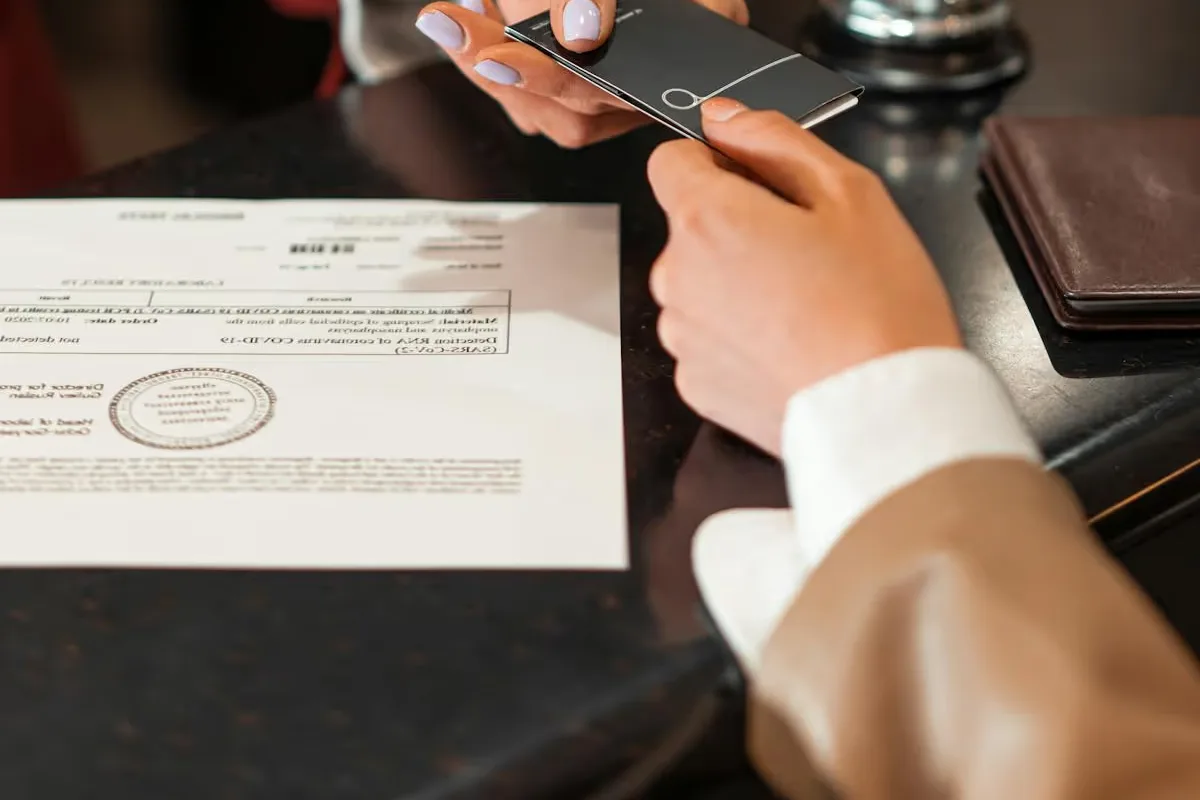
Vacation Rental Guest Screening: How to Protect Your Property
A single bad guest can cost you thousands in damages, lost bookings, and stress. Yet most vacation rental hosts have no formal screening process. This guide covers everything from ID verification and security deposits to spotting red flags in booking requests, so you can protect your property without scaring away good guests.

Let AI handle guest communication while you stay protected
Nowistay's AI co-host screens inquiries and manages guest interactions 24/7.
Try it freeWhy guest screening matters for vacation rental hosts
Let’s start with an uncomfortable reality: not every booking request comes from a well-intentioned traveler. Property damage, unauthorized parties, noise complaints, illegal activity, these scenarios are rare but devastating when they happen. A single incident can result in thousands in repair costs, negative reviews from neighbors, and even legal trouble.
The good news? Most problematic stays are preventable with a thoughtful screening process. The goal isn’t to interrogate every guest: it’s to build a system that filters out high-risk bookings while keeping the process smooth for legitimate travelers.
Property managers who screen guests consistently report far fewer incidents than those who accept every booking blindly. That’s not just fewer headaches: it’s real money saved.
The fundamentals of guest screening
Effective guest screening operates on multiple layers. No single measure catches everything, but combined, they create a reliable safety net.
1. Identity verification
This is the foundation. At minimum, you should verify that the person booking is who they claim to be. Airbnb and Booking.com offer built-in identity verification, but these systems aren’t foolproof, and they don’t apply to direct bookings.
For robust ID verification:
- Request a government-issued photo ID before confirming the booking
- Match the ID name with the booking name
- For direct bookings, use third-party guest-screening and identity-verification services
- Consider requiring a selfie that matches the ID photo
Important: always handle ID data responsibly. Store it securely, delete it after checkout, and comply with GDPR and local privacy regulations.
With Nowistay, you can automate the entire identity verification process. Nowistay integrates directly with Stripe Identity to request and verify government-issued IDs from your guests automatically, no manual checks, no third-party tools to manage separately. What makes this especially powerful is that you can configure your automated messages so that property access instructions, door codes, smart lock PINs, check-in directions, are only sent once the guest’s identity has been fully verified. This creates a seamless yet secure workflow: guests complete verification on their own time, and your check-in details are released automatically once they pass. No manual follow-up, no back-and-forth. Learn how to set up automated identity verification →
2. Booking pattern analysis
Certain booking patterns correlate with higher risk. While none of these are guarantees of trouble, they warrant closer attention:
- Last-minute local bookings: a guest booking a property 20 minutes away for tonight can signal a party
- One-night weekend stays: especially for larger properties, these can indicate events
- Vague purpose of stay: guests who can’t or won’t explain why they’re visiting
- New accounts with no reviews: not a dealbreaker, but worth noting
- Booking for someone else: third-party bookings are a common red flag
Use minimum stays as a filter. One-night weekend bookings are the pattern most often linked to parties, so a 2-night minimum on weekends removes much of that risk without affecting genuine longer stays. If your tools allow different minimums per channel, you can keep 1 night for direct bookings, where you screen and verify the guest yourself.
3. Communication assessment
How a guest communicates before booking tells you a lot. Pay attention to:
- Do they read and acknowledge your house rules?
- Do they answer reasonable questions about their trip?
- Is their communication respectful and clear?
- Do they mention the number of guests accurately?
An automated messaging system can handle initial screening questions consistently, ensuring every guest receives and responds to the same pre-booking checklist.
Guest screening tools compared
Several dedicated platforms now automate the screening process. Here’s how the leading options compare:
Fully automated screening platforms
The most comprehensive automated screening platform. Uses AI to analyze booking data, verify IDs, and assign risk scores. Integrates with major PMS systems. Pricing starts around $2-3 per reservation. Best for: professional managers with 10+ properties who want fully automated, data-driven screening.
Identity verification with damage protection
Some services combine identity verification with damage protection insurance. Guests complete a quick verification, and the service provides up to £1 million in property damage coverage. Integrates with Airbnb, Vrbo, and direct bookings. Best for: hosts who want ID verification and damage coverage in a single solution.
Background-check-focused services
These services focus on identity verification and background checks. They run guests against watchlists, verify IDs, and provide risk assessments. The interface is simpler than a full automated platform, with per-check pricing. Best for: hosts wanting straightforward ID checks without the complexity of a full screening platform.
Enterprise screening platforms
Enterprise-focused screening platform used by large property management companies. Offers multi-layer verification, compliance tools, and custom risk scoring. Integrates deeply with enterprise PMS systems. Best for: large-scale operators managing 50+ properties who need customizable screening workflows and compliance reporting.
Choosing the right tool
For solo hosts, starting with your platform’s built-in verification (Airbnb Verified ID, Booking.com ID checks) is reasonable. Add a dedicated guest-screening service when you expand to direct bookings. For professional managers, automated screening platforms provide the automation and depth you need at scale.
Security deposits and damage protection
Financial protection is your second line of defense. Several approaches exist, and the best strategy often combines multiple methods.
Traditional security deposits
A pre-authorized hold on the guest’s credit card (typically $200-$500) that’s released after checkout if no damage occurs. This is the simplest approach and creates a psychological deterrent.
Weigh the trade-offs before relying on one: a deposit only covers damage up to its amount, holding and releasing it takes admin work, and some guests pick a listing without one. On Airbnb, most hosts are not allowed to charge a security deposit, and where one is permitted it must be disclosed in the listing (Airbnb Help Center), so deposits are mostly a tool for direct bookings. For a deeper analysis, see why security deposits can cost you more than they protect.
Damage protection insurance
Damage-protection services and Airbnb’s AirCover provide insurance-style coverage. Guests pay a small fee (or it’s included in the nightly rate), and the host is covered for damages up to a certain limit.
Platform-specific protections
Airbnb’s AirCover provides up to USD 3 million in Host damage protection and USD 1 million in Host liability insurance (AirCover for Hosts). Booking.com offers a damage deposit feature. While these exist, never rely solely on platform protections, claims can be disputed, slow, and don’t always cover everything.

Payments, chargebacks and direct bookings
A chargeback happens when a guest disputes a card payment with their bank, sometimes after a stay that went perfectly well. On OTA bookings, the platform collects the payment and handles these disputes. On direct bookings, the dispute lands on you, so build your evidence before the guest arrives:
- Authenticated card payments: 3D Secure (strong customer authentication in Europe) generally shifts liability for fraud disputes to the card issuer
- A rental agreement the guest accepts, including your house rules and cancellation policy, with the date and time of acceptance
- One timestamped message thread per booking, so you can show what was agreed
- Dated photos of the property before and after each stay
- Verified identity before access: no verified ID, no door code, and a code that expires at checkout
Nowistay’s direct booking widget takes card payments through Stripe with 0% Nowistay commission, and guest identity verification costs EUR 2 per check. Check-in instructions and smart-lock codes can wait until the guest’s identity is verified.
Smart home technology for property protection
Noise-monitoring devices: all-in-one puck vs. dedicated sensor systems
Noise monitors are the most effective technology for preventing parties and unauthorized gatherings. The two market leaders each have distinct strengths:
All-in-one devices monitor noise levels, occupancy (via motion detection), temperature, and humidity. They come as a compact, battery-powered puck that installs in minutes. Key features:
- Noise level alerts with customizable thresholds (e.g., alert at 75 dB between 10pm-8am)
- Cigarette smoke detection
- Occupancy estimation via motion patterns
- No audio recording, fully privacy-compliant (GDPR-ready)
- Battery-powered with 6+ month battery life
- Integrates with Airbnb and most major PMS
- Pricing: ~$150 per device + $12-20/month per property
Dedicated sensor systems focus exclusively on noise monitoring with professional-grade decibel measurement. Key features:
- Indoor and outdoor sensors for comprehensive coverage
- Measures sustained noise levels (not just peaks), reducing false alarms
- Built-in incident documentation if you need to file damage claims
- Custom noise thresholds by time of day
- Integrates with major PMS platforms
- Pricing: ~$200 per sensor + ~$10/month per sensor
Which to choose? An all-in-one device is better for hosts wanting a single unit (noise + smoke + occupancy + climate). A dedicated sensor system is better for properties where noise is the primary concern and you want the most accurate decibel monitoring. For large portfolios, both offer volume discounts and enterprise features.
Occupancy monitoring
The same devices can estimate the number of people in your property based on noise patterns and environmental data. If someone books for 2 guests but 15 people show up, you’ll know immediately.
Smart locks
Beyond convenience, smart locks provide a security layer: unique codes per guest, automatic code expiration, and entry logs.
Outdoor cameras
Exterior cameras (disclosed in your listing, as required by law) at entry points deter unauthorized visitors. Never place cameras in private areas.
Insurance and liability: protecting your business
Standard homeowner’s insurance rarely covers short-term rental activity. If a guest is injured on your property or causes damage during a commercial rental, your regular policy may deny the claim entirely. Dedicated short-term rental insurance is essential.
Short-term rental insurance options
Proper Insurance is the leading dedicated STR insurer. Provides commercial-grade coverage specifically designed for vacation rentals:
- Liability coverage up to $1-2 million
- Property damage, theft, and vandalism
- Loss of rental income coverage
- Covers gaps left by Airbnb AirCover and similar programs
- Policies start around $1,000-2,000/year depending on property value and location
Per-stay damage-protection services operate on a per-stay model, charging guests a small protection fee (typically $10-15/stay) that funds up to $10,000-$25,000 in damage coverage and $1 million in liability. This model is attractive because the cost is passed to guests, not the host.
CBIZ Vacation Rental Insurance offers comprehensive annual policies similar to Proper, with strong coverage for property damage, general liability, and loss of income. Particularly well-regarded for multi-property portfolios where bundling saves on premiums.
Layering your protection
The best approach combines multiple layers:
- Platform protection (AirCover, Booking.com guarantee): free, first line
- Per-stay damage protection (dedicated damage-protection services): covers common incidents
- Annual commercial policy (specialist short-term rental insurers): covers catastrophic events, liability lawsuits, and loss of income
This layered approach ensures you’re never left exposed, regardless of where the booking originated or how severe the incident.
House rules as a screening tool
Your house rules serve a dual purpose: they set expectations and they filter out guests who won’t respect your property.
- No parties or events: state this explicitly, with consequences
- Maximum occupancy: specify the exact number, including day visitors
- Quiet hours: typically 10pm-8am
- No smoking: inside and within a specified distance
- Pet policy: clear yes/no with any conditions
- Check-in/checkout procedures: guests who acknowledge detailed procedures are more likely to follow all rules
Require guests to explicitly acknowledge your house rules before booking, then repeat the key ones at the right moments: in the booking confirmation, in a reminder about 24 hours before arrival (quiet hours, maximum occupancy, parking), and in the house rules section of your digital welcome guide.
Handling red flags: when to decline a booking
- Be factual, not emotional: “Our property isn’t the right fit for your needs” is better than accusations
- Document your reasoning: keep notes about why you declined
- Never discriminate: screening must be based on behavior and booking patterns, never on protected characteristics
- Offer alternatives: when possible, suggest properties better suited to their needs

Building an automated screening workflow
- Pre-booking: automated message asking purpose of stay, number of guests, and confirming they’ve read house rules
- Post-booking: ID verification request
- Pre-arrival: digital welcome book with house rules acknowledgment and check-in instructions
- During stay: noise monitoring active, automated check-in message
- Post-stay: automated checkout inspection reminder, damage assessment, deposit release
An AI co-host can manage steps 1, 3, and 4 automatically.
Legal considerations for guest screening
- Anti-discrimination laws apply: you cannot screen based on race, gender, religion, nationality, disability, or other protected characteristics
- Data protection regulations: GDPR, CCPA, and similar laws govern how you collect, store, and delete guest data
- Transparency: disclose what information you collect and why
- Platform terms of service: OTAs have specific rules about what screening is allowed
Your property protection checklist
- Screening: do you review profiles and booking patterns, and use a minimum stay on weekends?
- Identity: is every guest verified before receiving access?
- Access: does every booking get a unique code that expires at checkout?
- House rules: are they clear, accepted before booking and repeated before arrival?
- Payments: are direct-booking payments authenticated, with an accepted agreement on file?
- Documentation: do you keep timestamped messages and before-and-after photos?
- Insurance: are you covered beyond platform protection, including liability?
Every missing layer is a gap worth closing before your next busy season.
Final thoughts
Guest screening doesn’t have to feel adversarial. Done well, it’s invisible to good guests and effective against bad ones. The combination of identity verification, smart technology, clear house rules, and automated communication creates a protective layer that lets you host with confidence.
Remember: the goal isn’t zero risk (that’s impossible in hospitality). It’s reducing risk to a manageable level while maintaining a welcoming, professional experience for the vast majority of guests who are exactly what they seem, travelers looking for a great stay.
Frequently asked questions
How do I verify a guest's identity before an Airbnb booking?
Require government-issued ID verification, review the guest's platform profile (reviews, account age, photo), and exchange a few messages to understand the purpose of their stay. Automated screening tools can also perform background checks to add an extra layer of security.
What are the red flags when screening vacation rental guests?
Key red flags include profiles with no reviews or verification, last-minute bookings for large groups, refusal to share the reason for the stay, and unusual questions about noise policies or neighbor proximity. These patterns can indicate potential party bookings or high-risk guests.
Can an Airbnb host refuse a guest reservation?
Yes, hosts can decline reservations if the request violates house rules or if the guest profile raises legitimate concerns. However, frequent refusals can affect your search ranking. Always document objective reasons for each decline to protect yourself and remain compliant with platform policies.
What tools can I use for automated guest screening?
Popular screening solutions include dedicated guest-screening services and built-in features from platforms like Nowistay. These tools automate identity verification, risk analysis, and security deposit collection while remaining compliant with privacy regulations like GDPR.
How can I protect my vacation rental from property damage?
Combine guest screening, security deposits, vacation rental-specific insurance, and clear house rules. Install noise-monitoring sensors and document property condition with photos before each arrival to streamline any damage claims.
How can I prevent chargebacks on vacation rental payments?
On direct bookings, use authenticated card payments (3D Secure), have guests accept a rental agreement with your house rules and cancellation policy, keep all messages in one timestamped thread, and photograph the property before and after each stay. On OTA bookings, the platform handles payment disputes.
How do I verify guest identity for direct bookings?
Send an identity verification link after booking: the guest photographs an official ID and takes a selfie that is matched to it. With Nowistay, verification runs through Stripe Identity, costs EUR 2 per check, and check-in instructions can wait until the guest is verified.
Is Airbnb guest verification enough to protect my property?
It is a good baseline, not a complete defense. It confirms basic identity details but does not stop someone from booking on behalf of others, and it does not apply to your direct bookings. Combine it with booking-pattern checks, minimum stays, clear house rules, smart-lock codes per booking and insurance.
FeaturesCheck-in & welcome guideWelcome guide, smart locks and ID checks
Protect your property with smarter guest management
Automate check-in instructions, house rules delivery, and guest communication with AI.
Get started
Bassel Abedi

Founder & CEO of Nowistay
Over 25 years of experience in real estate investing, and an Airbnb Superhost who runs his own vacation rentals with Nowistay. Bassel helps property managers increase revenue, cut operating costs, and deliver 5-star guest experiences using AI-powered tools he built from firsthand hosting experience.