One of the biggest challenges for short-term rental hosts is keeping their cleaning, maintenance, and operations teams informed about upcoming arrivals, departures, and mission schedules — and giving property owners a financial view without bothering them with the day-to-day. Nowistay solves this with a shareable team dashboard that adapts to each member's role. No login or account needed.
Go to the Teams section and click the 🔗 link icon next to the team member you want to share with.
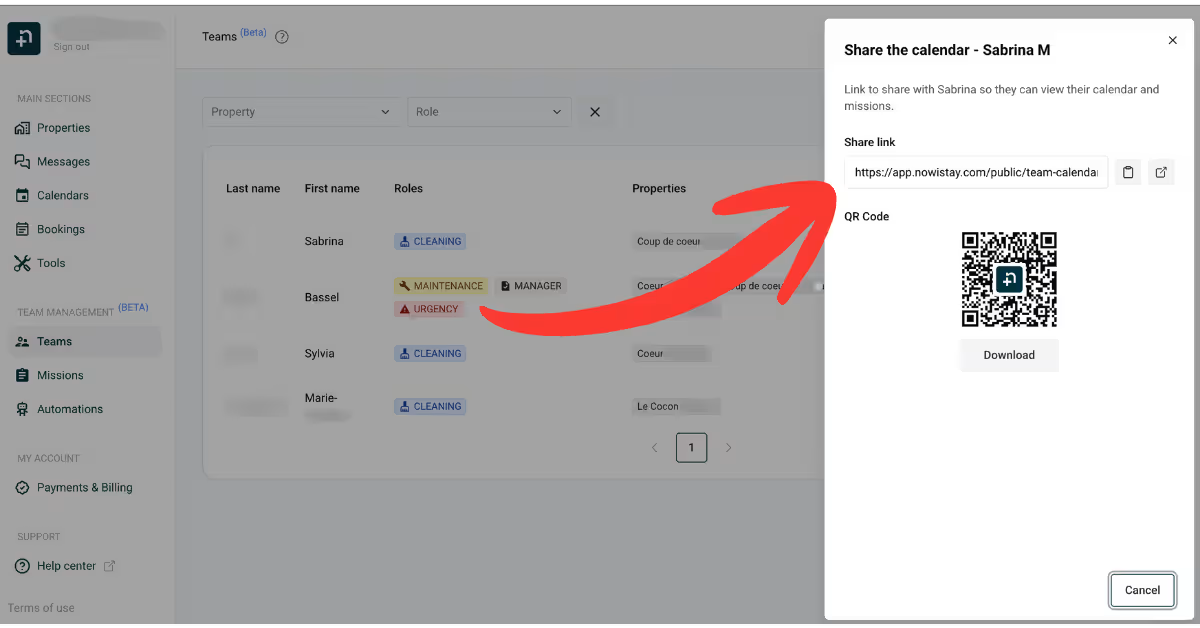
A drawer opens with the share link and a QR code. You can copy the URL to send via messaging, or download the QR code to print and display in the property — whatever works best for your team.
The link is permanent and unique to each team member. It doesn't expire and doesn't require any login or account creation. If you ever need to revoke access, toggle the member to inactive from the Teams section — the link stops working immediately.
When a team member opens their link, the page shows up to three tabs depending on their role: Calendar, Financials, and Dashboard. The default landing tab also depends on the role:
If the member is assigned to more than one property, a property selector appears at the top of the page — a bordered button with the current property name and a small "N properties" counter chip. Switching properties refreshes the current tab in place, no full reload.
The Dashboard tab is where Cleaning, Maintenance, Urgency, Check-in, and Manager team members live. They see all their upcoming missions across every property they're assigned to.
Each mission card shows key information at a glance:
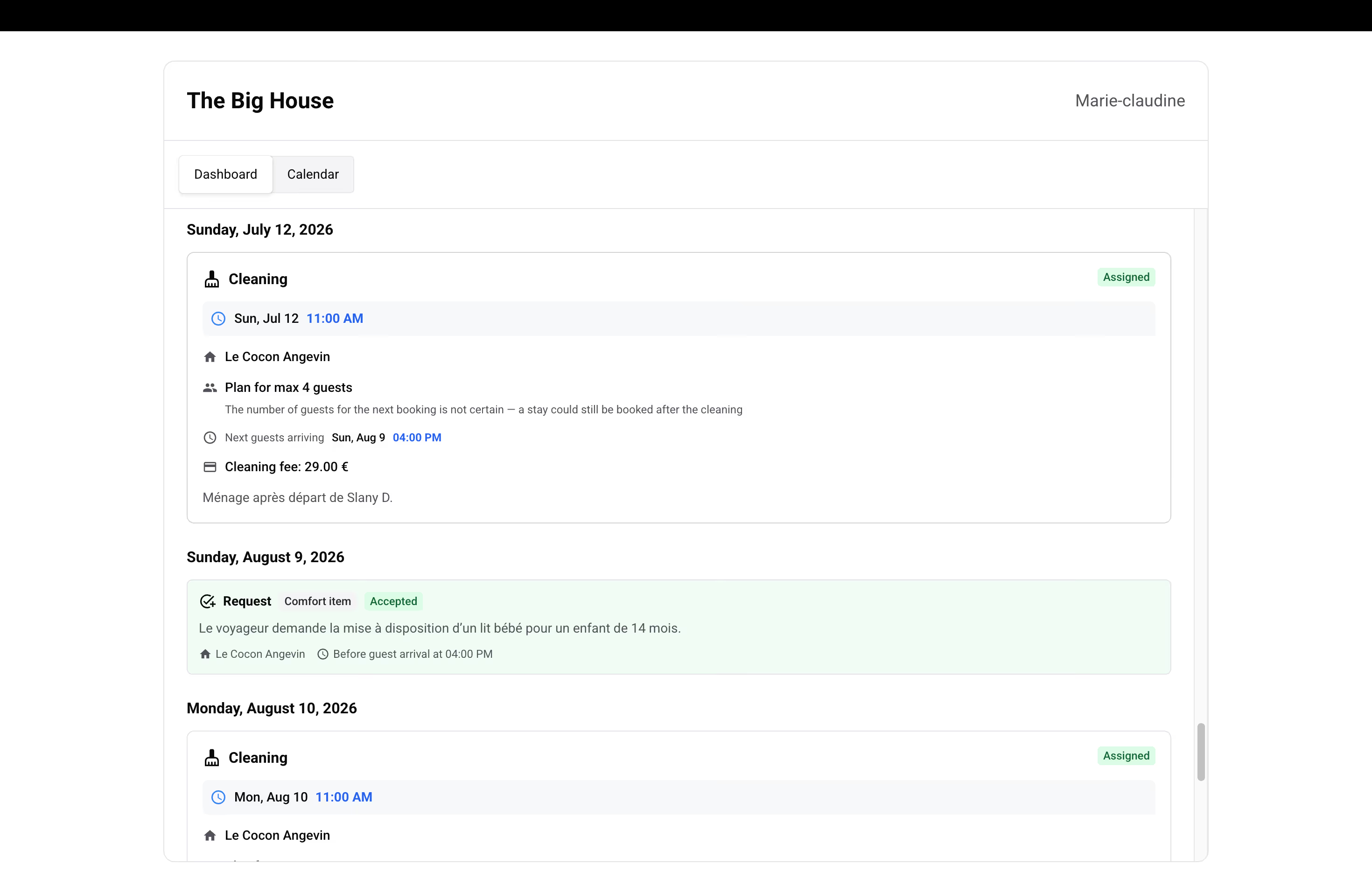
Below the missions, the Dashboard tab also surfaces inquiries from guests (e.g. "no hot water", "missing towels") that match the member's role — see the inquiry section below.
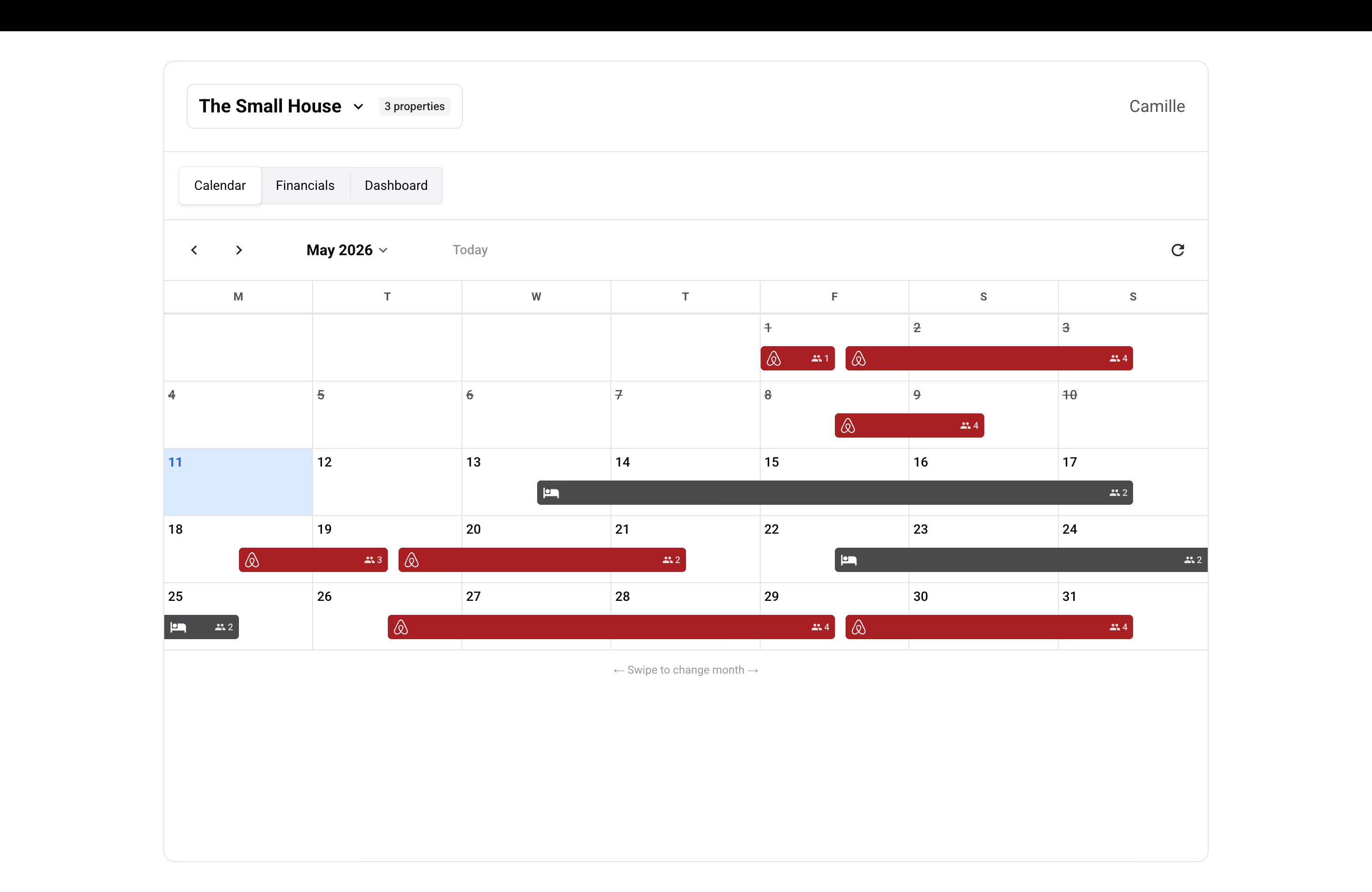
The Calendar tab gives your team member a monthly calendar view for a specific property. If they're assigned to multiple properties, the property selector at the top of the page lets them switch between them.
The calendar shows bookings relevant to the team member's missions, with the booking platform and expected number of guests. Green dots on the calendar indicate days with scheduled missions.
Team members with the Owner role get a Financials tab on top of the Calendar. It's their default landing tab when they open the link.
The Financials tab shows the portfolio snapshot for the selected property and selected month:
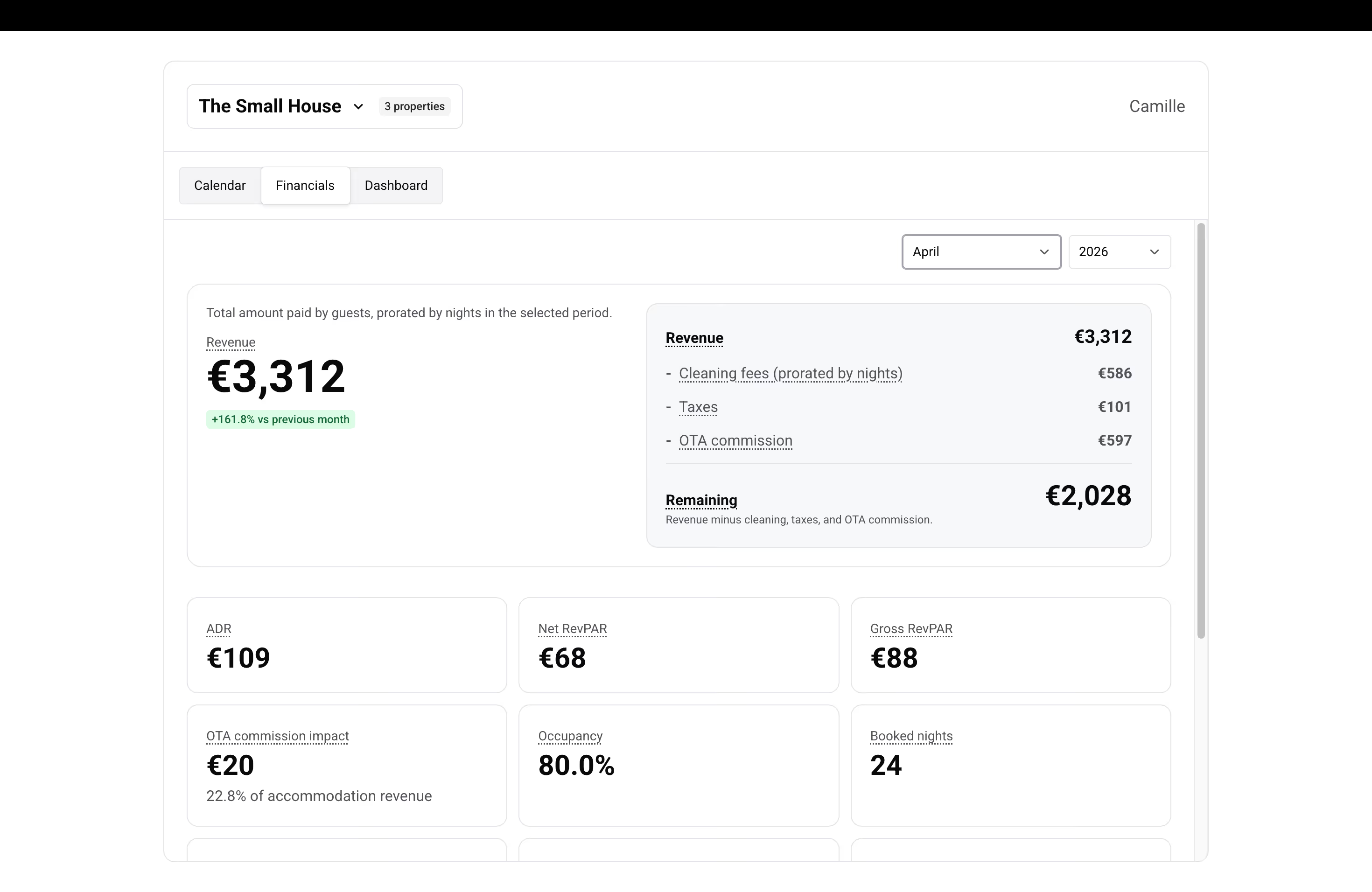
This tab is only visible to members with the Owner role. It also requires the property to be on an active AI Full Channel Manager subscription — if the host's subscription lapses, the tab shows an "unavailable" state until the subscription is restored.
If you want an owner to see both financials and missions, add a second operational role on the same member (e.g. Owner + Manager).
Inquiries are guest reports or requests that need attention. To keep each member focused, we only show them the inquiry types relevant to their role:
You can choose whether each team member sees the cleaning fee amount on their mission cards. To toggle this setting, open the share drawer (click the 🔗 icon next to the team member) and switch the "Show cleaning fee on mission cards" toggle on or off.
This is a per-team-member setting, so you can show it to some team members and hide it from others depending on your workflow.
The shared dashboard is designed with privacy in mind. Team members only see missions that are assigned to them or that they are eligible for. Guest personal information such as names, email addresses, and phone numbers is never displayed to Cleaning, Maintenance, Urgency, or Check-in members.
The link is a long, unguessable random token, and the pages are blocked from search engines and AI crawlers — they will never appear in Google or AI-search results. Treat the link like a password: anyone with it can see what that member can see. If a member loses their phone or leaves your team, toggle them to inactive from the Teams page and the link stops working immediately.
Now that your team has live access to what they need, automate mission assignment so you stop typing the same instructions every week.
→ Continue with Automate your short-term rental team's missions.
